Fabio Merlo Releases FlightControlSpotter for MSFS 2020/2024
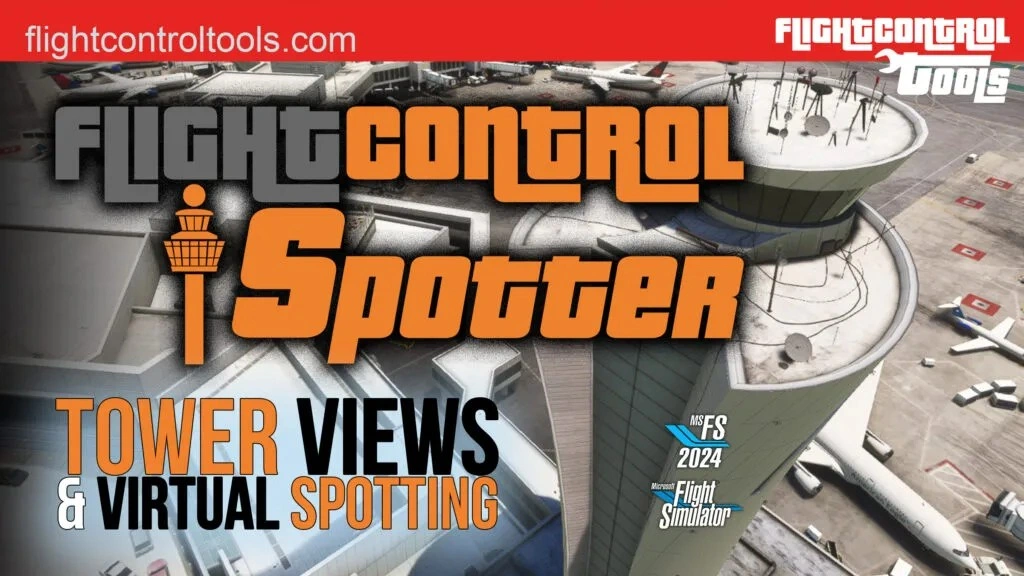
FlightControlTools has recently released FlightControlSpotter, a brand-new utility for Microsoft Flight Simulator 2020 and 2024, that puts you in the shoes of a virtual plane spotter. Bringing a new angle to your replays, this tool enables jumping into tower views and custom vantage points.
Fully integrated as an in-sim toolbar panel, FlightControlSpotter lets you teleport straight to the nearest airport tower, browse nearby fields by ICAO code, or drop yourself onto a runway, apron stand, or even a completely custom spot anywhere in the world. Your favourite locations can be saved for later, with a dedicated interface for managing them.

Custom spots are supported too, with latitude, longitude, and altitude being able to be captured from the aircraft or avatar, or entered manually, using coordinates. These locations can then be stored and named. View management is handled in the panel, with options to load or delete saved positions.
Here's the full feature list:
- Nearest Tower View – Instantly jump to the control tower of the closest airport. The panel displays ICAO code and airport name for quick access.
- Spot View by ICAO – Browse airports within a 200 NM range, select a runway or parking position, and teleport to Tower or Spot View to watch live traffic. Save your favorite locations for later use.
- Custom Spot Views – Define your own spotting location by capturing latitude, longitude, and altitude from your aircraft or avatar, then save it with a custom name. You can also manually insert coordinates and altitude of your choice.
- Manage Views Easily – Load or delete your saved views with a simple panel interface. Everything is stored locally for quick retrieval.
- Drone Camera Integration – Built on the default MSFS drone camera, giving you complete freedom of movement, zoom, and angle control.
- Instant Return to Cockpit – Resume full aircraft control at any time with the Take Plane Control shortcut.
For the complete announcement, you can read it here.

The utility relies on MSFS’s drone camera, which provides free movement, zoom, and angles without interfering with the aircraft state. When it is time to fly, a shortcut returns the user to the cockpit and restores full control.

FlightControlSpotter is available now through SimMarket, with an introductory price of $14.57, excluding taxes, for the first month. There is also a bundle offer including FlightControlReplay 5, for $34.96, excluding taxes, while existing FlightControlReplay 5 owners benefit from an upgrade price of $11.65
The add-on is currently only for PC, supporting both MSFS 2020 and MSFS 2024. An Xbox version “may follow later”. An accompanying PDF manual can also be downloaded here.
If you enjoy our content and want to support Threshold, consider joining us on Patreon!
Share this page

COMMENT ADVISORY:
Threshold encourages informed discussion and debate - though this can only happen if all commenters remain civil when voicing their opinions.