Just Flight Updates Fokker F28 Professional for MSFS 2020/2024
Just Flight has recently released the long-awaited 2.2 update for their Fokker F28 Professional for Microsoft Flight Simulator 2020 and now 2024. The update brings cabin updates, native MSFS 2024 compatibility with pre-flight walkaround support, SimBrief flight plan uplink, and more.

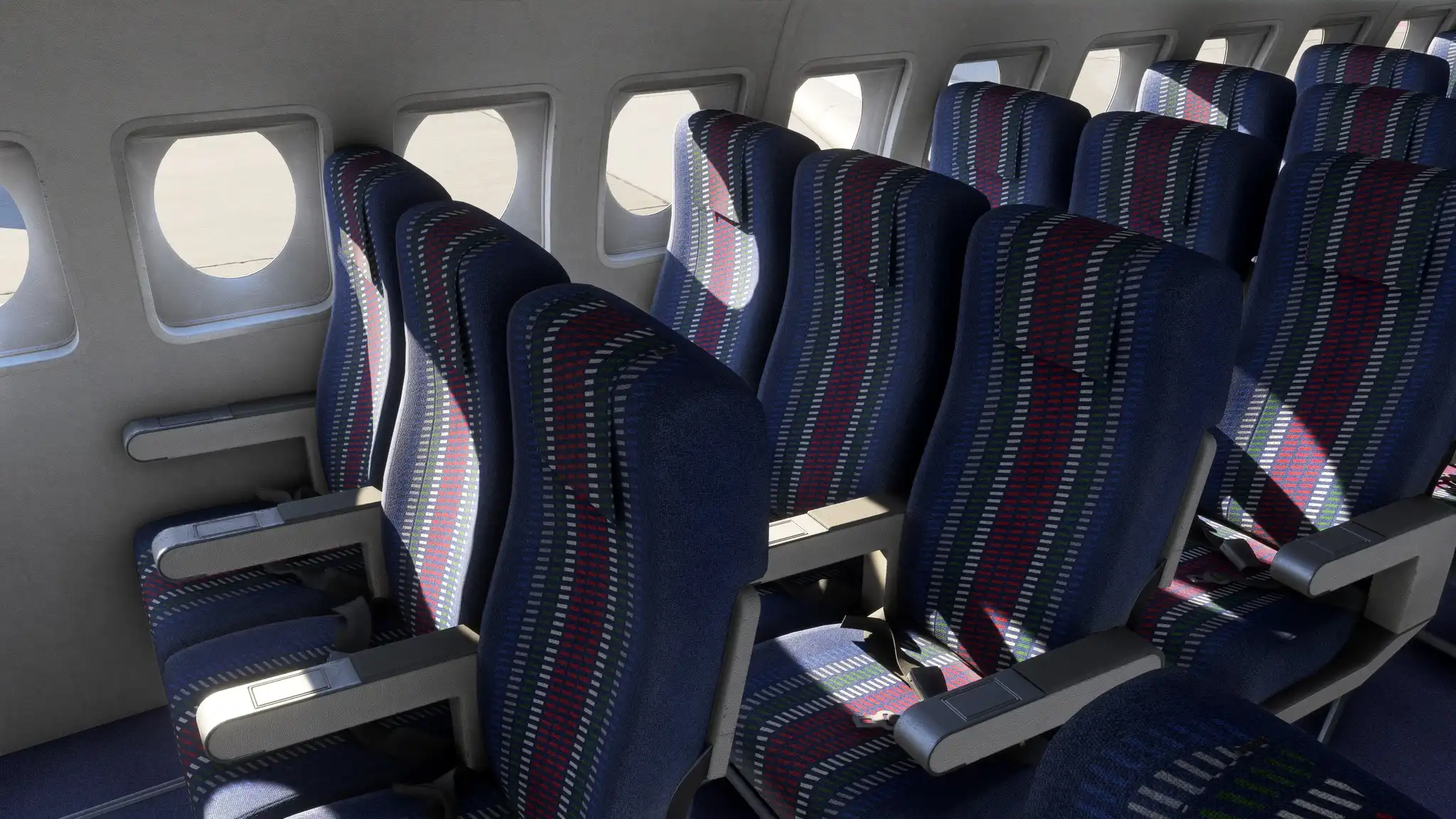
While they prioritized making it Microsoft Flight Simulator 2024 native—allowing it to launch on the Marketplace for the first time—they also took the opportunity to improve the 2020 version, adding unique cabin branding for all the included liveries, with period-authentic touches, featuring some of the “bold” design touches from the 1970s and 1980s.

The MSFS 2024 version also includes the pre-flight walkaround system, making it a native 2024 aircraft.
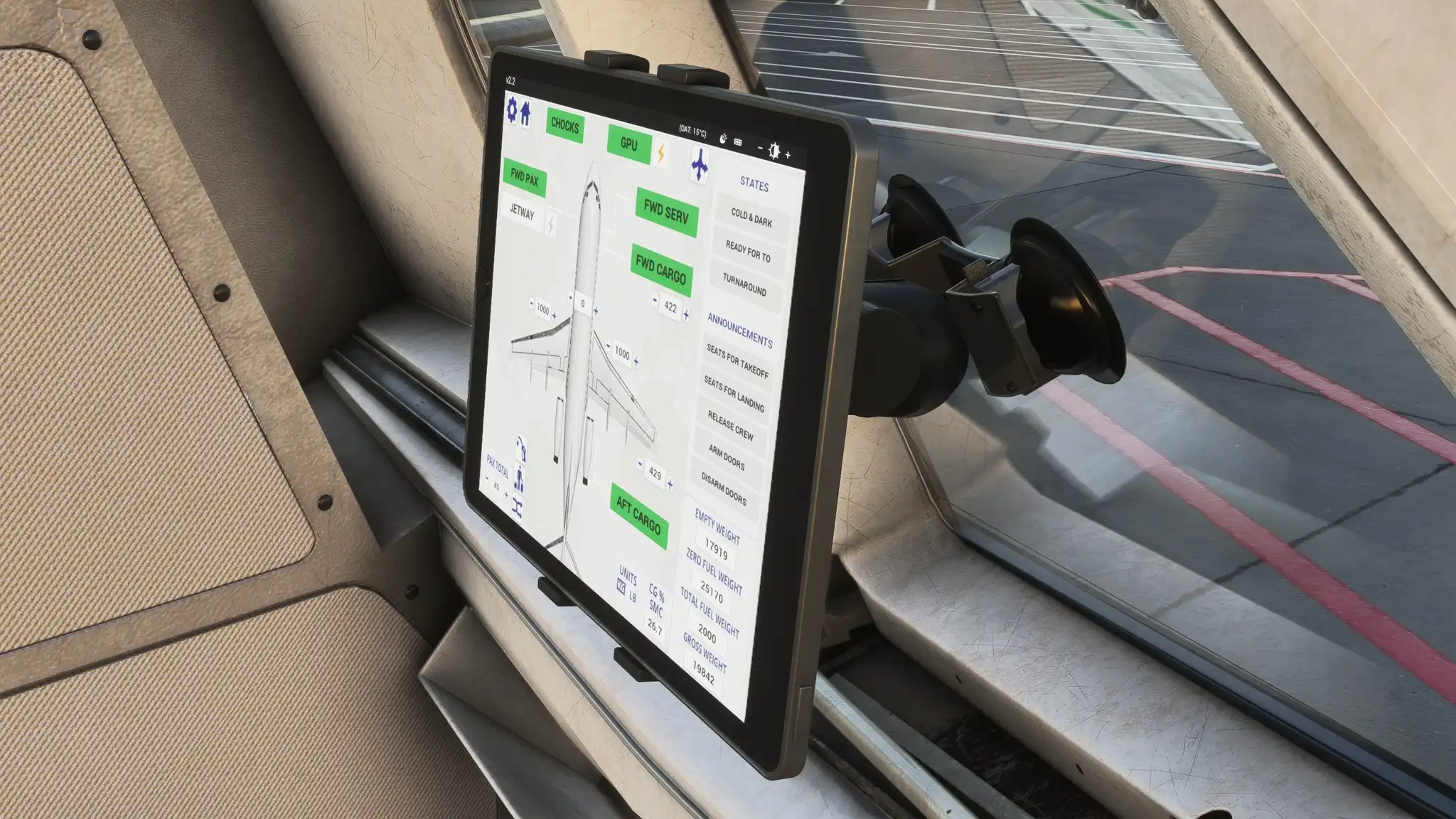
The EFB tablet model was revamped, offering a new mounting position (window-mounted), and the airplane now supports SimBrief flight plan uplinks, making the flight planning experience more seamless. The complete changelog follows below:
v2.2
- Upgraded to a MSFS 2024 native package (MSFS 2024 only).
- Added additional model LODs for improved performance (MSFS 2020/2024) and MSFS 2024 compatibility.
- Added Preflight Walkaround support (MSFS 2024 only):
- Chocks/Cones
- GPU
- Passenger and service doors (including airstairs handle, automatic/manual extension and jetway mode)
- Cargo doors
- Enter/exit aircraft
- Added SimBrief OFP import functionality to UNS-1 FMS.
- Added custom cabin textures to passenger liveries
- Added new, modern EFB tablet model (tablet can now be moved between two positions by clicking the top/bottom bezels).
- Added Jetway External Power logic - Default and GSX jetways, and GSX GPU, can now supply external power.Buttons on the EFB aircraft app allow for the selection of GPU or jetway power once available, or the overhead panel switch can be used as before.
- Added 'AUTO CABIN MUSIC' option to the EFB, allowing you to control whether the cabin crew switch the cabin music on/off.
- Added galley hot water handle animation.
- Added support for third-party liveries to include livery configuration files.
- Fixed EFB Charts and Map apps flickering (MSFS 2024 only).
- Fixed duplicated pilots appearing on exterior (MSFS 2024 only).
- Fixed missing copilot (MSFS 2024 only).
- Fixed copilot not animating with seat - Cockpit seat positions are now locked in MSFS 2024 due to simulator limitation that prevents the pilot characters from moving with them.
- Fixed EFB OFP page formatting (MSFS 2024 only).
- Fixed user aircraft being detected by TCAS when using time compression.
- Fixed MSFS 2024 payload initialisation issues when starting C&D (MSFS 2024 only).
- Fixed RMI dot/cross annunciator logic.
- Fixed cockpit window seal flickering.
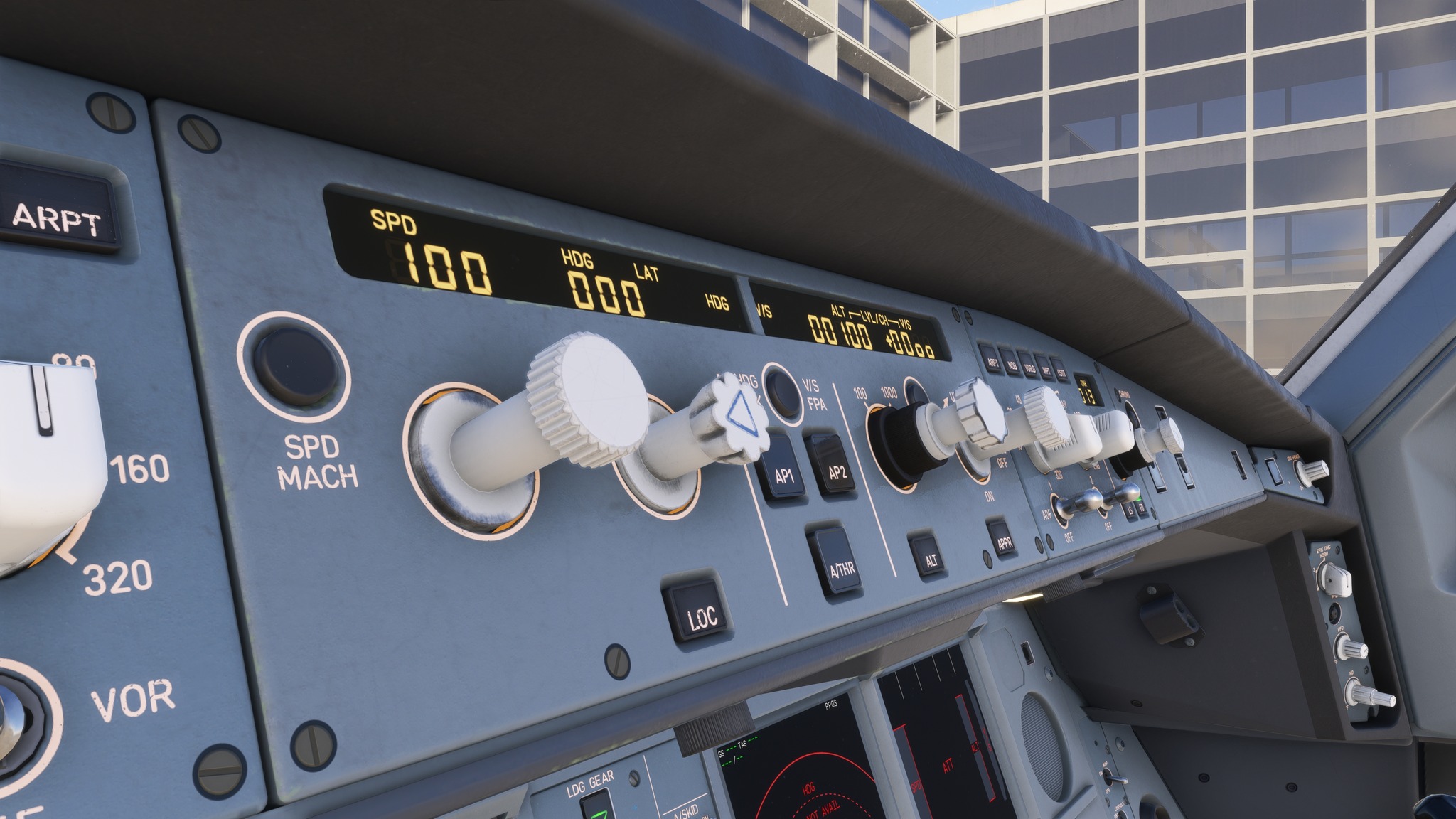
- Fixed autopilot mode selector lighting brightness (MSFS 2024 only).
- Fixed preflight walkaround collision boxes – It’s no longer possible to walk through parts of the aircraft when in preflight walkaround mode (MSFS 2024 only).
- Fixed forward galley collision boxes – It’s no longer possible to click through from cockpit to cabin and vice versa, preventing inadvertent selections, e.g. toggling a cockpit switch when trying to toggle a galley switch.
- Fixed navigation light effects disappearing at distance (MSFS 2024)
- Improved ASI bug logic - dragging of bugs is now possible, bugs interact with each other, and are more accurately set by speeds flipchart.
- Improved EFB pushback functionality.
- Improved cabin crew callouts triggers during taxi – “Cabin Is Secured” callout will now automatically trigger 5-8 minutes after the doors are closed, simulating the time it takes for a safety briefing and seat belt check. “Cabin Crew Seats For Take-off” logic remains the same, either triggered via the “CABIN CALL” button on the overhead panel when the aircraft is in a take-off state, or automatically during the take-off run.
- Improved Audio Selector Panel logic - Reworked for greater accuracy.
- Improved Door 1L logic and animation - door up/down buttons are now functional, door can be pushed for manual extension, smoother airstairs animation, improved door/handle animation logic when triggered via EFB.
- Moved ‘navdata’ folder externally to the package to comply with MSFS 2024 SDK (Navigraph Hub has been updated to support the new location).
- Updated Operations Manual
- Updated EFB Manual
- Updated UNS-1 Operations Manual
The add-on is available on their store for $55.99 (a temporary 20% discount due to the new update). The original retail price is $69.99. It requires at least 5.3 GB of free hard disk space to install.
If you enjoy our content and want to support Threshold, consider joining us on Patreon!
Share this page

COMMENT ADVISORY:
Threshold encourages informed discussion and debate - though this can only happen if all commenters remain civil when voicing their opinions.