Threshold Review: Moza MTQ Throttle Quadrant
November 16, 2025
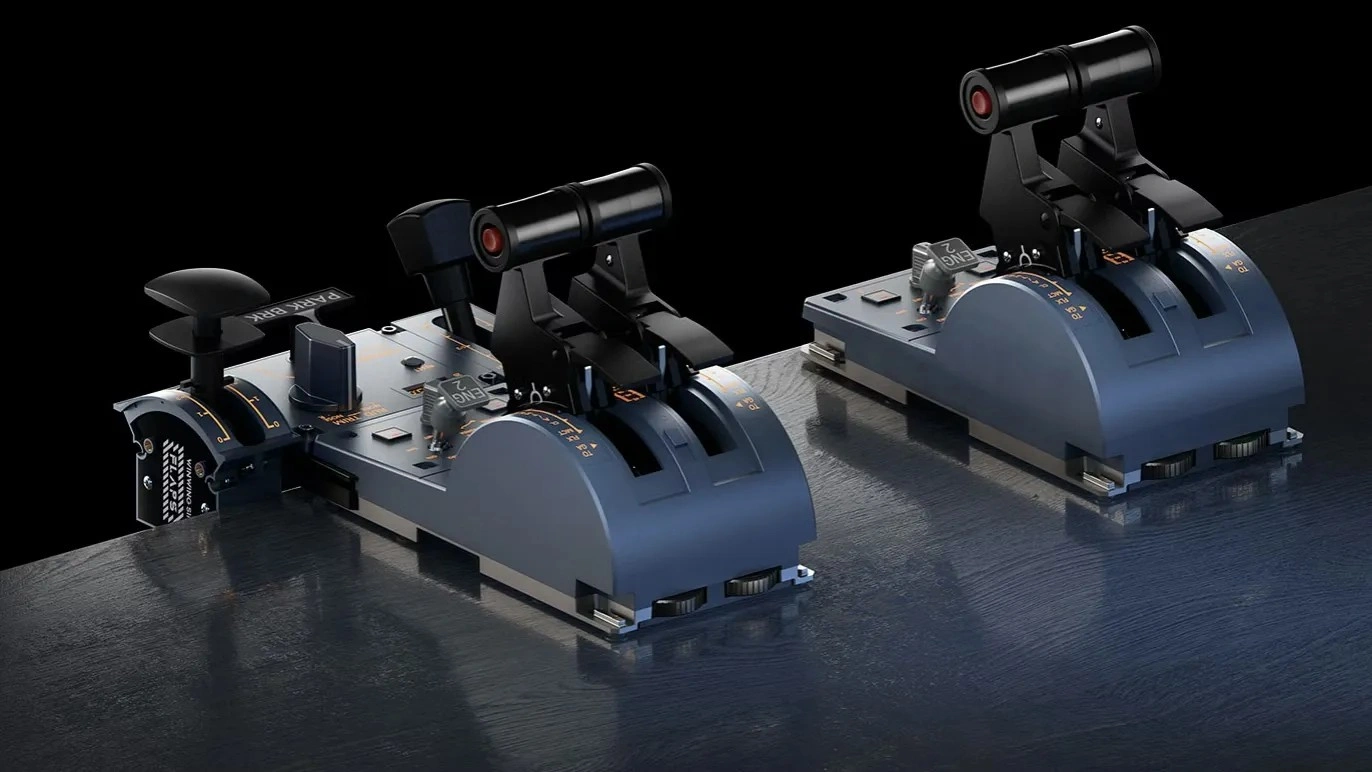
When Moza entered the sim racing scene a couple of years ago, it was only a matter of time before they made an impact in the flight simulation space as well. Moza impressed the high-end market with the AB9 FFB base, and now they are making strides in the mid-range market. The Moza MTQ is Moza’s attempt at creating a versatile throttle quadrant for the masses. This is a highly competitive part of the market, and a good throttle could secure Moza’s place as one of the big players in flight simulation for years to come.
First impressions
In my previous reviews, I have always been very aware of the product's price and adjusted my expectations accordingly. However, this time, we received the unit before a price was set. I therefore had the “luxury” of experiencing the product without any preconceived notions. I was quite impressed with what I encountered. It was clear that this product was not targeted at the premium market, but I was not disappointed by its overall quality. At the end of my first day of testing, my estimate was $230, which is slightly above the real price of $200.

The Base
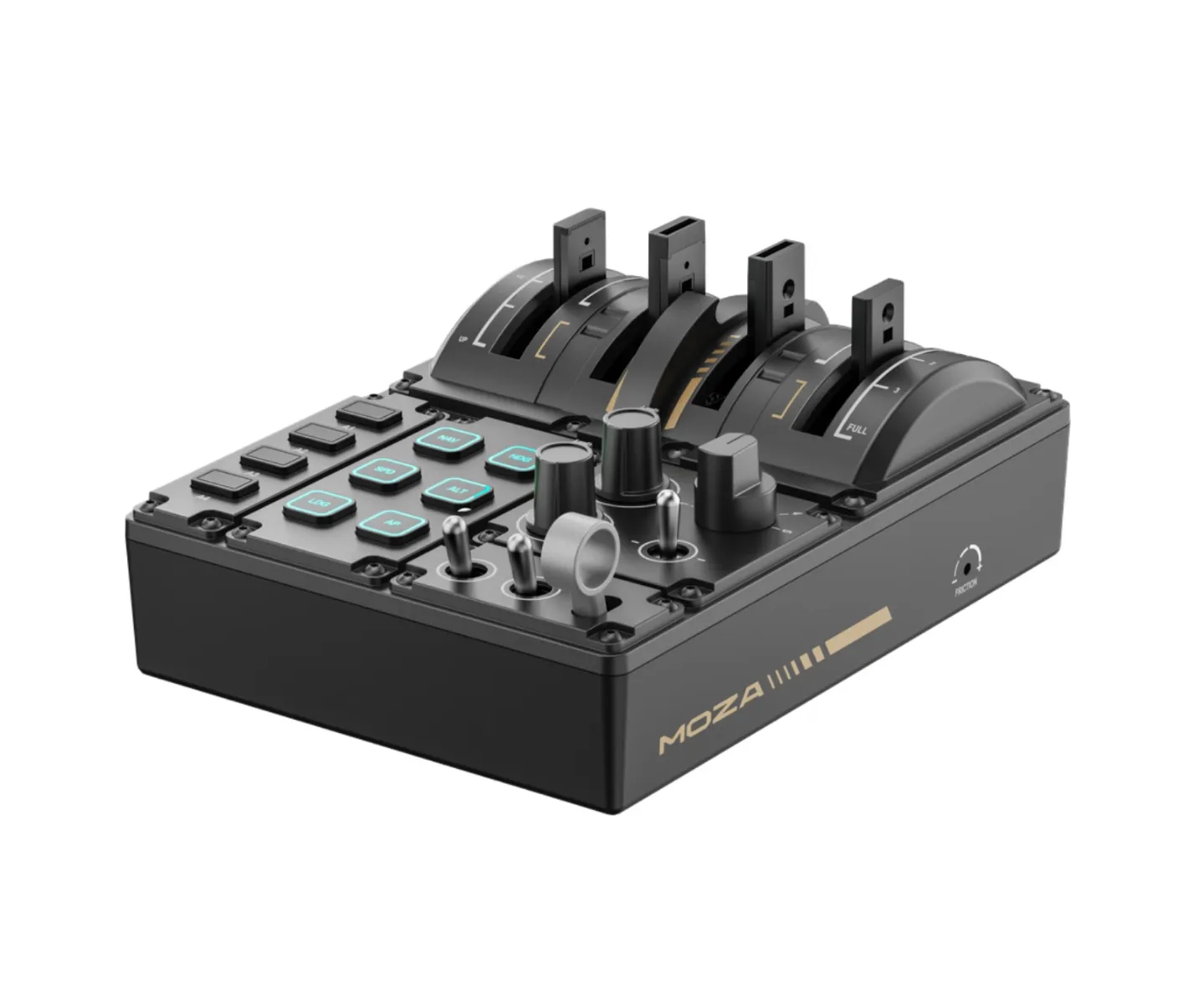
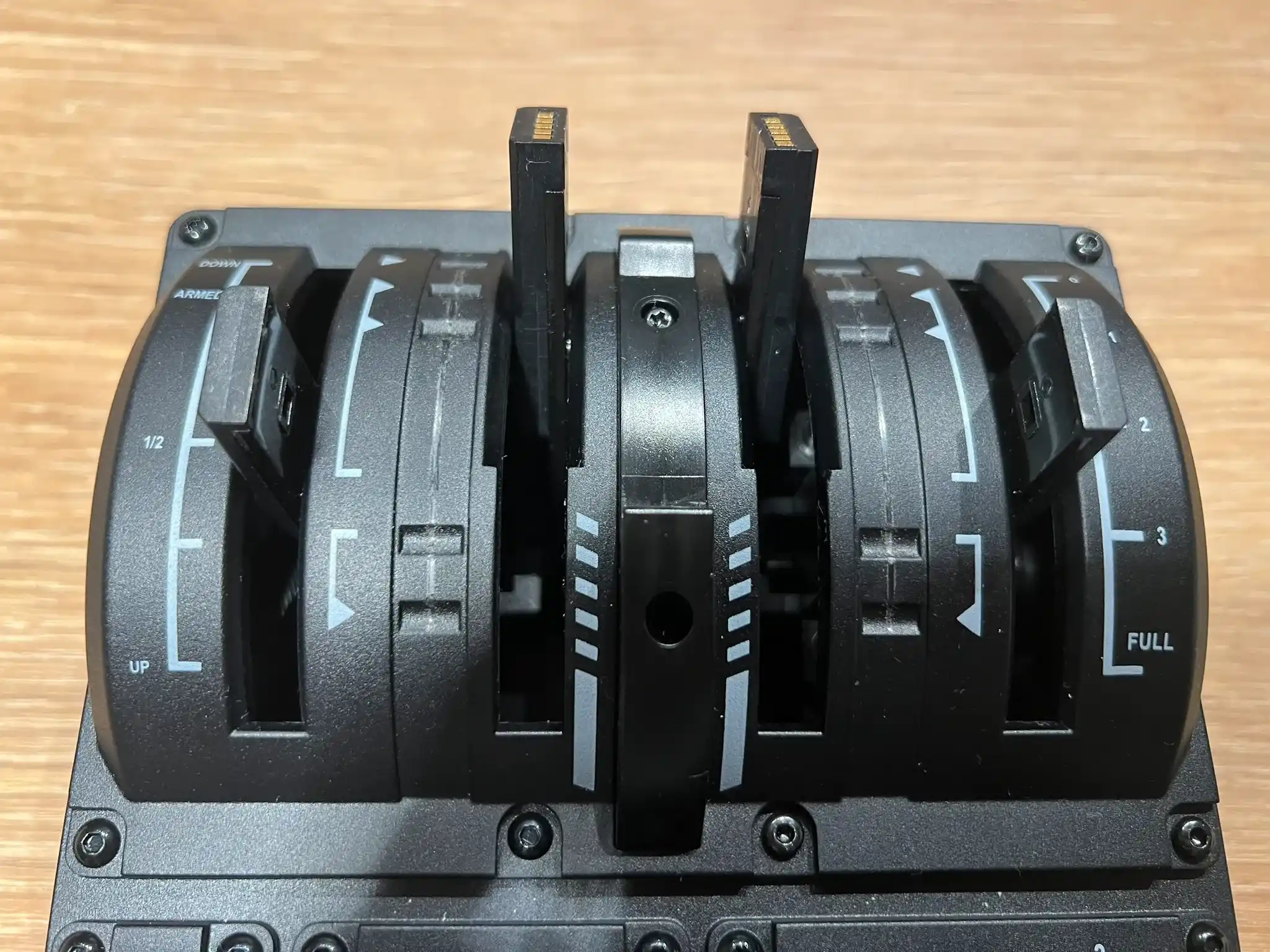
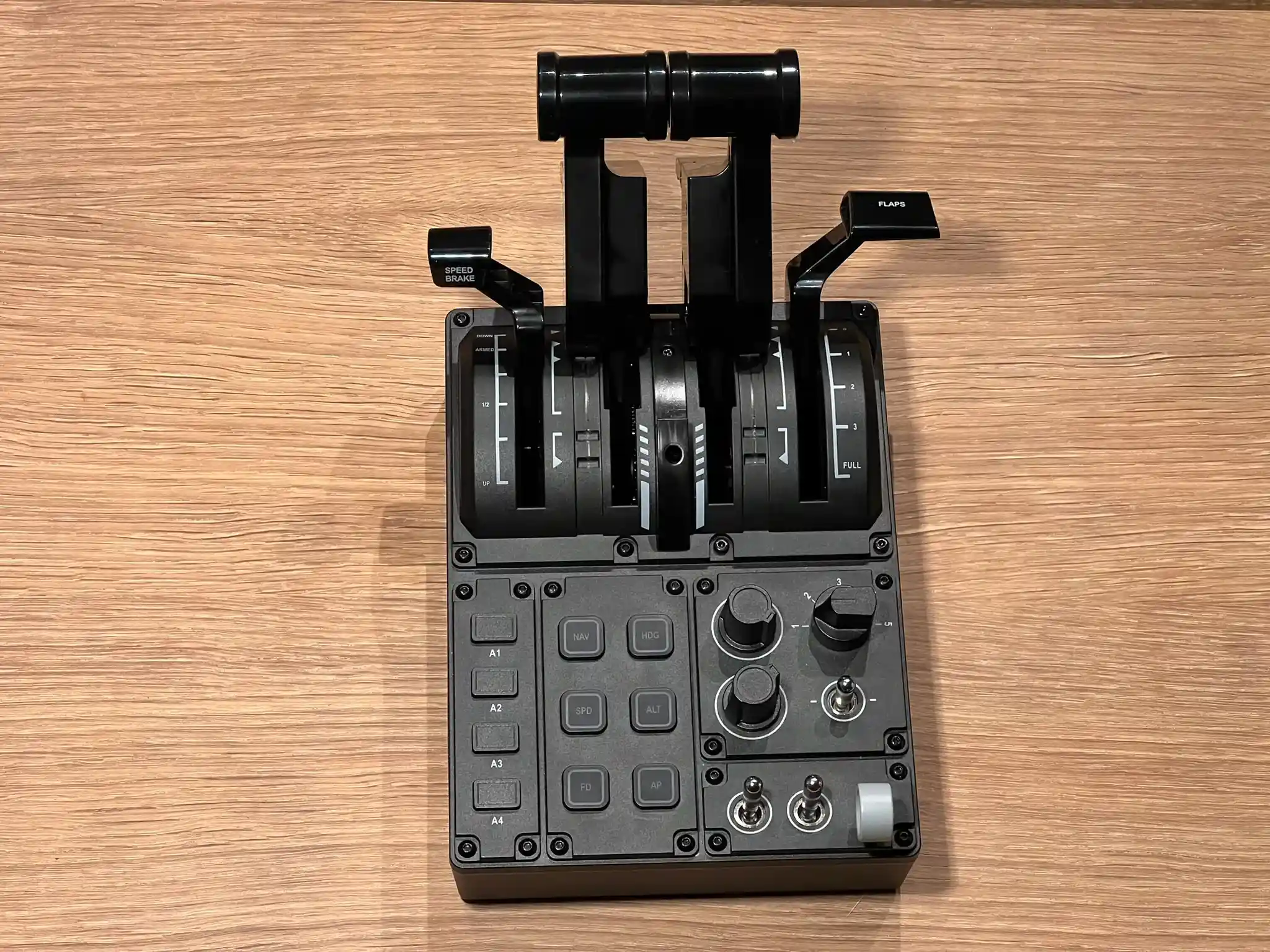
The base is quite good overall. Although it is small, there's no real reason for it to be larger. The buttons are arranged nicely, and the throttle levers, as well as the flap and speedbrake axis, are positioned at the very top of the base. This thoughtful design means that no buttons are obscured when using high power settings, which is an oversight seen on some other throttles. The base is made from a relatively high-quality plastic, making it feel more premium than its price suggests.

There is one significant issue with the base: it is too lightweight. Actions such as quickly moving the throttle levers, switching between detents on the thrust quadrant (TQA), and especially pulling out of reverse thrust on both the TQA and the included throttle handles can cause the base to lift off the surface.
Buttons and Switches
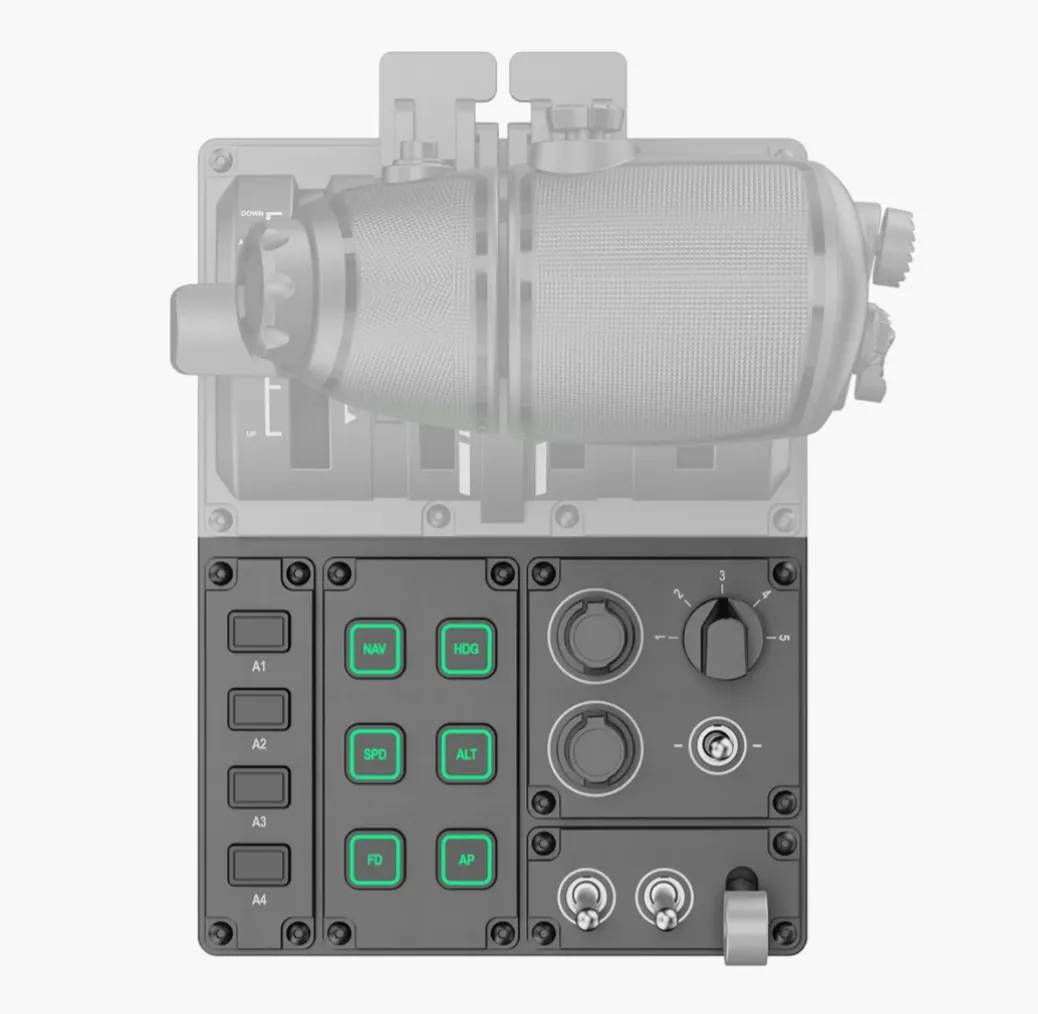
The quality of the buttons and switches varies quite a bit. I would say that the metal switches punch above their weight. They are tactile and satisfying to use. My only complaint is that they’re slightly too light to move. Comparing them to my much more premium Thrustmaster Warthog throttle, they feel surprisingly close, with the force required to move them being the main difference. The rotary encoders are slightly less premium. They are made completely out of plastic, and to be honest, they don’t feel that nice either. The main issue with the encoders is their inability to register rapidly repeating inputs. This limitation prevents it from being used to control the autopilot, as there is a noticeable delay when making larger adjustments. The clicks are satisfying and tactile. The gear lever feels quite cheap. It is very light and doesn’t feel that sturdy. The multi-position rotary is slightly better. Overall, I would say that the button feel is certainly within the window for what is expected for this price, but the limitations of the encoders leave me slightly disappointed.
Axis
Throttle Axis
The throttle axis is well-designed and enjoyable to use. It features a slightly dampened feel that enhances the experience, especially when you increase the resistance using the included Allen wrench. However, as previously mentioned, the base of the throttle unit is too light. When you increase the resistance, it can cause the base to lift off the surface more noticeably. This effect is particularly evident when using the TQA addon, more on that later.
The flaps and speedbrakes are part of the same system, which means that increasing the throttle tension also increases the tension on the other axis. When the flaps are at their highest tension, they feel very nice; however, at lower settings, they can feel quite unresponsive. While this may seem obvious, it is worth noting because you have to use a low tension setting most of the time due to the base being so light.
Flap Axis
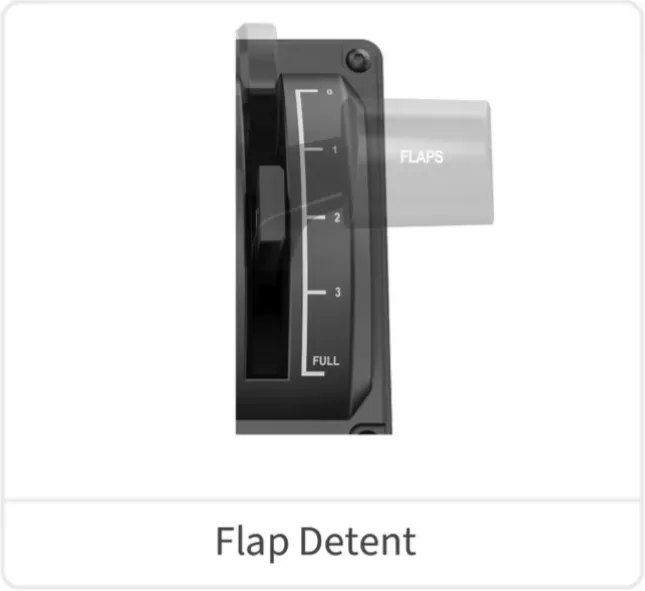
The flap axis is pretty nice to use. The detents are well-defined and satisfying to use. However, there is one significant issue: there are only four detents. While this is ideal for Airbus aircraft, it is not as suitable when flying Boeing aircraft. Although it is technically possible to position the lever between the detents to access all flap settings on a Boeing, it is impractical to do so in practice.
Speedbrake Axis
The Speedbrake axis is quite enjoyable to use, especially at higher tension settings, where it provides a satisfyingly dampened feel. Additionally, the axis features a slot that can be mapped as a button, making it ideal for arming the spoilers.

Throttle Levers
Included Figher-Style Throttle Levers
The throttle comes with levers designed to resemble those found in fighter jets. This design is quite clever, featuring a detent for reverse and one for afterburners. The reversers function similarly to those on Airbus aircraft, while the afterburners operate in the same way, positioned on the opposite side of the throttle.

The throttles can also be interconnected, which can be very useful at times. Additionally, the throttle is equipped with numerous buttons and even a small analogue stick with a click button. The abundance of buttons and the versatility they offer are impressive. I would argue that the MOZA MTQ outperforms other military HOTAS throttles; I definitely prefer this layout to my Thrustmaster HOTAS Warthog.
However, the throttles do have some drawbacks. They are entirely made of plastic, which doesn’t feel very premium. The plastic is somewhat scratchy, and the reverse levers are not particularly satisfying to use.
The flaps and speedbrakes are quite small. While not a dealbreaker, these details separate the good from the great.
That being said, this is still a definitive strength of the MOZA MTQ, and I thoroughly enjoyed using the throttle levers.
TQA Airbus-Style Throttle Levers
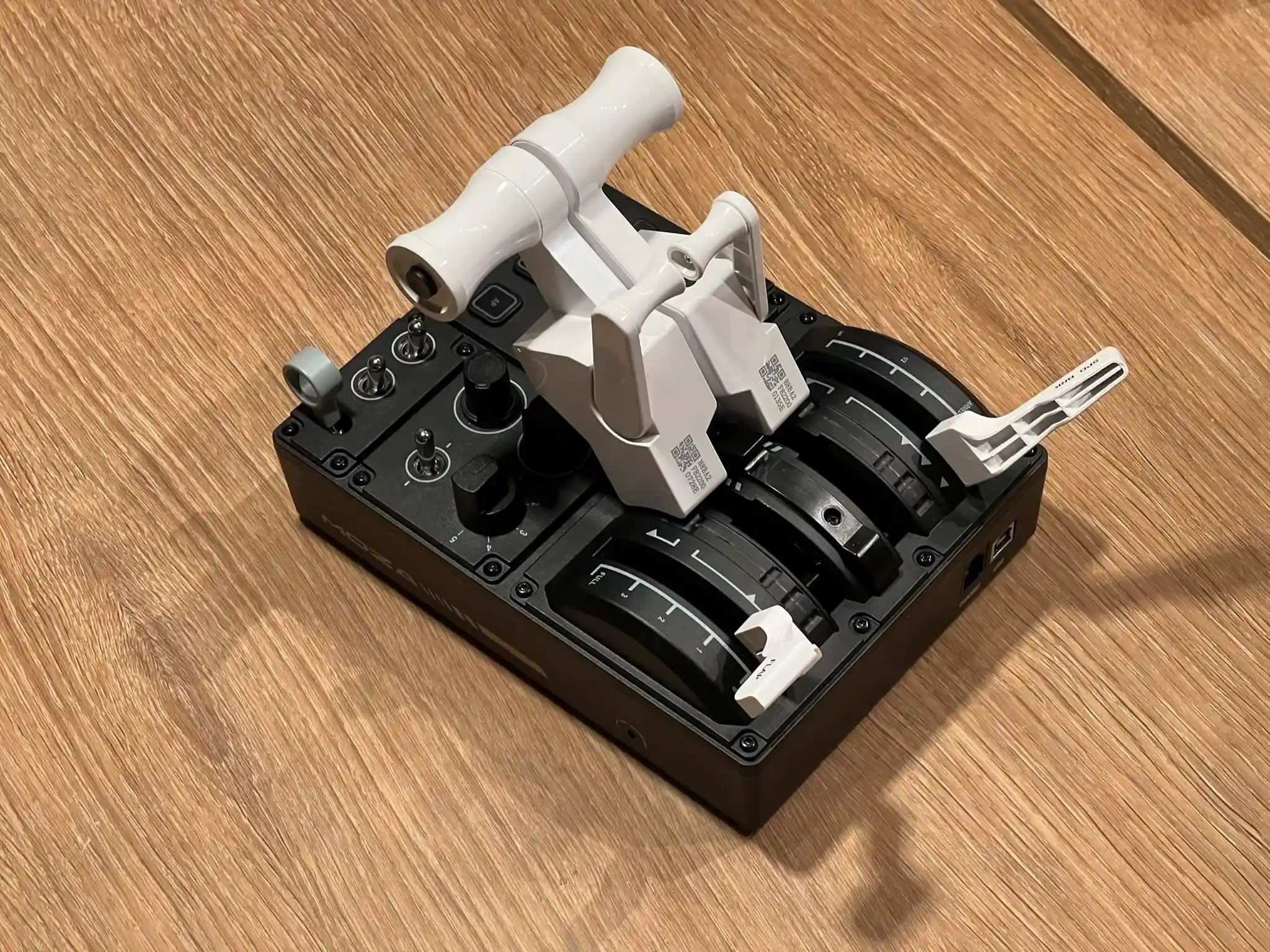
The main appeal of the Moza MTQ Throttle is its easily interchangeable levers, making the quality of the addon throttle levers arguably more important than the included ones. Before receiving the unit, I had seen some images, and honestly, I wasn’t very impressed. The throttle levers appeared small and didn’t quite resemble those found in an Airbus cockpit. Fortunately, I was proven wrong.
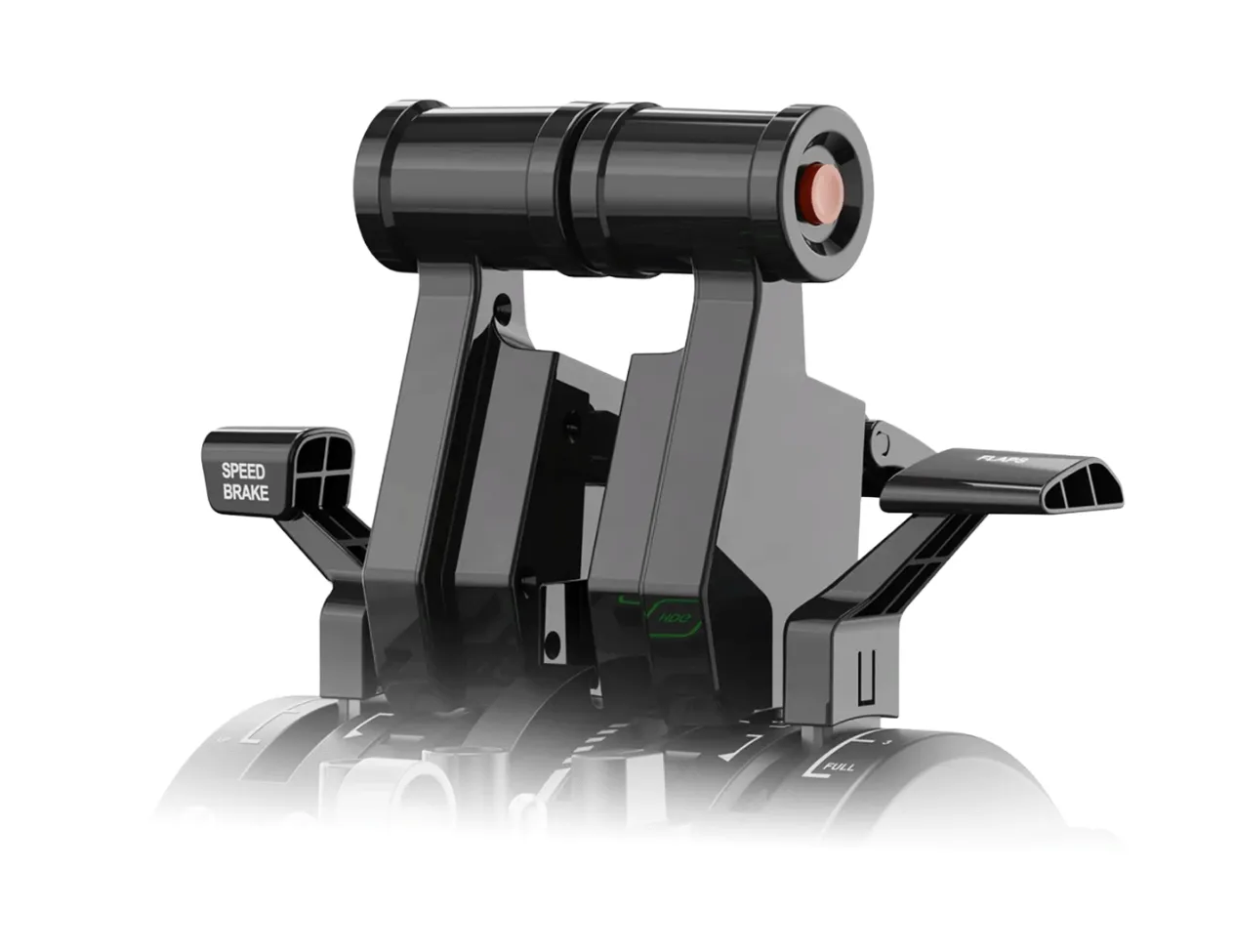
The levers truly look like they belong in an Airbus flight deck. Although they, like the included levers, are made of plastic, this plastic feels significantly better. They are quite solid and lack the scratchy texture of the default levers. Instead, the TQA features a piano black, glossy, and smooth finish. Initially, I was concerned about fingerprints, but I have been pleasantly surprised. After many hours of usage, they still look almost as good as they did on the day I unboxed them.
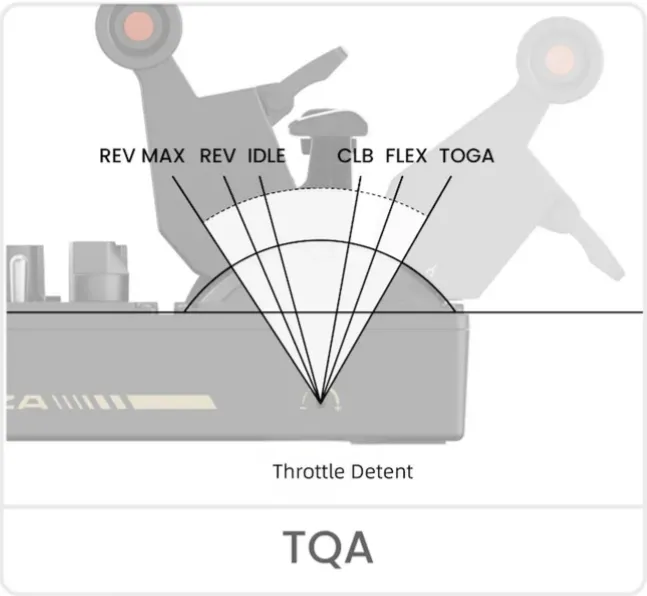
The TQA features both the autothrottle disconnect button and a reverse detent, which engages by pulling up the reverse levers and pulling the throttle back beyond idle, just like in real life.

One unique feature of the TQA is its detents, which provide a satisfying tactile feel that I believe surpasses that of the Thrustmaster Airbus throttle. However, there are a couple of drawbacks to consider. The detents operate by dragging a small ball along a track with small holes on either side of the throttle lever. Unfortunately, this mechanism also creates a groove, which I fear will worsen over time. Each time I remove the Airbus levers, I notice bits of plastic that have been worn away by the ball. As a result, I am concerned about how long the detents will maintain their responsive feel.
Another issue with this approach is the added friction. It effectively means that if you want the same amount of resistance on the Airbus levers as you have on the other levers, you'll need to make adjustments each time you switch. The Airbus levers also end up being slightly too stiff for desk use at all times. The reverse detent serves as a prime example; while it feels nice, it’s much too heavy for a product like this. Since the base itself is quite light, you can't pull the levers out of reverse without physically holding the base down, which is not ideal during a landing.
The speedbrakes, like the included ones, are very small and look nothing like those on a real Airbus. This definitely contributes to a slightly “toyish” feeling.
Even with this said, though, I still had a great time using the Airbus levers. They are by far the ones I have used the most.
TQB Boeing-Style Throttle Levers
While I had many aspects I liked with the other levers, there were also a few things I felt needed criticism. The TQB is where Moza truly excels. Like the TQA, it is made from high-quality plastic and attracts surprisingly few fingerprints. The TQB also includes reverse levers, similar to those found in real-life Boeing aircraft. These levers feel very nice and provide a satisfying “click” when you engage the reversers. My only real complaint is that I would have preferred them to be implemented as axis instead.

The TQB includes both TO/GA and autothrottle disconnect buttons, similar to those found in real aircraft. Both buttons feel great and contribute to a thoroughly immersive experience. If I could only purchase one additional throttle and didn't have a preference for flying either Airbus or Boeing, this would be my top choice. Moza has done an excellent job with this one.
Software
Moza cockpit is easy to use and features a modern, attractive design. That said, you won’t need to spend much time using it unless you have additional Moza products.
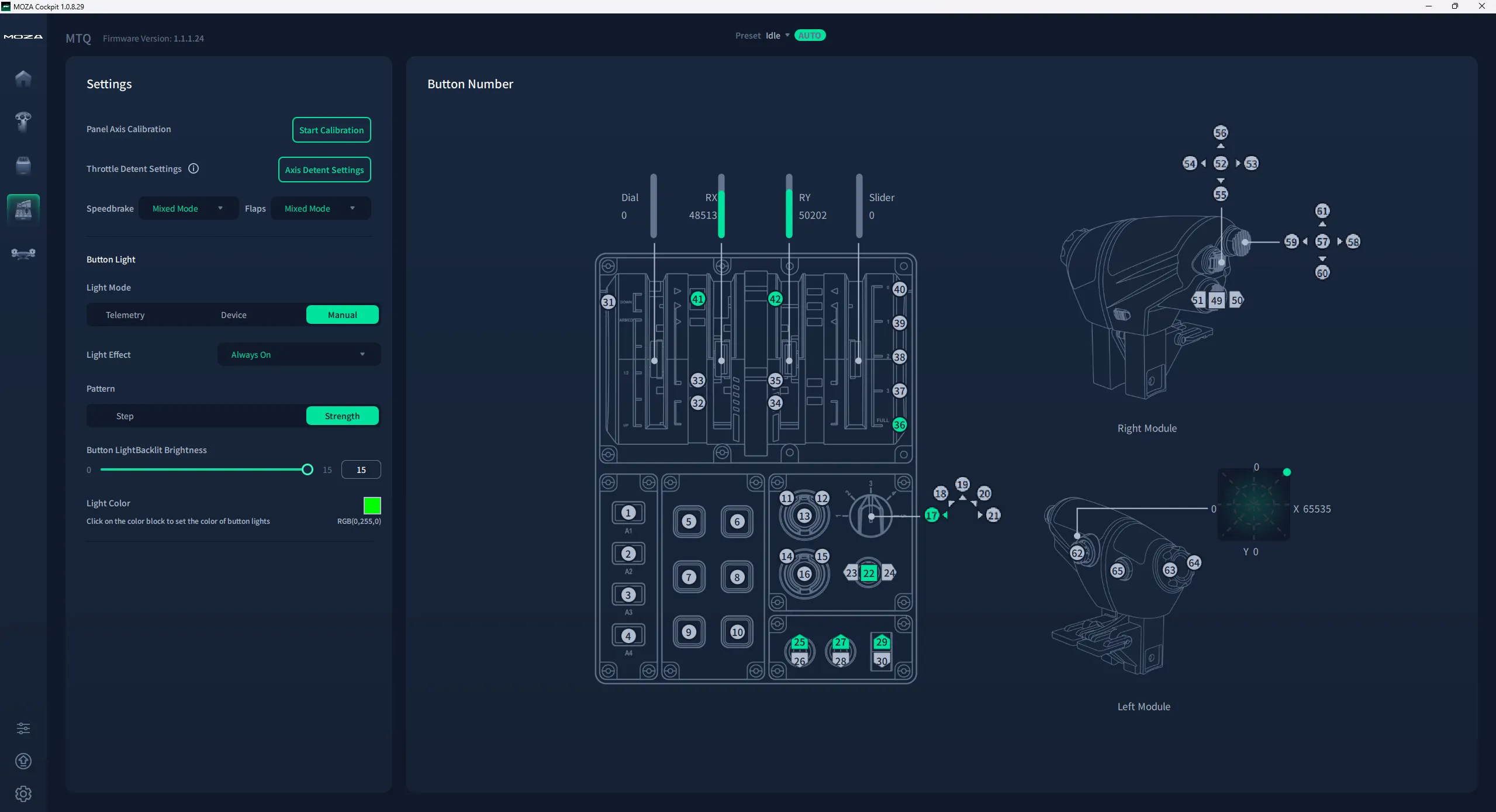
The adjustable lighting patterns are a nice feature, but it can be a bit frustrating that the lights stay on unless you manually switch them off in the software. Even when the computer is turned off, the lights remain lit. I imagine this could be quite bothersome if you sleep in the same room as your setup.
Issues
I have experienced two minor issues with the throttle.
When I first received the throttle, it would disconnect and reconnect intermittently. Luckily, this was quickly fixed with a software update.
The Throttle developed a squeak on my third day of usage, which is certainly not ideal. The squeak remains to this day.
Closing Thoughts
After using the Moza MTQ for about two weeks, I often reflect on the saying, “Jack of all trades, master of none.” In this context, it's not a negative observation; the Moza MTQ excels in versatility. However, it’s not the best at any one specific thing. There are superior Airbus throttles and superior Boeing throttles out there, but none offer the same level of versatility at such an affordable price.
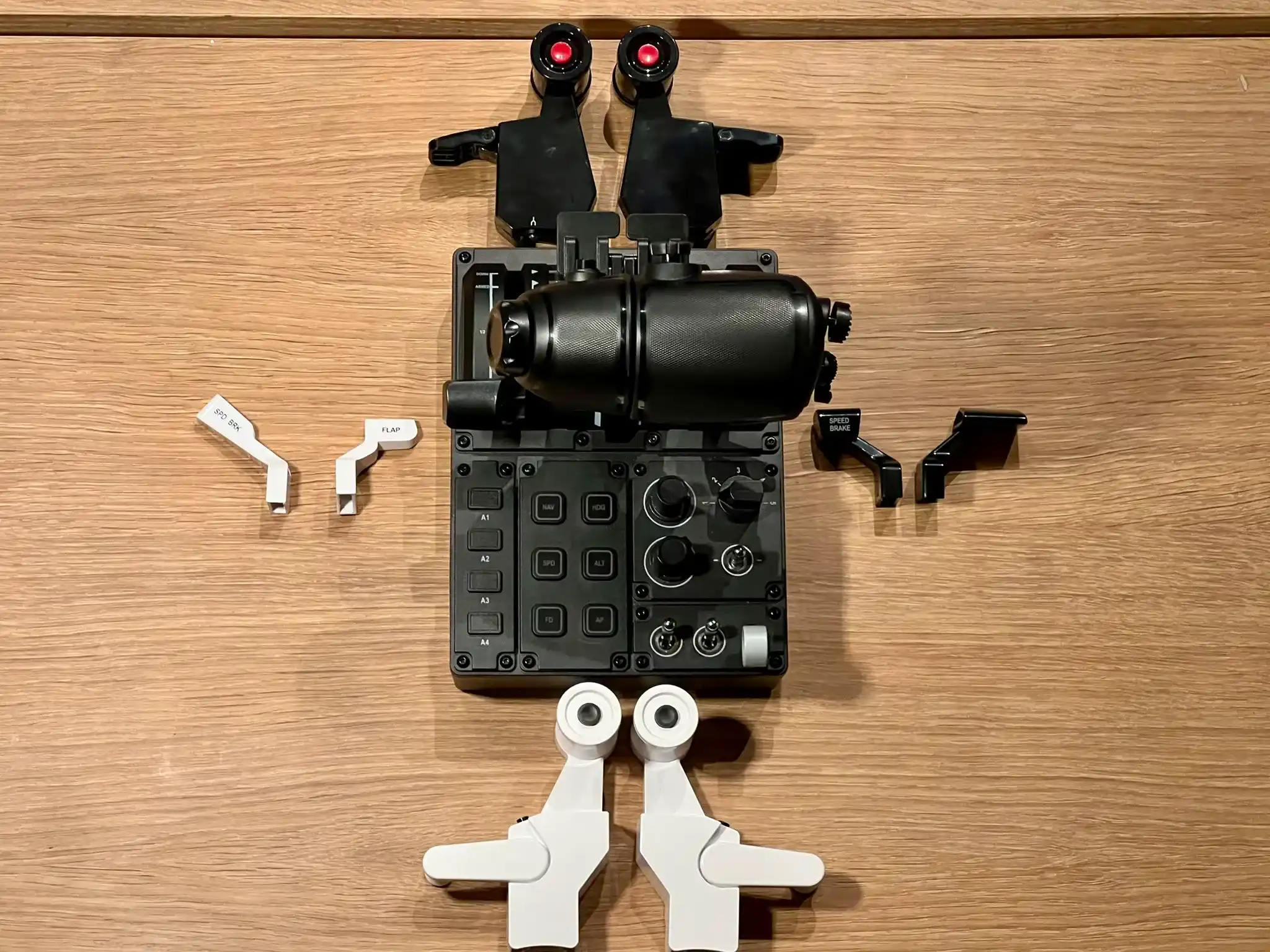
I was quite surprised by how much I enjoyed using the Moza MTQ throttle. While it has some shortcomings, such as a lightweight base and concerns about wear on the detents, I can overlook these issues.
Before trying the Moza MTQ Throttle, I was using the Thrustmaster Warthog Throttle. Although the Warthog Throttle is aimed at a more premium market, I have no plans to switch back for now.
Verdict
The Moza MTQ isn’t perfect, but if versatility and affordability are your priorities, it’s hard to beat.
The Moza MTQ is an excellent option for those who want to fly multiple airliners with realistic throttles without spending a lot of money. While it may not excel in any one specific area and does have some noticeable issues, it offers a great overall experience as a package.

The Moza MTQ Throttle is priced at $199 on the Moza website, with the TQA and TQB Throttle modules available for an additional $39 each.
If you enjoy our content and want to support Threshold, consider joining us on Patreon!
Share this page


COMMENT ADVISORY:
Threshold encourages informed discussion and debate - though this can only happen if all commenters remain civil when voicing their opinions.