Threshold Review: The Honeycomb Lite Series
January 7, 2026
In this review:
Alpha Flight Controls Lite
- $ 199.99 USD
Bravo Flight Controls Lite
- $ 199.99 USD
I first had a chance to explore the new Lite lineup during the Honeycomb press event last summer, where they showcased the entire series for the first time since the FSExpo in Providence. You can read my early impressions here: Press Event: Honeycomb London 2025. Since then, I’ve spent extended time with both the Alpha and Bravo Lite, and their exact place within Honeycomb’s lineup is still not entirely clear to me. Or rather, has Honeycomb shot its existing lineup in the head by releasing these simplified versions of its original brethren?
Honeycomb has long been one of the most recognizable names in consumer flight controls, represented in almost every booth at almost every major simulation event, such as FSExpo, FSWeekend and beyond. And with good reason.
The original Alpha and Bravo units set a new benchmark for mid-range hardware when they were released back in 2020. Striking a balance between solid construction, broad compatibility, and a distinct design philosophy. Honeycomb created controls that function as the Swiss Army Knife of flight simulation. One tool that can handle nearly everything. And especially the Bravo does that very well. It is unmatched to this day, in my opinion.
With the Lite series, Honeycomb introduces a lower price entry point, offering a familiar form factor and build quality but without that same all-purpose approach. The question, then, is whether that trade-off makes sense — and whether the Lite models deliver enough to recommend them in their own right.
Design and Build Quality
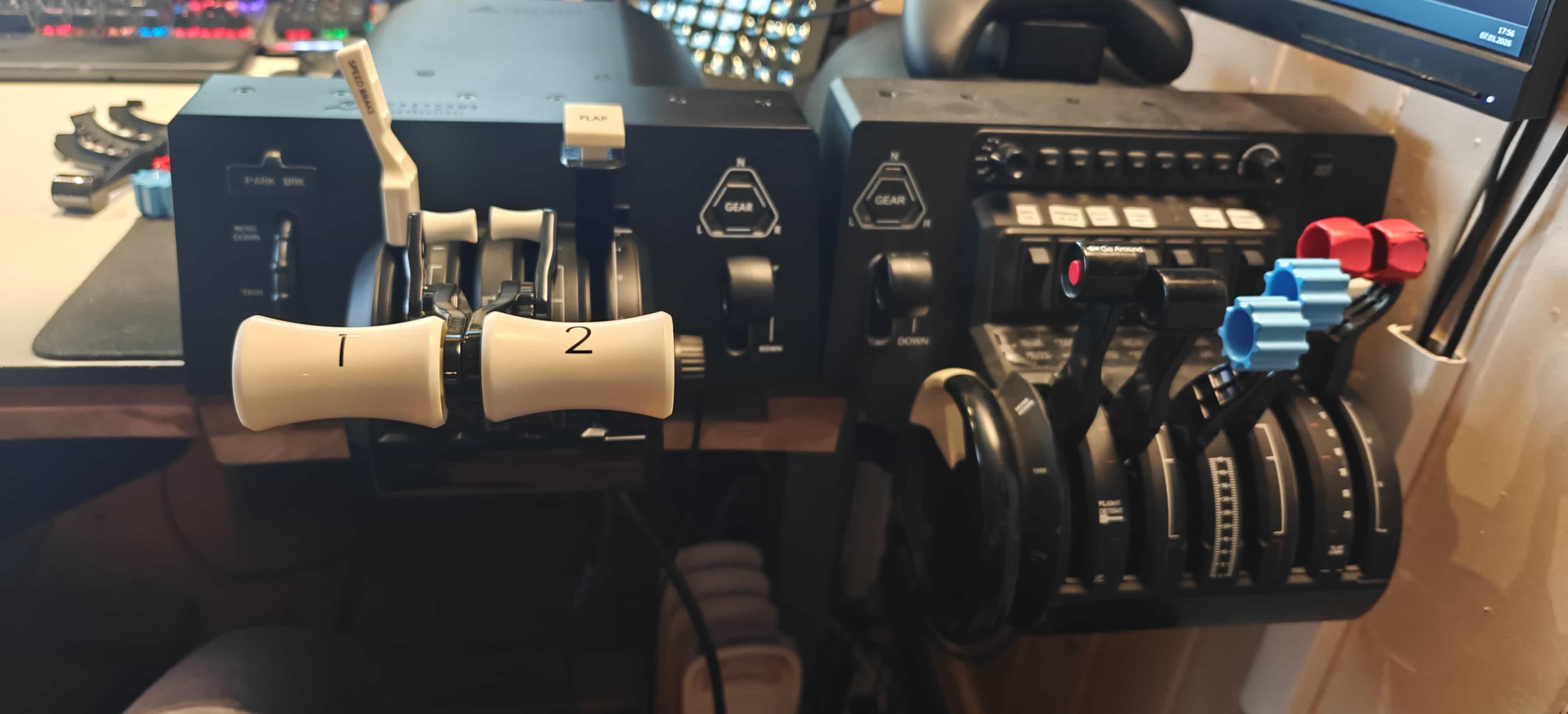
At first glance, the Lite series follows the familiar Honeycomb design language. The overall form factor mirrors the original Alpha and Bravo, although the switch and button layouts have been simplified or removed entirely. The housing is made from a solid plastic shell with a clean finish that feels consistent across the surface. While lighter than the original units, the construction still gives the impression of a dependable and well-produced product within its price range.
The clamping system on the Lite units uses the same method as the original Alpha. It includes a desk plate with non-slip rubber underneath and two clamps that attach it to the table. The yoke connects to the plate using two rotary interfaces on the back. I've used this system for many years, and it remains one of the most reliable and practical desk mounting solutions available. It is quick to set up, easy to remove, and stays securely in place during use. I often wish more products used a system like this.
One practical advantage of Honeycomb’s mounting plate is its flexibility within its ecosystem. If you use the TPM module alongside a Bravo, you can swap between those units without loosening the plate itself. The attachment points stay the same, which keeps changes between aircraft types or setups efficient.
The Alpha Lite
The yoke mechanism is spring-based and offers ninety degrees of travel to each side. The roll spring tension feels firm enough to provide stability while still being loose enough for precise input. Having used the original Alpha for many years, I can vouch for the general reliability of Honeycomb’s approach to this style of yoke, and the Lite version follows the same basic principle. The Alpha can feel a bit stiff in the pitch axis. But you get used to it, and I have not really found any yoke I like more that is not force feedback.
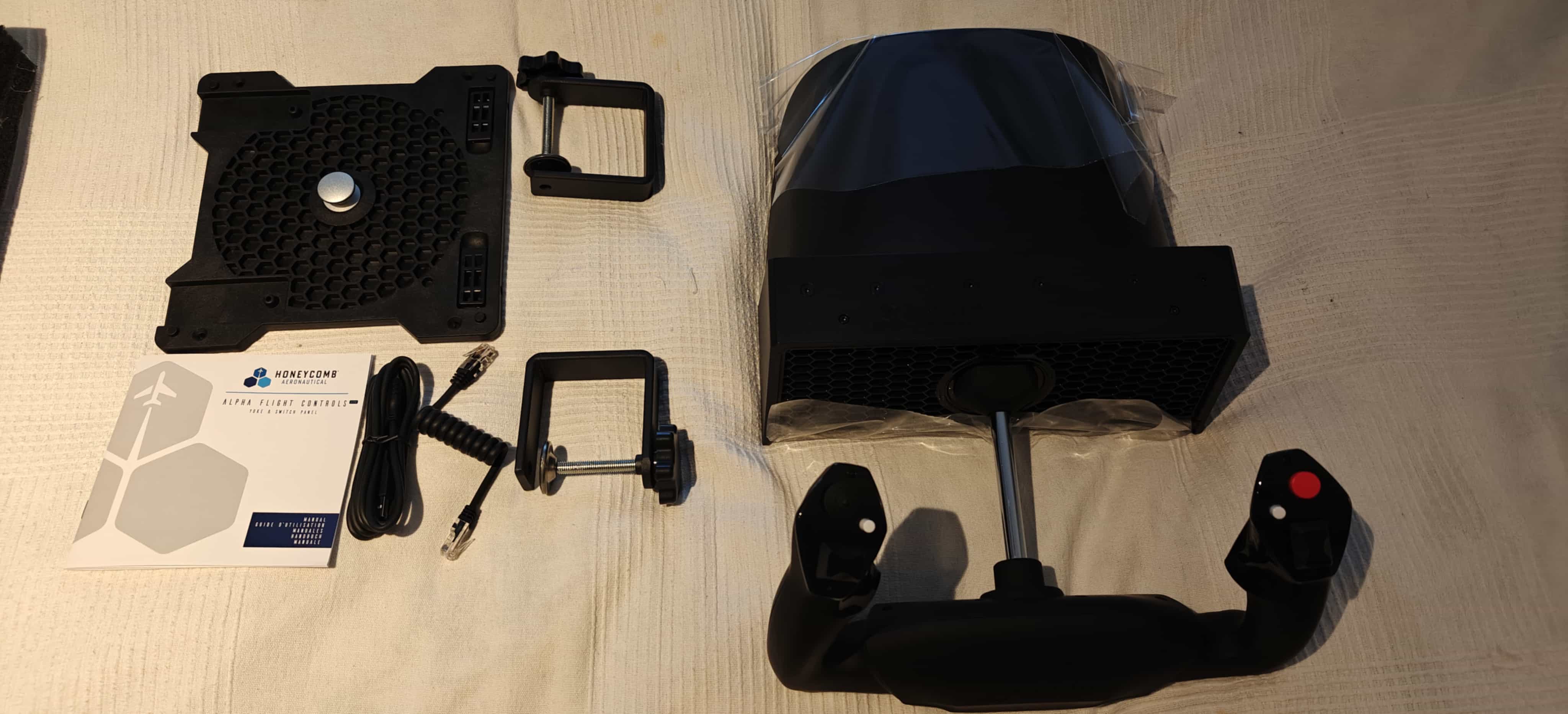
The handle and its buttons is the only part you interact with, and it feels comfortable in the hand. Honeycomb has kept with the fairly generic general aviation shape, which works well for a broad range of aircraft types. All buttons and switches on the handle are easily accessible and logically placed.
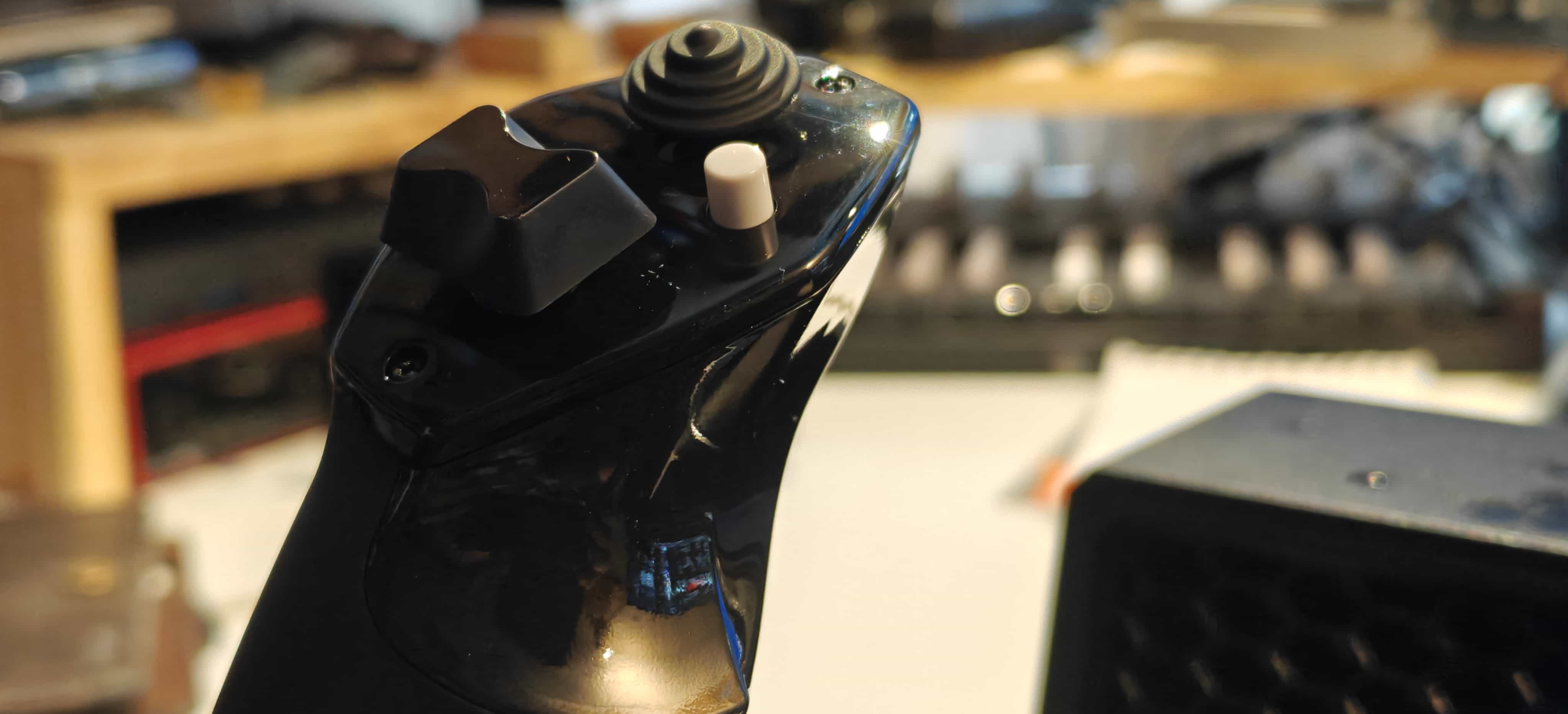
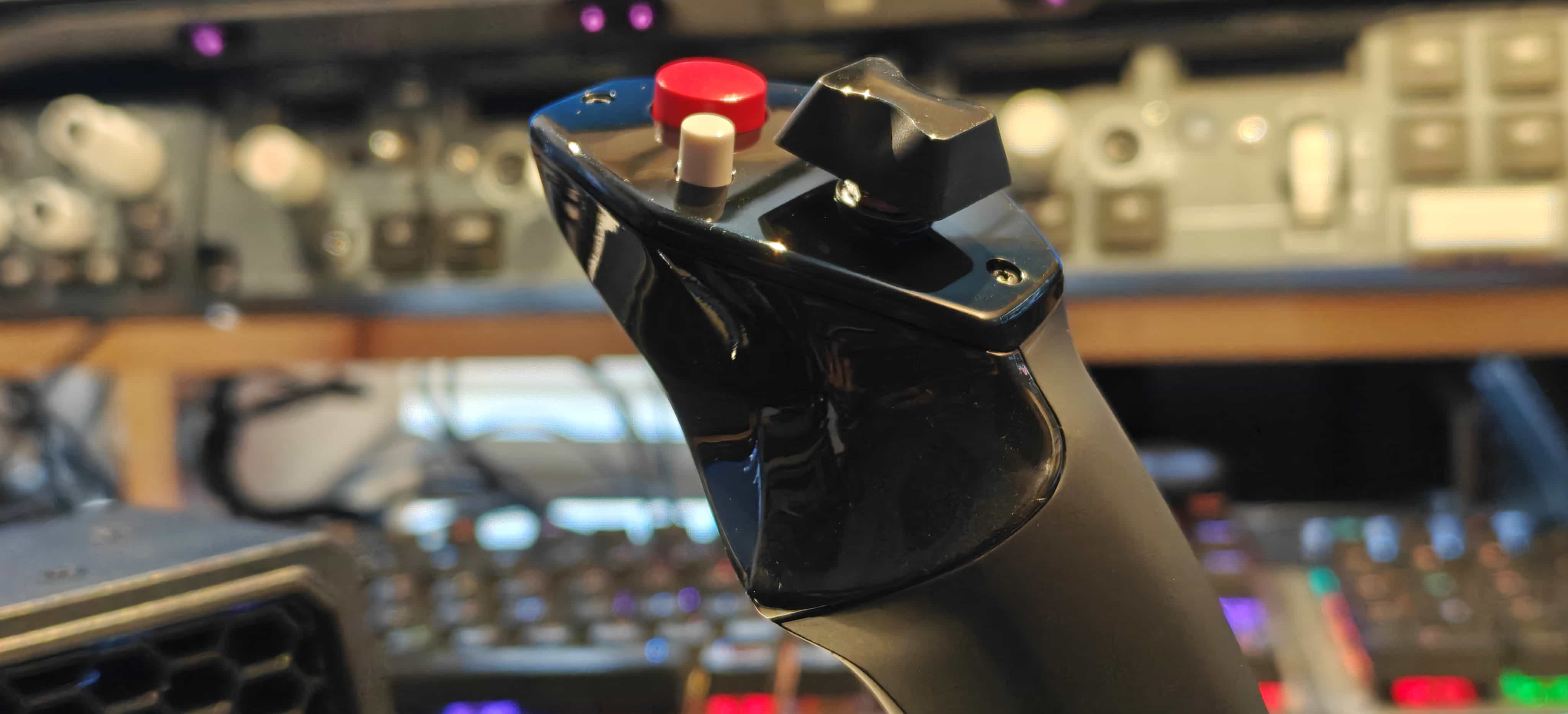
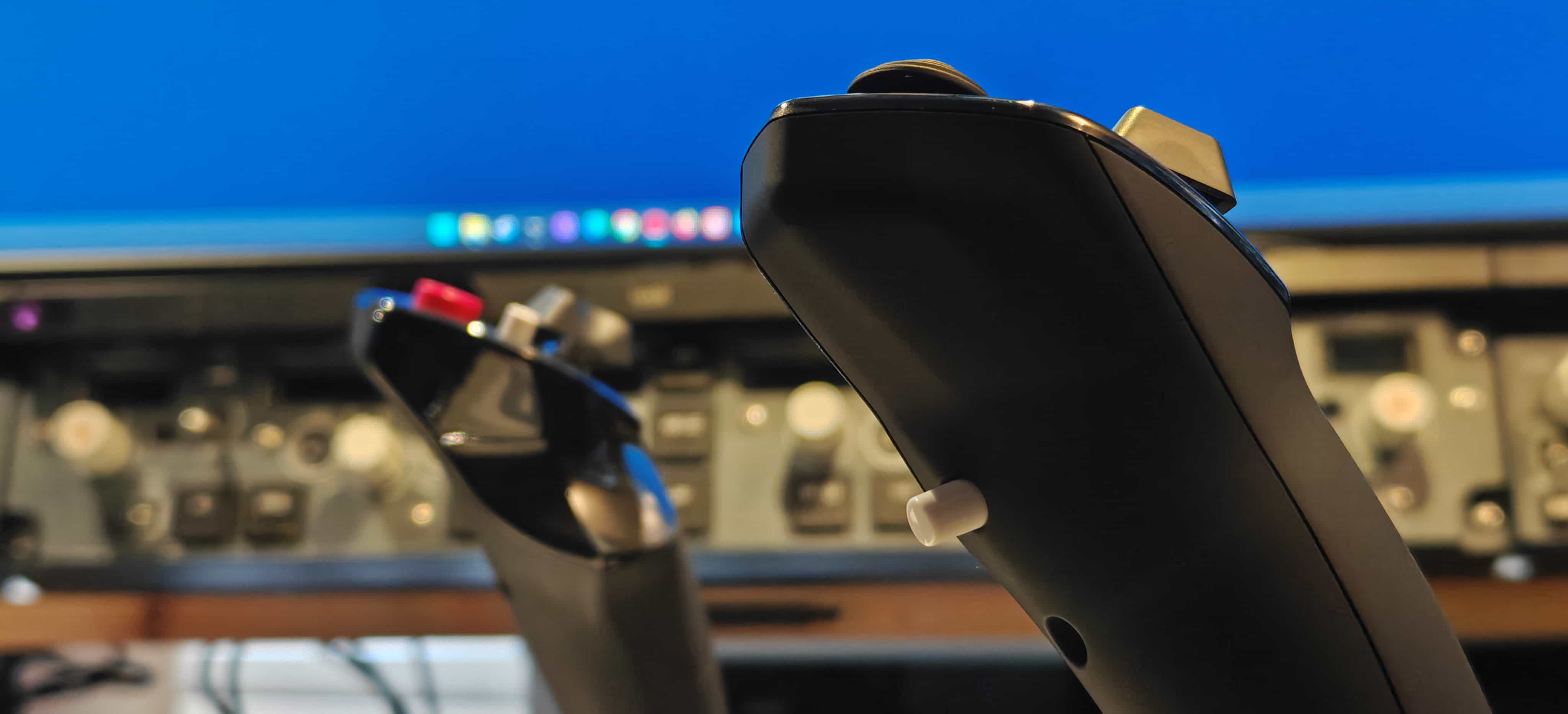
The dual trim buttons on each side of the yoke feel stiff to me, but I get used to them quickly. The firmer click helps prevent accidental activations, which is useful when trimming under heavy control inputs, such as in turbulence or during low-altitude maneuvers. I have set the front button to "push to talk" in VATSIM or SayintentionsAI. All in all, I really like the Honeycomb yoke handle.
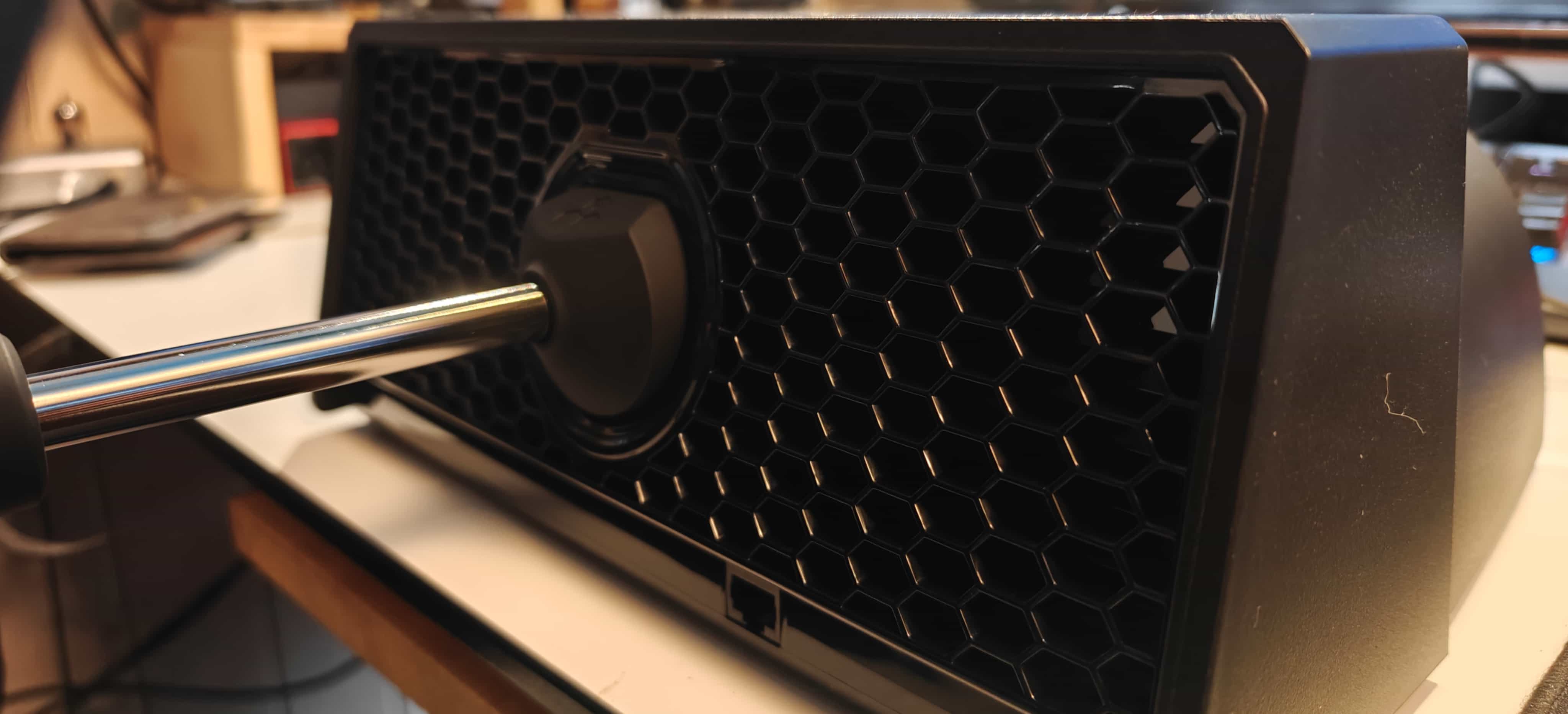
The design of the front plate is prone to dust buildup. In my experience with the original Alpha, which I have had since its launch in 2020, it is filthy. Cleaning this area is so tedious that I have never bothered with it, except for exposing myself to a compressed air and dust mixture. Should you ever be so unlucky as to spill something sticky on that front plate, I wish you good luck with your newly established microbe population.
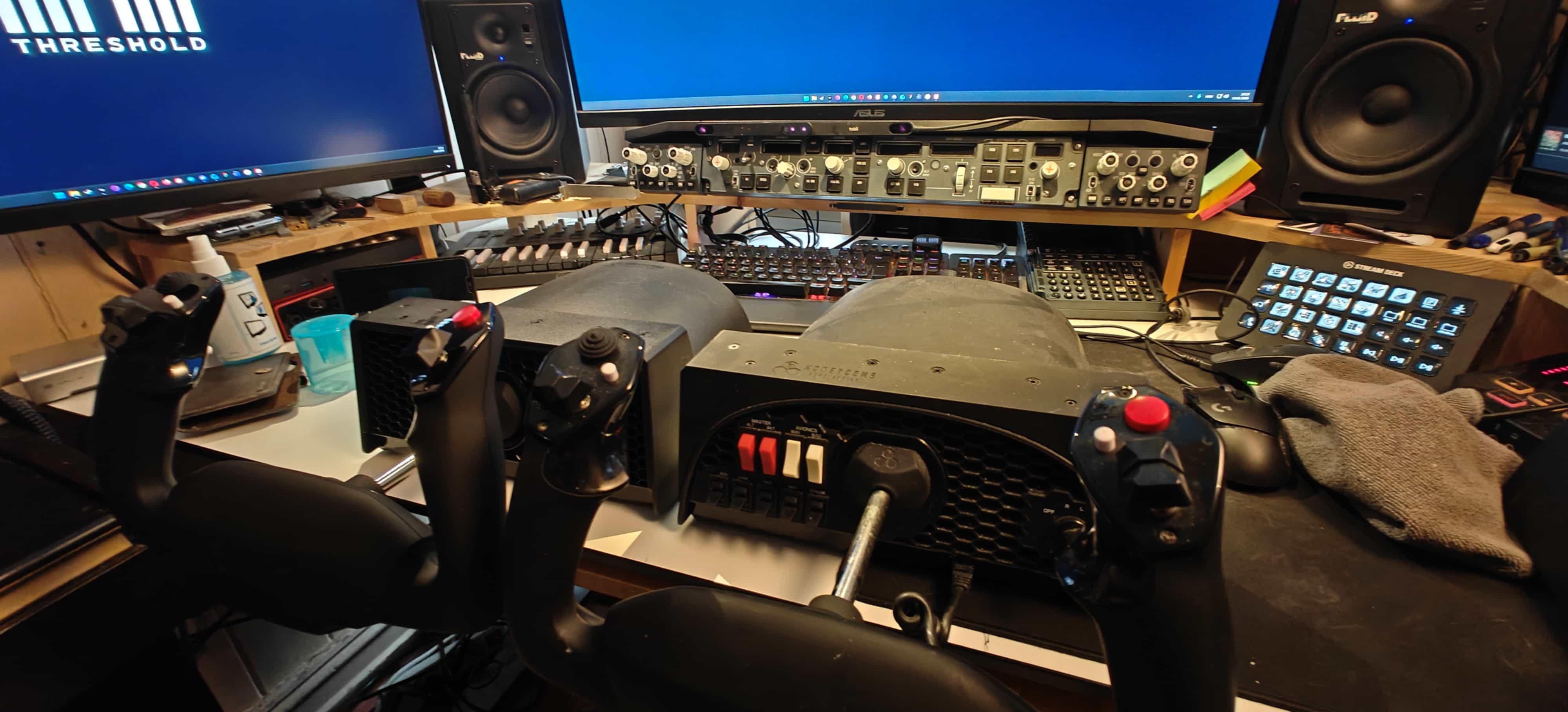
The direct lighting above my messy desk does not give the original Alpha any glamour and highlights its tendency to collect dust. I have, however, used this unit for over six years, and it has held up remarkably well, continuing to work as it did on day one. This is a testament to its quality and endurance. I assume the Alpha Lite will show the same capabilities. Comparing the two, Honeycomb has effectively eliminated the original Alpha from its lineup. I cannot defend the price difference for just nine toggles and one rotary switch. I am not even mentioning the backlighting on the original Alpha. At $299 USD, it is eliminated by the $199 USD Lite version. The price of the original Alpha needs to come down significantly before I can defend it.
The Bravo Lite
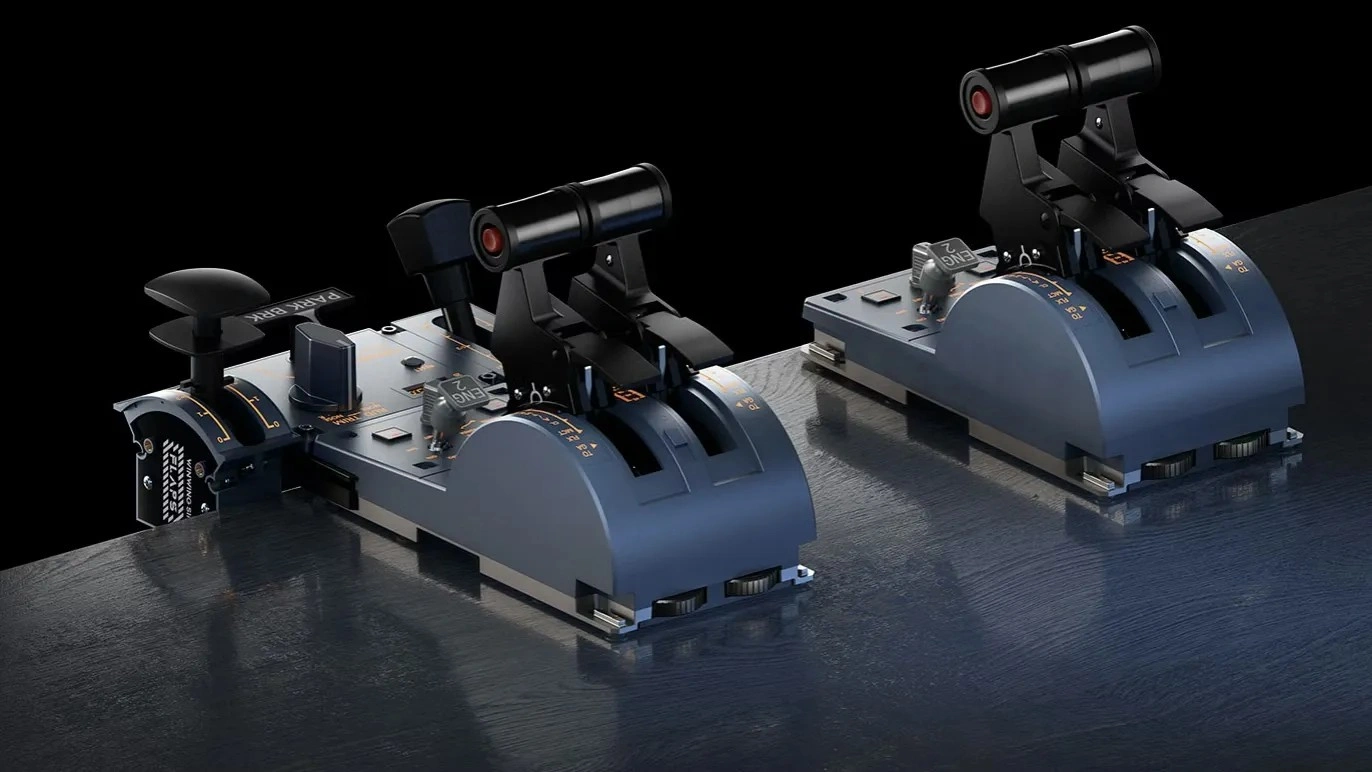
This unit is also a stripped-down version of its big brother, but with the same footprint. The trim wheel follows a general aviation style rather than the miniature 737-inspired trim wheel on the original Bravo. The gear lever has been moved to the opposite side of the quadrant, and the flap lever has been removed. You get four throttle and function levers compared to the original Bravo’s six. The accessories include a GA single-prop complex setup and a 737 setup with three detent add-ons for the flaps lever.
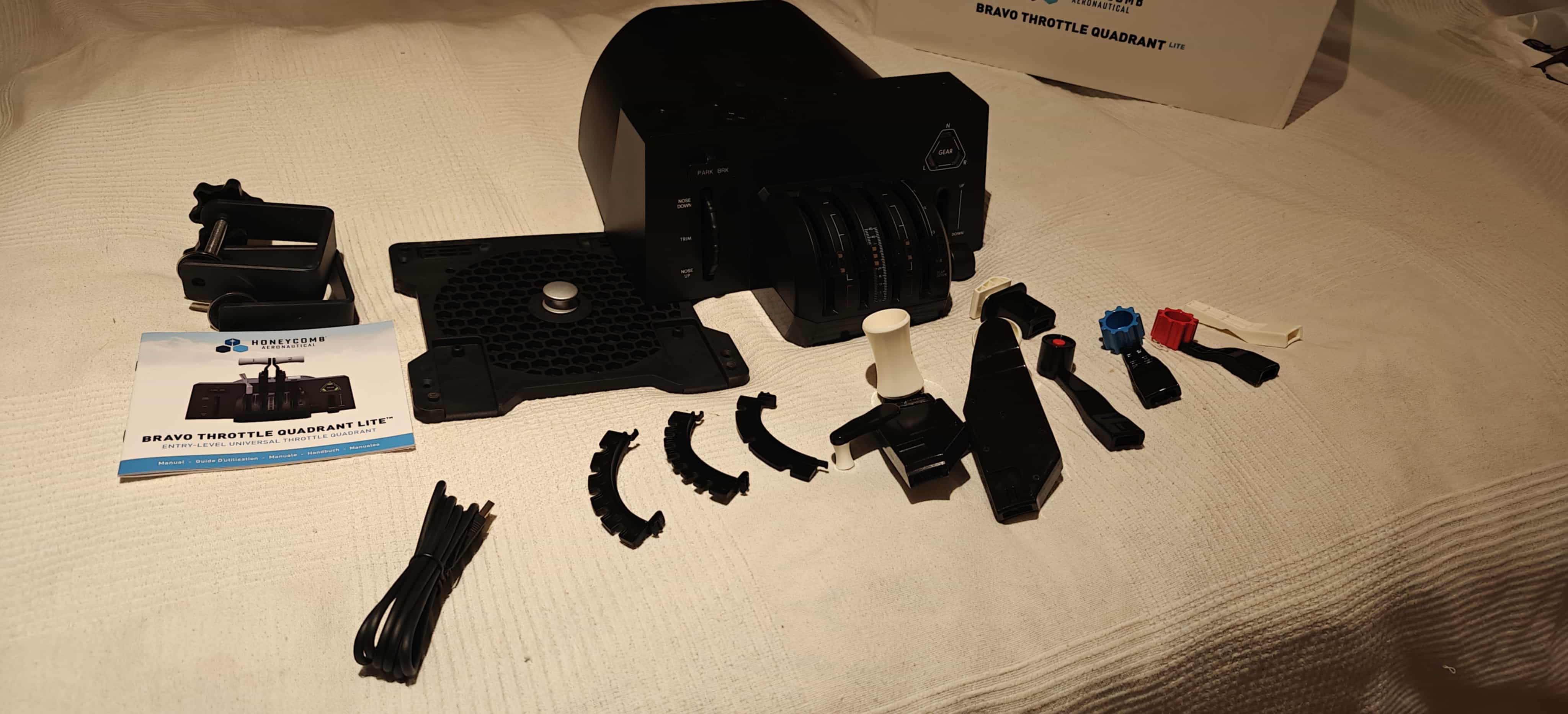
I find all of the Bravo Lite’s functions great to use, with a small exception for the parking brake. It is functional, but it has a somewhat cheap feel due to the plastic material used, and its size is a bit small and fiddly. My big sausage fingers don't really fit behind it and makes the operation less satisfying than it could have been. The trim wheel has a similar cheap feel, but unlike the parking brake lever, you forget it during use. The gear lever is the same as on the original, and it feels good to operate. There is also the same tensioner mechanism to firm up the travel resistance on the levers. The detent addons clip in place in a dedicated space to the right of all of the levers.
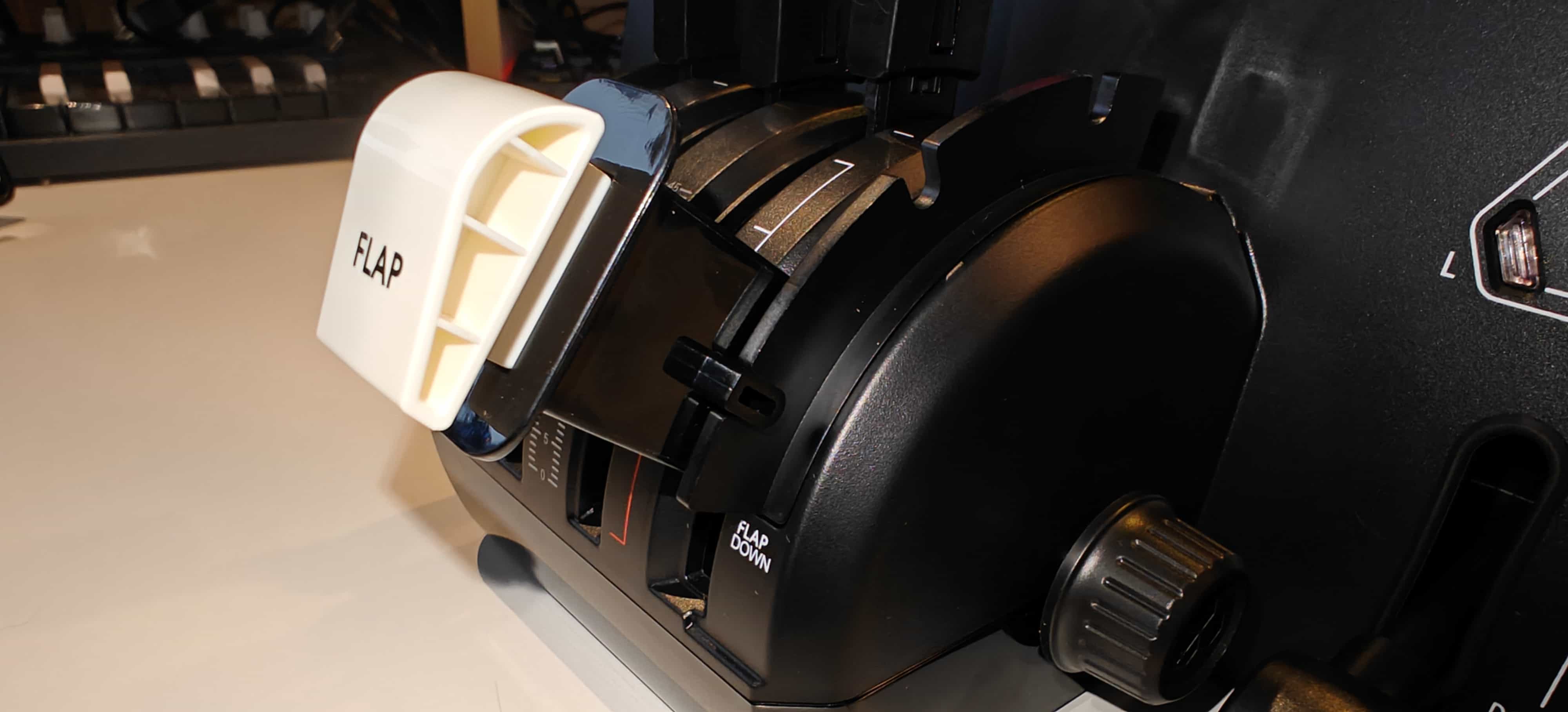
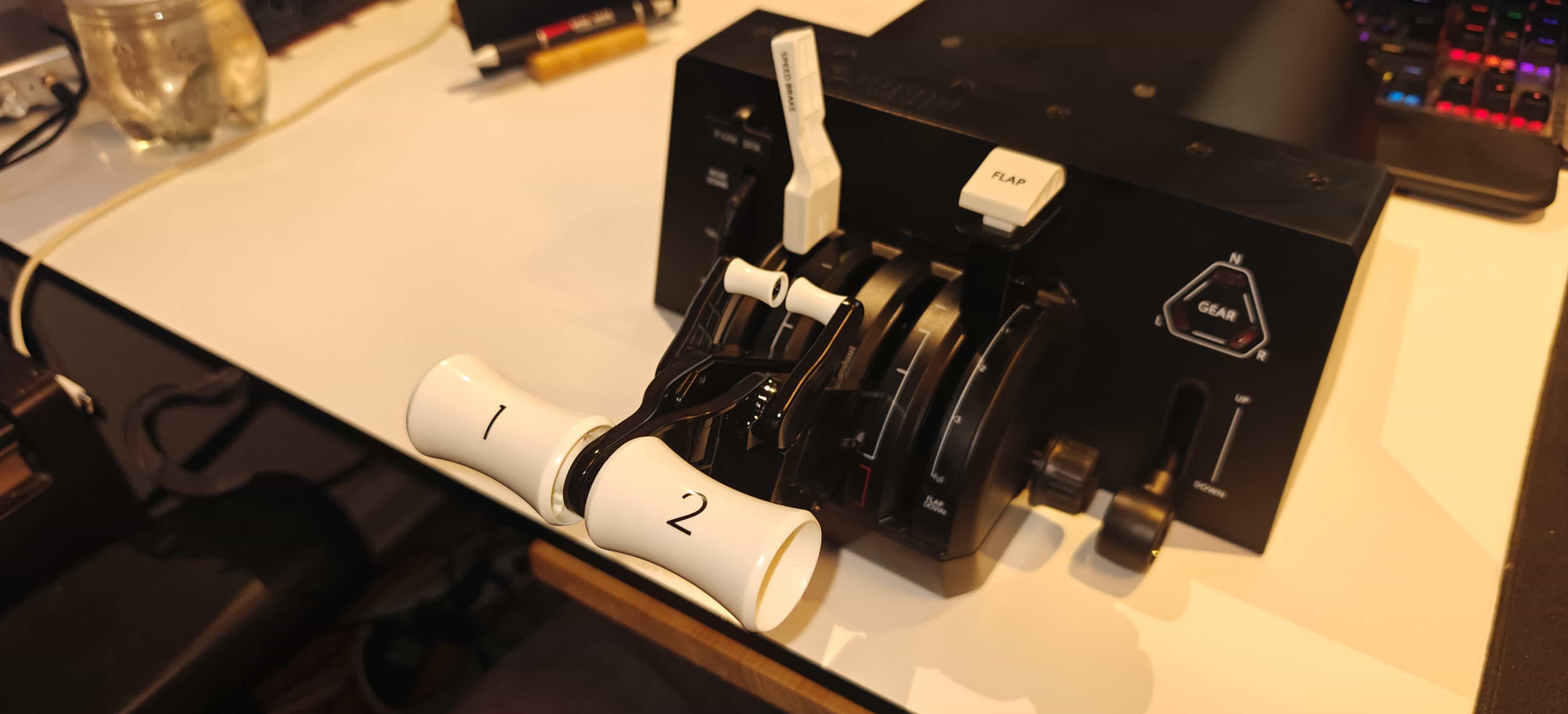
The included 737 throttle handles are excellent, though. These handles offer a comfortable height and a good “throw” of the levers, and their size provides a much more realistic feel. By tightening the tension knob on the right side, you can get a sturdier mechanical feel when using the throttle. The GA setup is the same as you get on the original. At the time of writing, you can not buy the larger 737 levers separately to upgrade your original Bravo. This should be an option. You can purchase a set of Airbus levers for both of the Bravos.
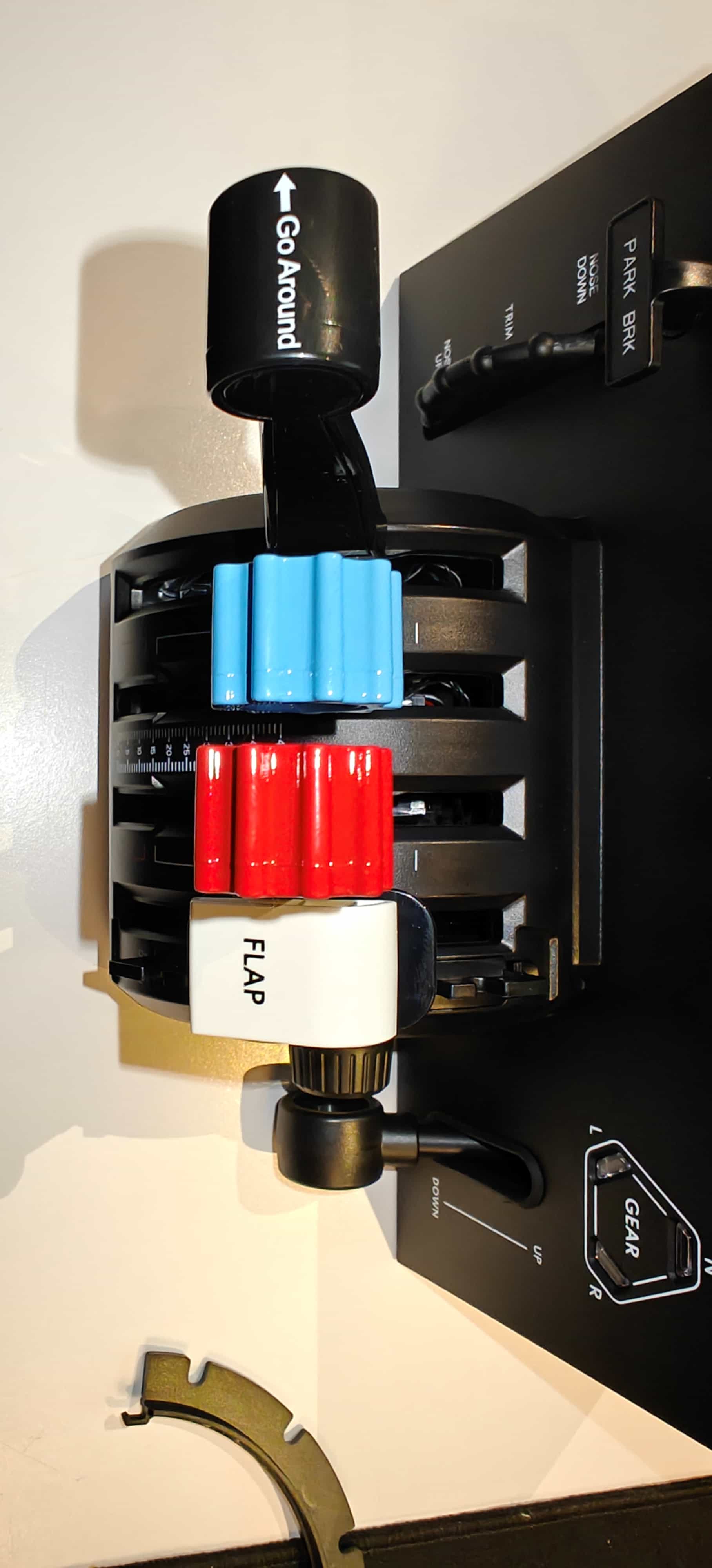
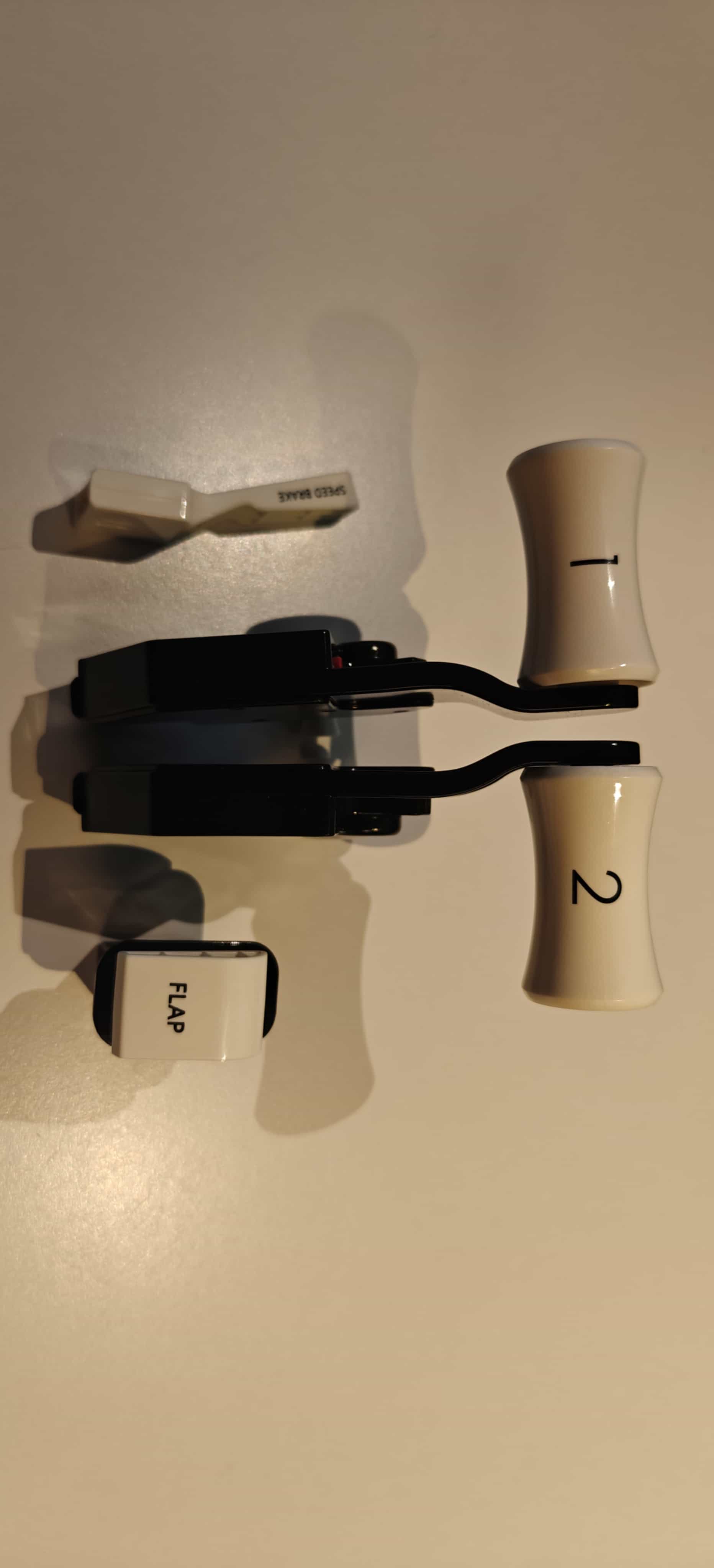
The Bravo Lite is a competent product. However, I genuinely miss the navigation panel and extra switches on the original Bravo. I often reach for that panel, and it remains one of the original unit’s most significant selling points because it eliminates the need to buy another dedicated switch or navigation module. And flying a dual complex GA, or a four-engined jet with flaps and spoilers, is definitely worth the two extra levers. The trim wheel also feels better on the big brother in my opinion.
The original Bravo provides boxes to store your various levers and brackets. I miss that here.
Setup and Compatibility
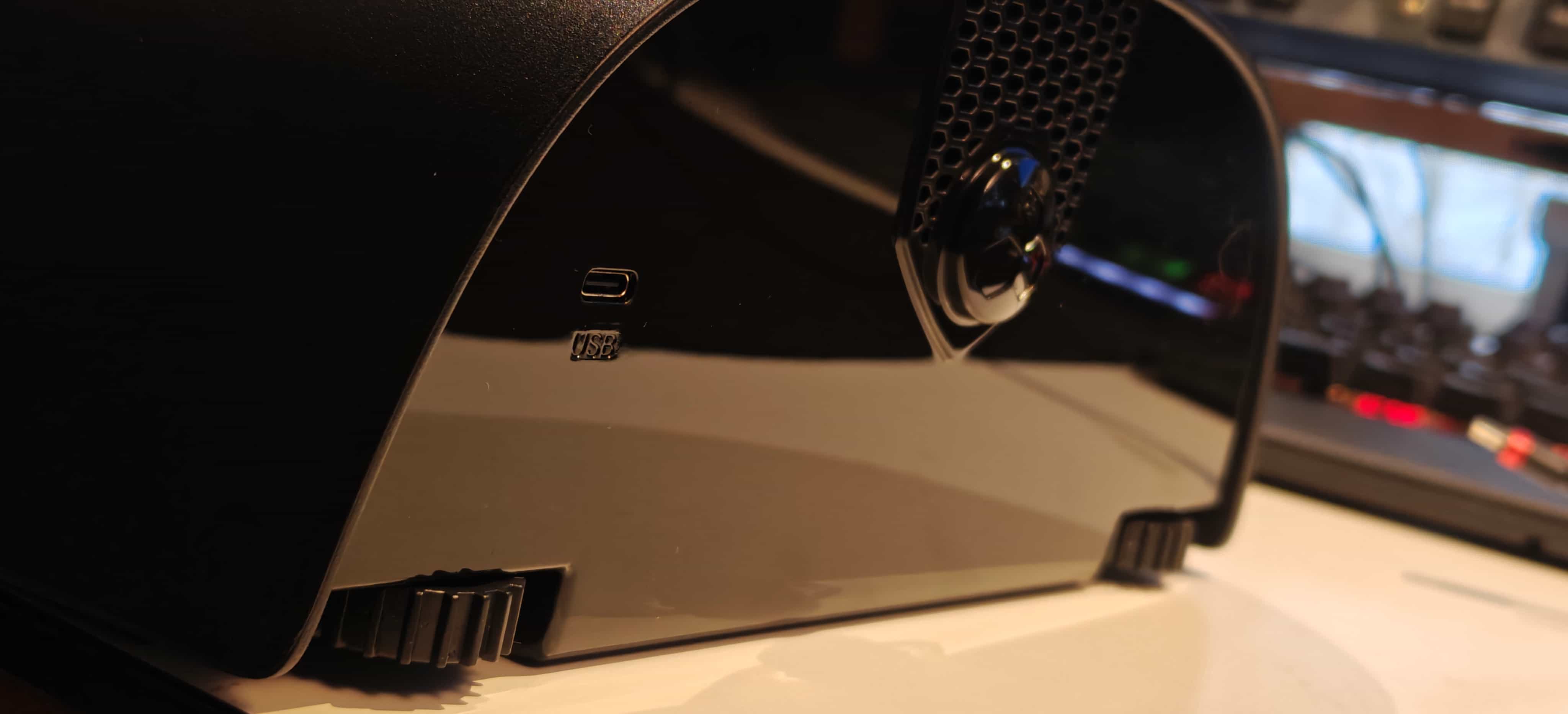
The Lite series both connect via USB-C and are immediately recognized without the need for any additional drivers. For Xbox users, compatibility is handled through Honeycomb’s forthcoming Lite hub, which also supports the Bravo and Charlie units. It can be purchased separately for $39.99 USD.
I tested the Alpha Lite and the Bravo Lite across Microsoft Flight Simulator and X-Plane, and in both cases, calibration was straightforward. Honeycomb’s control mapping remains one of its strongest assets. Every button and switch registers cleanly, and the default profiles in both sims are close to what most pilots will want.
Conclusion
The Alpha and Bravo Lite are both of great value. However, there is a significant caveat for both units. And that caveat is their original counterpart. I recommend the Alpha Lite hands down. The $100 price difference for the non-lite Alpha is not worth it for the few extra switches you get. I am a bit sad that Honeycomb took this approach, and at the current price point of the original Alpha, Honeycomb needs a sensible upgrade to defend its price. Or the price needs to come down a lot. So I recommend the Alpha Lite here.
The Bravo Lite, on the other hand, I am torn about. There is a price difference of 130 USD from its big brother, and the jump is significant. However, if you have the funds, the original Bravo remains unbeaten in this segment. There has plainly not been anything close to the value you get in the original Bravo. The Bravo Lite falls short here. Just adding the autopilot panel itself would set you back somewhere between 60 and 150 USD alone.
With that said, if you don’t have the money to spend, the Bravo Lite is not a bad purchase by any means. But I would recommend holding off until you can afford the much more bang-for-the-buck unit.
With the Lite series, Honeycomb has, in a sense, done something noble by bringing the price point down. But at the same time, it has shot itself in the foot, in my opinion. Making their lineup more affordable will enable them to reach a broader audience. However, there is a risk of making their existing lineup obsolete, as with the Alpha, or of bringing something to the market that I wouldn’t really recommend over their existing product. I can see their train of thought here, but I am unsure whether their approach is sensible in the real world. Only their sales numbers will tell whether they have done the right thing. I hope they have.
Either way, my opinions here are based solely on extensive use of the original products over the past six years. The Alpha and Bravo Lite are good units. You will not be disappointed with your purchase.
Share this page



COMMENT ADVISORY:
Threshold encourages informed discussion and debate - though this can only happen if all commenters remain civil when voicing their opinions.