Shorty: The Little App That Cleaned Up My Desktop
February 13, 2026
Full disclosure: I made this. I am reviewing my own product. If that bothers you, I completely understand. But hear me out, because this one is personal.
I like a clean desktop. Not in a minimalist, Instagram sort of way, but in a "please don't make me think before my first coffee" way.
At work, I jump between sessions all the time. Multiple screens, dozens of windows, everything carefully arranged... until I reboot, change user, or Windows decides it knows better. Then it's back to opening apps, dragging them across monitors, resizing, swearing quietly, and trying to remember where that one window was supposed to live.
Flight simming is no better. Probably worse. Simulator, launcher, tools, charts, hardware, software, trackers, browser tabs. I ended up with a dedicated desktop folder just to keep all the shortcuts in one place. Click, wait, click again, hope they remember their positions. Sometimes they do. Often they don't.
Music production had its own folder. Sim racing another. By that point, my "clean" desktop was basically a museum of folders I dreaded opening.
I've been down this road before. Batch files. PowerShell scripts. Clever ideas that worked right up until they didn't. Windows updates, focus issues, timing problems. Close enough to be useful, never close enough to stop being annoying.
This winter, I had had enough.
So I built Shorty.
What It Actually Does
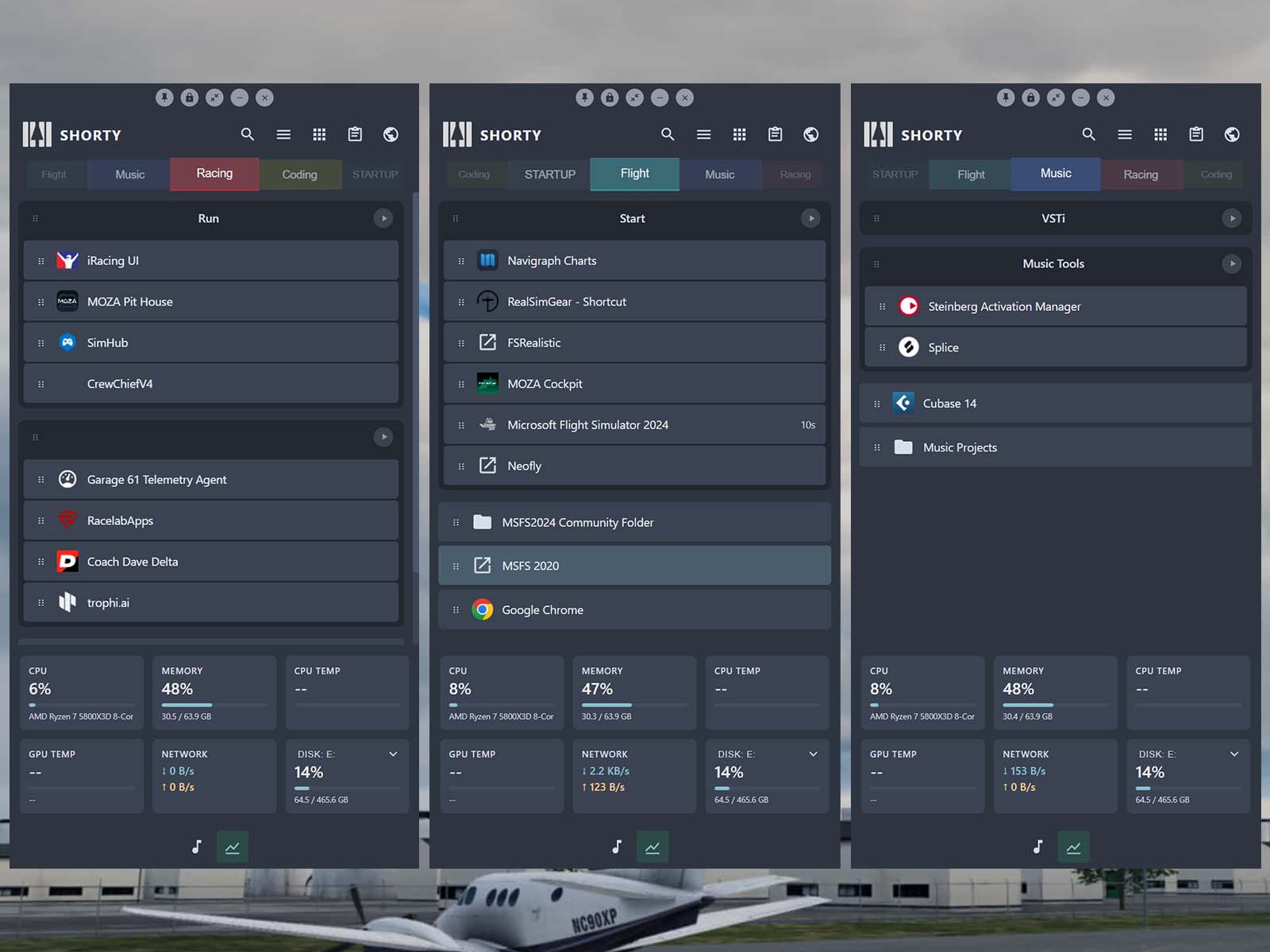
It started as a simple idea: one small, tidy place to launch the things I actually need for a given session. No clutter. No hunting. No opening ten things just because they always start with Windows. If I'm flying, I run flying stuff. If I'm racing, I run racing stuff. If I'm working, I run work stuff. Nothing more.
You define sessions, which are essentially collections of applications you want to run together, and Shorty starts them for you. One click, everything launches. That is the elevator pitch, and honestly, that alone would have been enough for me.
Once that was in place, it quietly grew legs.
Delayed starts turned out to be surprisingly useful. Not just as a convenience, but as a genuine stability measure. Some applications do not play well with others if they all try to initialise at the same time. Shorty lets you stagger launches, so your system doesn't try to load 8 things simultaneously while your SSD quietly judges you. You can set individual delays per application, which means heavy hitters like MSFS can get a head start before the lighter utilities follow. No more apps tripping over each other at launch, no more tools failing silently because they tried to hook into something that was not ready yet.
When you’re done, close all windows at once and start a new session.
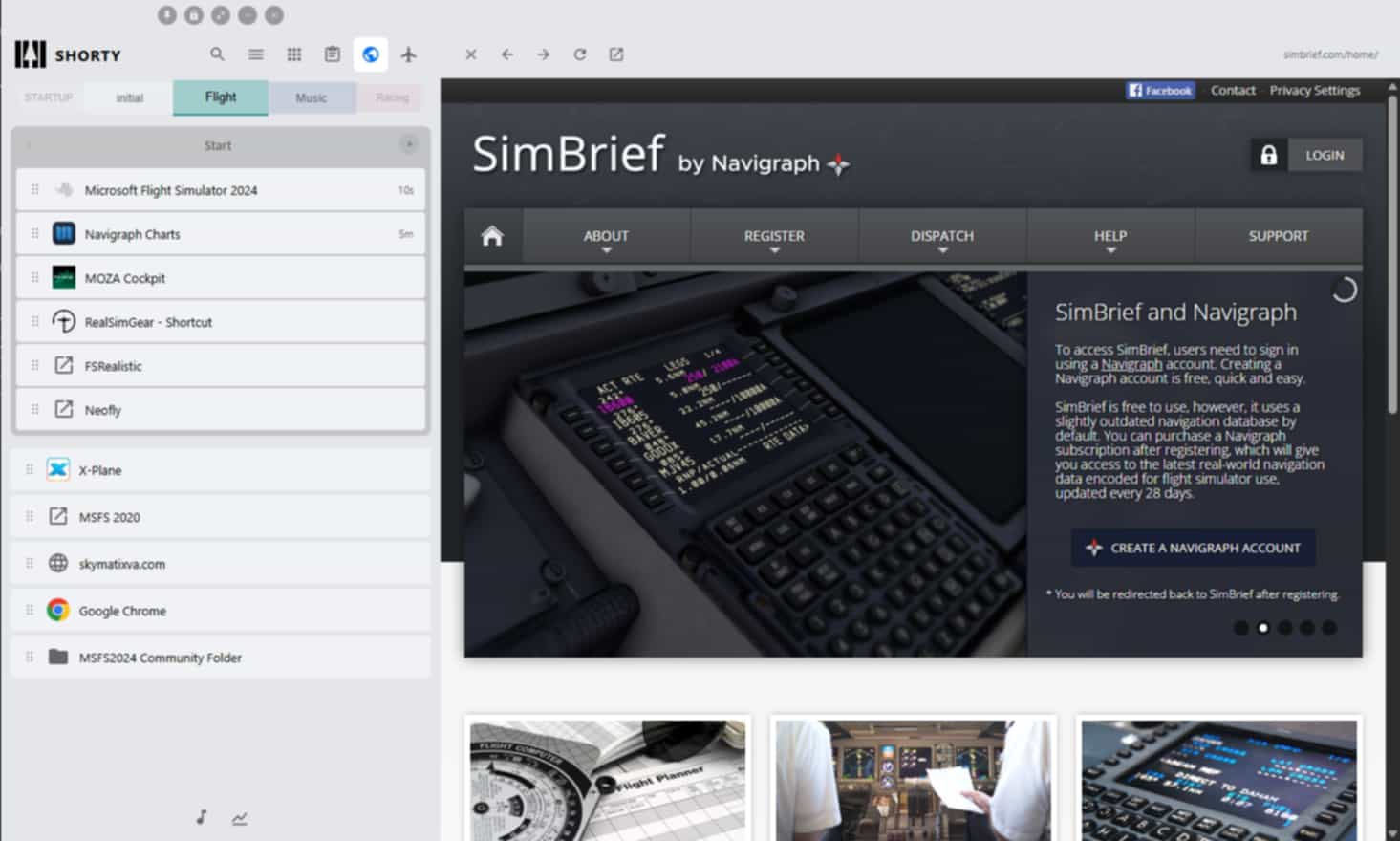
Quick access to folders I'm constantly poking at saved more time than I expected. If you fly in MSFS, you know the community folder. You know where it is. Or rather, you vaguely remember where it is, and every time you need it, you end up navigating through an absurd path somewhere in AppData that no human was meant to traverse regularly. Shorty gives you one-click access. A small thing, but the kind of small thing that saves you from muttering at your screen when all you wanted was to deliver your VA passengers.
And having everything grouped by what I'm about to do, rather than by the application's name, just made sense. I have a session for flight simming, one for sim racing, one for music production, and one for my work setup. Each launches exactly the applications I need for that activity, and nothing else. When I'm done, I can close a session cleanly. No hunting through the taskbar, shutting things down one by one. End the session, and everything associated with it goes away. This is surprisingly satisfying. It is the digital equivalent of putting all your tools back in the drawer at once.
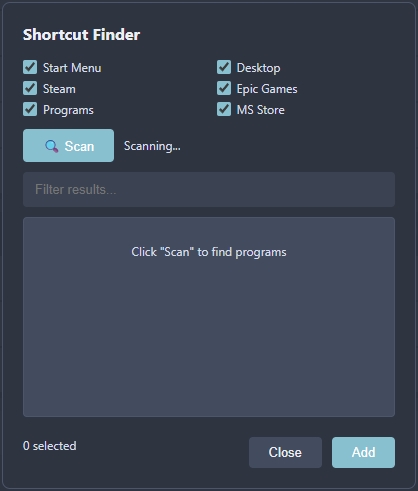
The Quiet Desktop
The biggest win for me is what doesn't run anymore.
That thought deserves its own section because it changed how I use my PC more than anything else Shorty does. My Windows startup is almost empty now. I only launch what I need, when I need it, for the session I'm in. My boot time is faster. My system tray is not a graveyard of icons I forgot about. My RAM is being used for things I am actually doing, not things I might theoretically do later.
It sounds like a small shift, but it genuinely changed the experience of sitting down at my machine. The PC waits for me to decide what I'm doing, not the other way around. That alone has made my PC feel calmer, and, frankly, so have I.

What It Is Not
Shorty isn't trying to reinvent workflows, and it's definitely not here to impress anyone with complexity. And I absolutely do not claim to have invented something new. But it is not a traditional window manager. It is not trying to replace your taskbar or rethink how Windows works. There is no telemetry, no account required, no cloud sync, no subscription. It is a small utility that does a very boring job very reliably. Locally.
Who This Is For
If you use your PC for one thing, you probably don't need Shorty. If your workflow involves launching a single application and getting on with it, this won't change your life.
But if you are the kind of person who uses their PC for multiple distinct activities, each requiring its own set of tools, if you have ever looked at a cluttered desktop and thought "there must be a better way," if you have ever spent five minutes arranging your workspace before you could start actually doing the thing you sat down to do, then Shorty might be exactly what you didn't know you were looking for.
Sim racers, flight simmers, music producers, streamers, developers who need specific tool combinations, and anyone who context-switches between different setups on the same machine. That is the audience. First world problems, absolutely. But I think there are quite a few people out there with the same one.
The Awkward Bit
I'm usually very wary of promoting our own tools in editorial content at Threshold. We've built our reputation on being independent and calling things as we see them, and I take that seriously. This one is different. I built it because I needed it, I still use it every day, and I'm genuinely proud of it.
I'd like to add that I would love to see this application used and to receive feedback on how to improve it or ideas for new features. In fact, Shorty has been developing quickly these days, so by the time you read this, it may have many more features. Shorty also has an add-on feature, so you can create your own specific functions if you want.
You can download Shorty and use it as-is. It's fully functional. If you find it useful and want the extra features, the full version costs $6.90 in our store. That's less than a mediocre sandwich, and it helps Threshold keep doing what we've been doing since 2018. You can download it for free at the bottom of the store page.
It's not huge. It's not flashy. It just quietly removed a daily annoyance I had lived with for years. And my desktop has never looked better. And since you read all of the above, I hope it helps you too. Namaste.
Get Shorty here
If you enjoy our content and want to support Threshold, consider joining us on Patreon!
Share this page



COMMENT ADVISORY:
Threshold encourages informed discussion and debate - though this can only happen if all commenters remain civil when voicing their opinions.