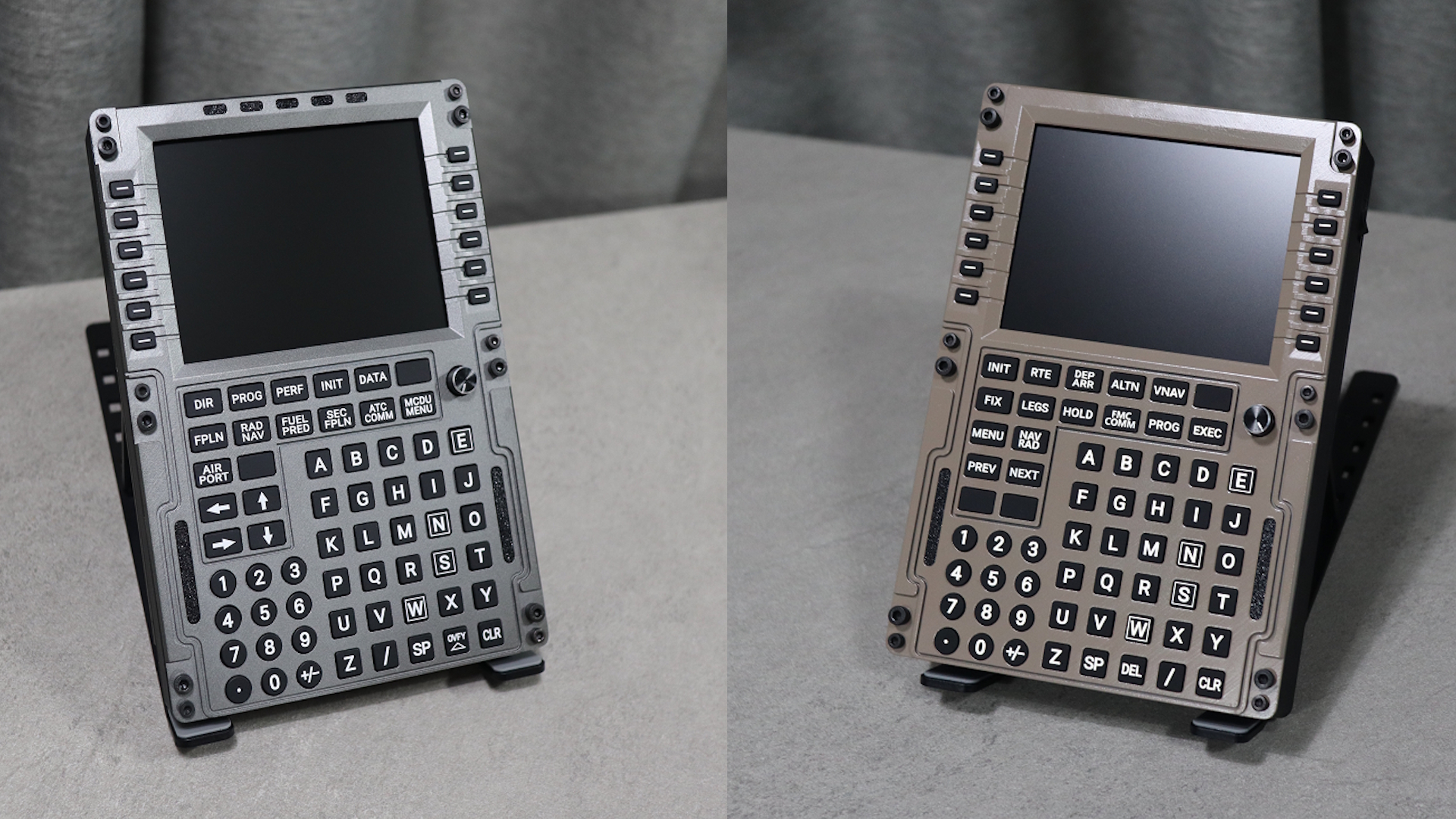
Threshold Review: PU Air Korea CDU V2
November 21, 2025
In recent years, home cockpit parts have dominated the flight simulation market. Everything from MCP panels to overhead panels and EFIS panels is being recreated as full-size replicas for us to enjoy in our home simulators. One part in particular, the CDU, is arguably more important than any other to have. This is also an area we have seen plenty of competition. A lot of the CDUs are really good at what they do, but they have a common problem: they only work with one aircraft. That's why the PU Air Korea CDU V2 caught my attention. It fixes the main problem I have had with these home cockpit parts - the lack of compatibility between aircraft.
First impressions and unboxing
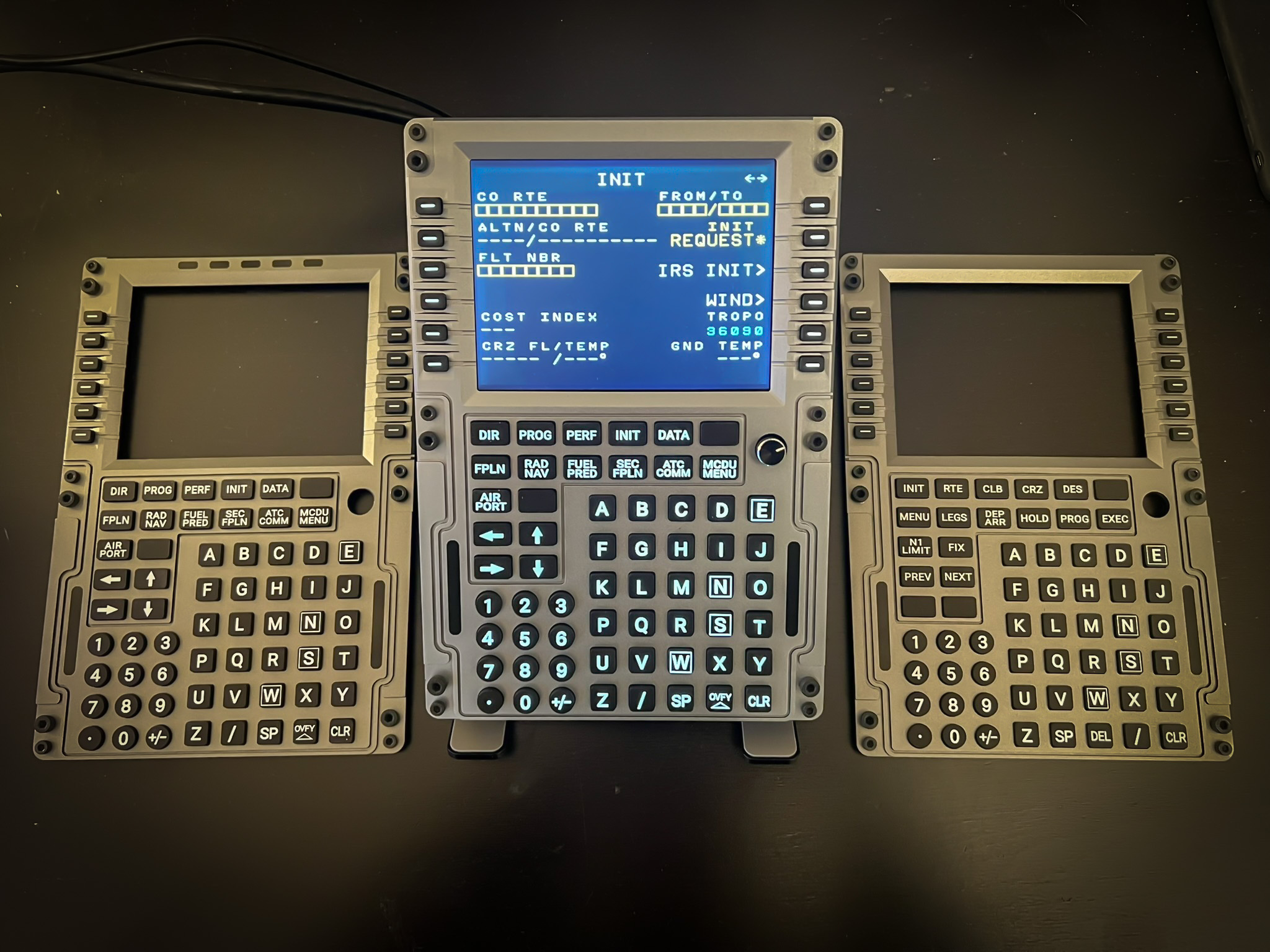
When you order the PU Air Korea CDU V2, two plastic faceplates are included. You also have the option to upgrade to a metal faceplate for an additional fee, either at the time of purchase or at a later date.
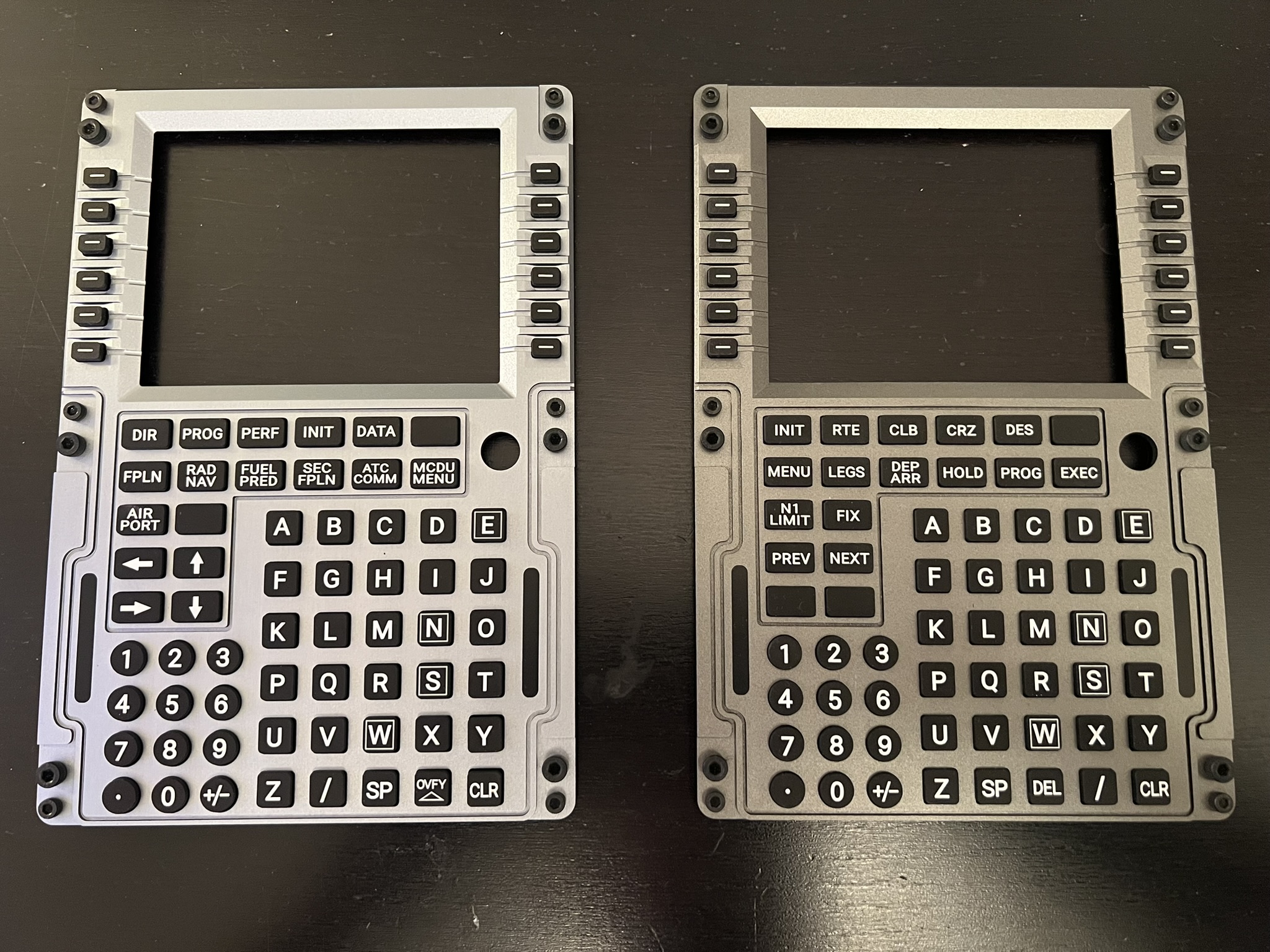
I received the Boeing faceplate in plastic and the Airbus faceplate in metal. Therefore, any comments made about the Airbus faceplate will also apply to all other metal faceplates, regardless of the specific aircraft. The same goes for the Boeing faceplate regarding plastic.
I was very impressed when I unboxed the CDU V2. The presentation was excellent, and I appreciated that the packaging is eco-friendly. The CDU itself felt great in my hands. It appears to be made from 3D-printed plastic, but it doesn’t feel cheap at all.
I was very impressed by the Boeing faceplate. Unfortunately, the Airbus faceplate had a defect - more on that later.
The CDU also came with a stand; it is pretty basic, but it does the job just fine.

Build Quality
CDU
The CDU itself is not particularly remarkable, but it is perfectly adequate. I never felt worried that the CDU would break, although I did find that the plastic quality wasn't the best. I still would argue that the material of the CDU isn't that important since you rarely need to touch it. The feel of the product is determined by the faceplates and buttons, which ultimately influence the overall usability.
The buttons have a satisfying and positive click, which I really appreciate. When I first took the CDU out of the box, I was concerned about the brightness control knob due to its length, but it turned out to be a non-issue. Overall, it feels solid and has a nicely dampened quality to it.
The faceplates attach to the body using magnets, which strike a perfect balance between easy removal and a secure connection.
Plastic faceplate - Boeing
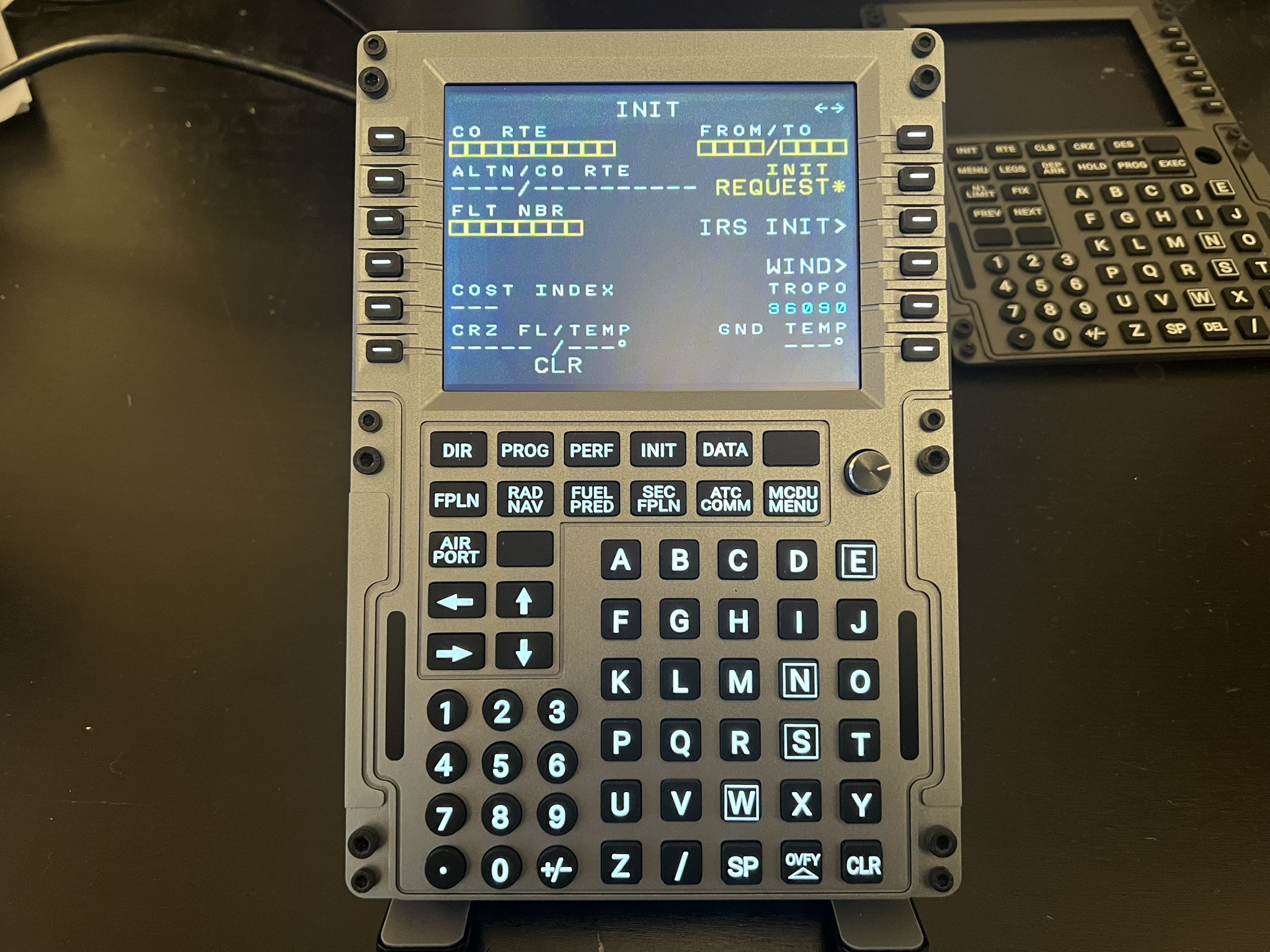
The Boeing faceplate is plastic, but it felt so solid that I initially assumed it might be metal. It wasn’t until I unboxed the actual metal Airbus faceplate that I noticed the difference. The plastic faceplates are built very well.
Metal faceplate - Airbus
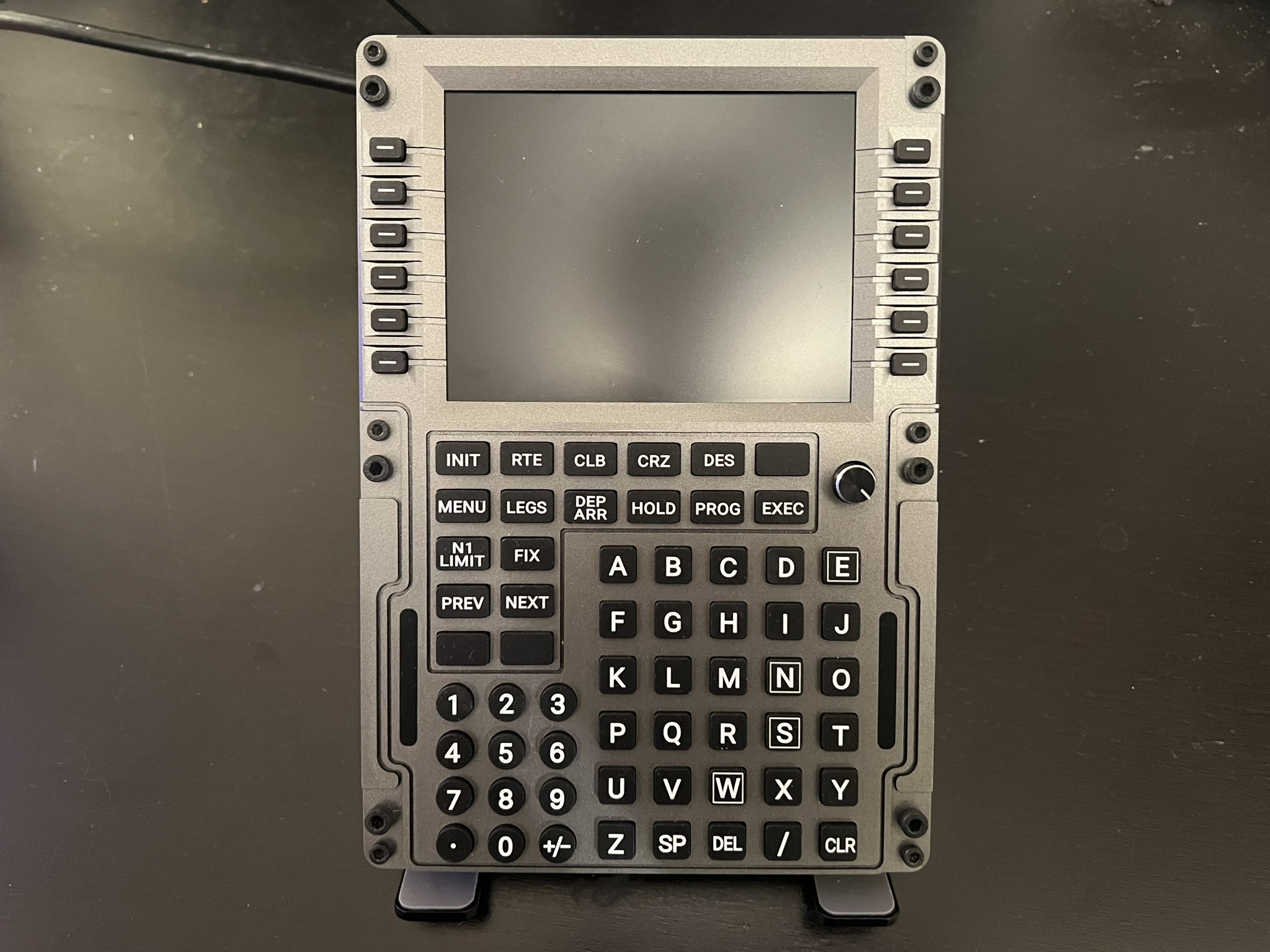
The metal faceplate - in my case, the Airbus - also feels very nice. There is definitely a difference between it and the plastic, both in the weight and in the fact that it is cold to the touch. Aside from that, I genuinely believe the plastic is sufficient. Given the $50 price difference, I would personally choose the plastic faceplate, as it is absolutely sufficient.
Hardware
Size
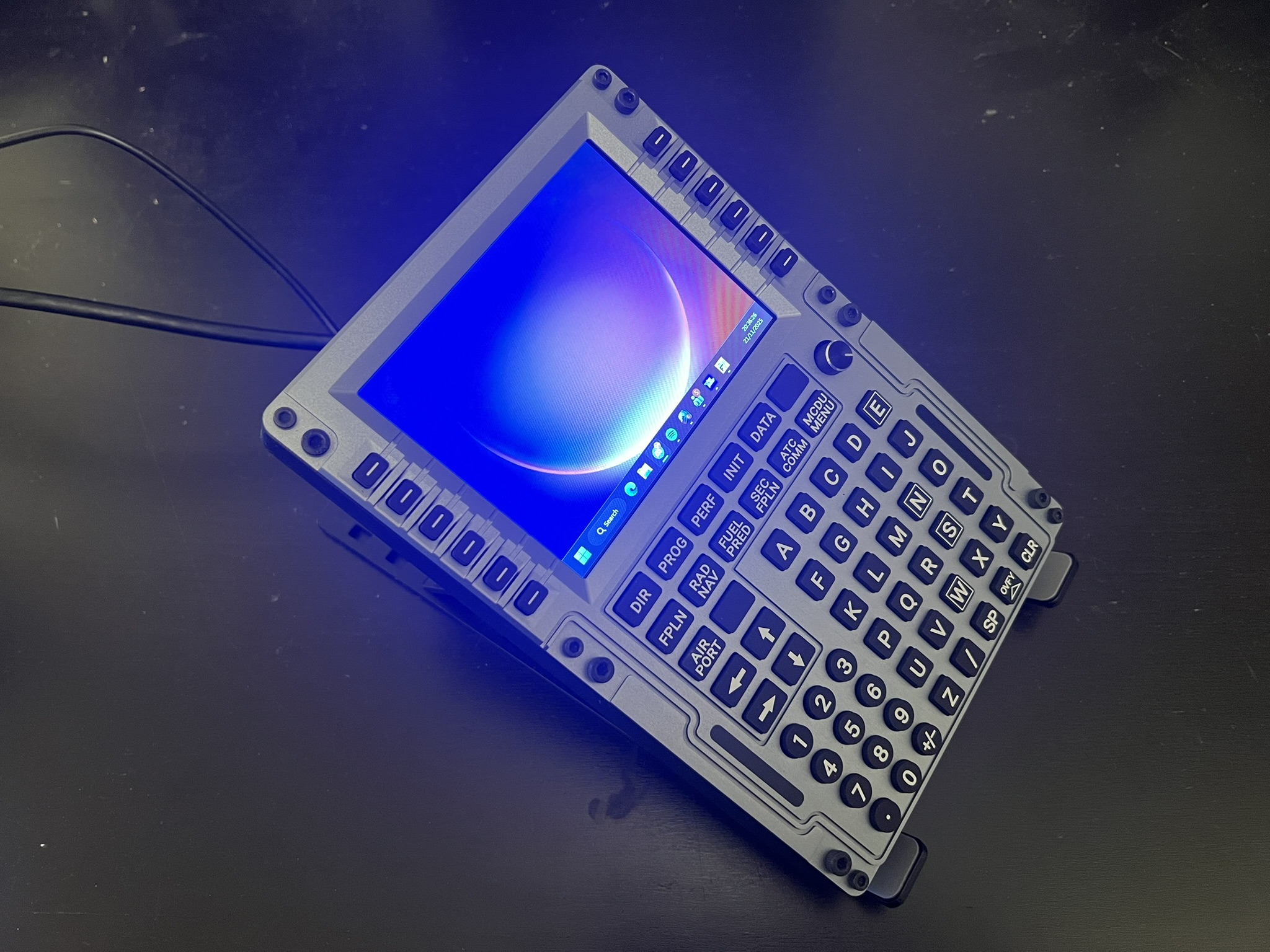
I measured the CDU to be 21 cm wide, 14.5 cm high, and 2.6 cm deep, including the faceplate but excluding the buttons, screws, and brightness knob that stick out. The screen measures approximately 5 inches with a resolution of 640 x 480 pixels, resulting in an aspect ratio of 4:3. In other words, the CDU V2 is quite similar in size to real-life aircraft CDUs. While it isn’t a perfect fit for any specific aircraft, it is definitely a good compromise.
Connections
The CDU connects to your PC using an included USB-C to USB-A cable and an HDMI cable. This is a drawback, as many competitors today do not require an HDMI connection. Additionally, I wish PU Air Korea had opted for DisplayPort instead of HDMI, since most modern graphics cards have more DisplayPort outputs than HDMI. For instance, the Nvidia RTX 5070 has three DisplayPort outputs and only one HDMI output.
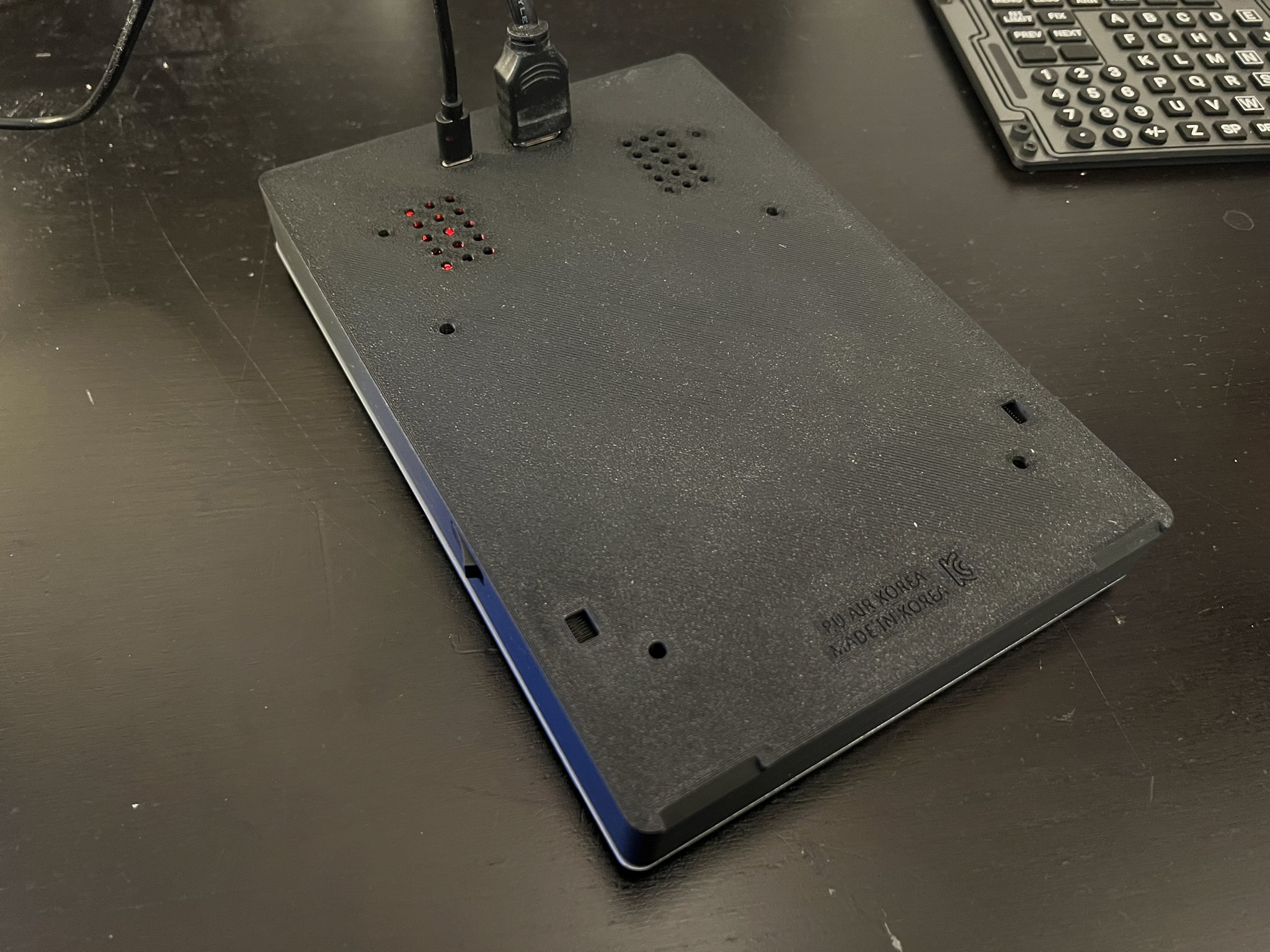
HDMI still has some advantages. For instance, I found the CDU to be ideal for the Spotify mini player. Additionally, fonts appear perfectly in Microsoft Flight Simulator, as the content displayed on the CDU is essentially a pop-out window from the game. However, aside from these benefits, it can be quite an annoyance.
Lighting
On Boeing aircraft in real life, the execute button features a small light. I'm pleased to report that this also functions as intended on the PU Air Korea CDU V2. However, there are still some minor issues.
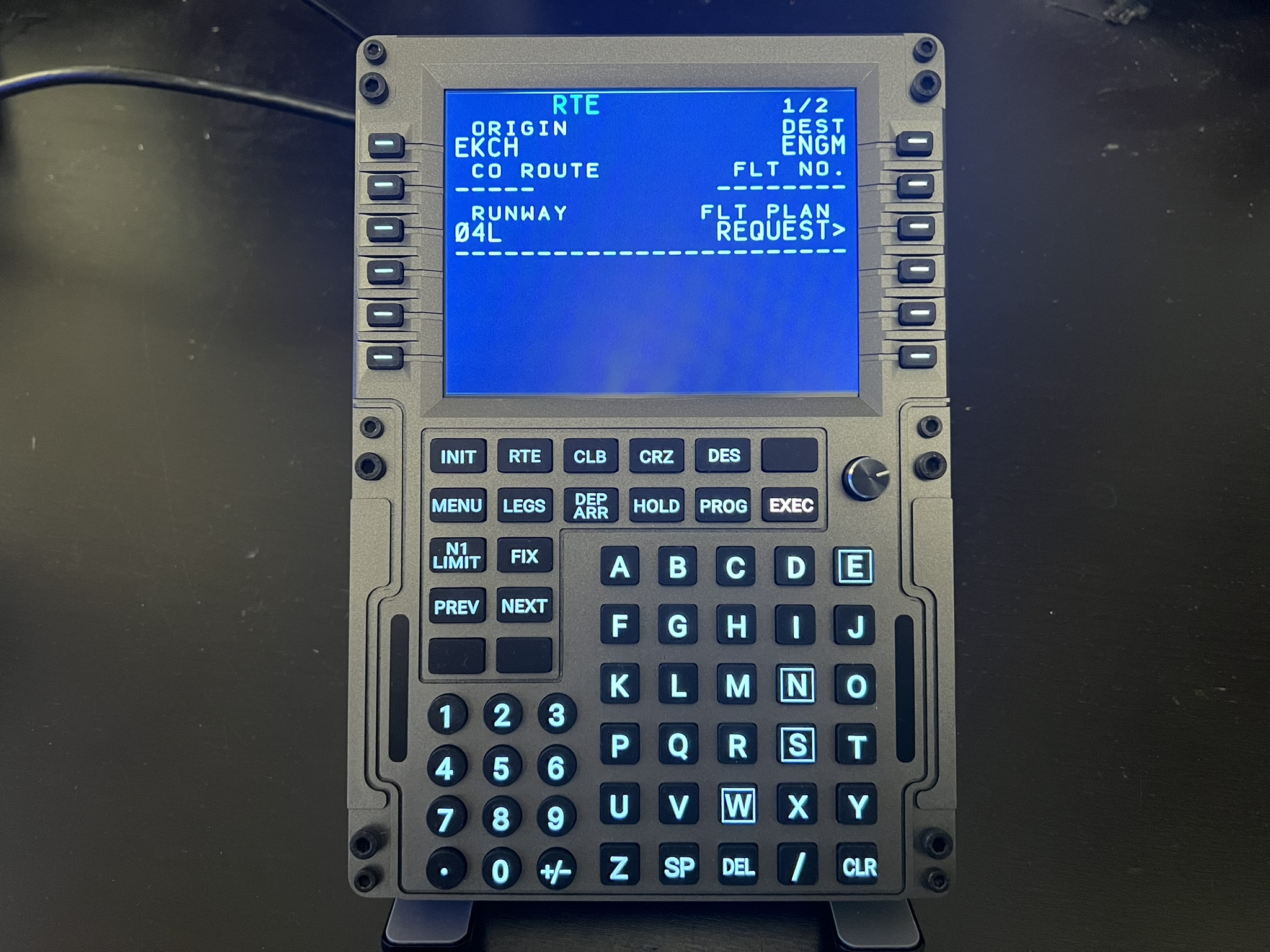
For instance, the light only works correctly about 70 percent of the time, but fortunately, this is a software issue rather than a hardware problem - more on that later.
What frustrates me the most about the execute button is that it is red. While I understand the reasoning behind this choice - it's difficult to differentiate the execute button from other backlit buttons - I would prefer to have the option to select its colour. If I'm not using the buttons backlit while flying, I don't see any reason why the execute button can't be in the correct colour.
The CDU includes backlit buttons, which is very appreciated. The brightness is adjusted using a knob, which, although not found on any real-life aircraft that I am aware of, fits well with the overall aesthetic. The lights definitely get bright enough, and can even be a bit blinding when the faceplate is removed.

One peculiar issue with the brightness knob is its significant dead zone. The lights do not begin to illuminate until you have turned the knob at least 70% of the way. While this isn't a major problem, it can be somewhat annoying.
The brightness knob serves as a substitute for the display brightness control typically found in real-life aircraft. While I appreciate having an easy way to adjust the backlight, it also means there is no physical method for controlling the display brightness. Additionally, the lack of a straightforward way to adjust brightness in Windows forced me to change the display brightness while in-game. You could argue that this approach is more realistic, but it also means that I have to use my mouse to interact with the CDU from time to time - something most people who purchase equipment like this are trying to avoid.
Display
The display functions well and meets its intended purpose. I found it to be clear and easily readable. Although it is not HD, that resolution isn't necessary for a screen of this size. The colour accuracy leaves something to be desired, but it's not a major issue. My main issue with the display is that it arrived with a dead pixel. While this is not ideal, it is not very noticeable. There is also a slight flicker where you can see the screen refreshing top to bottom, similar to old CRT TVs. Overall, these issues are not major concerns, but they certainly could be improved.
Software
PU Connect serves as the link between the simulator and the CDU. There is both an MSFS and an X-Plane version, and they do differ slightly.
Microsoft Flight Simulator
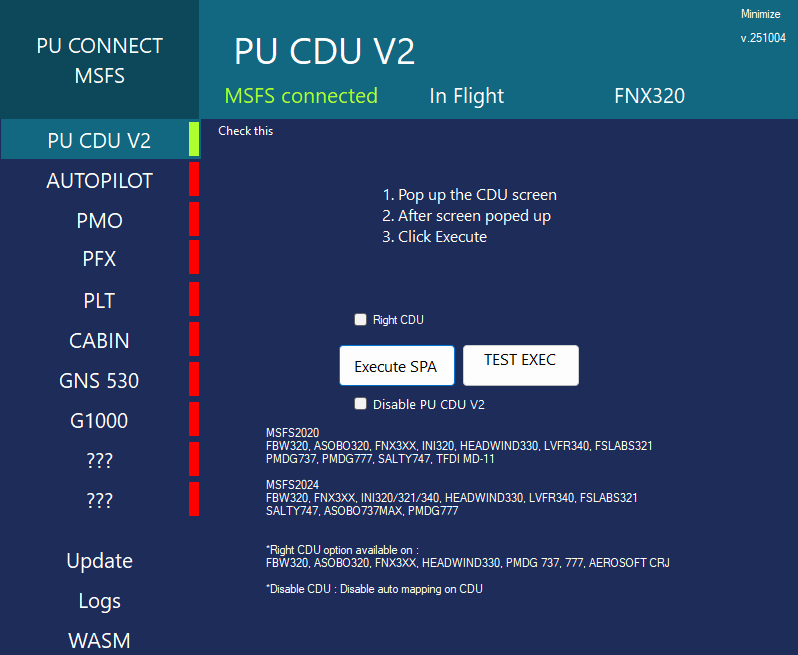
When using Microsoft Flight Simulator (MSFS), you need to install PU Connect MSFS, which is the required software. While the program isn't particularly visually appealing, it gets the job done effectively. I have encountered a few minor issues with the software, such as the execute button not functioning properly on Boeing aircraft and a problem with the scaling of the pop-out window on one occasion. Additionally, the scaling isn't perfect; the top and bottom pixels extend slightly outside the window on some aircraft, like the PMDG 737. However, aside from these glitches, the software is generally reliable and user-friendly.
X-Plane
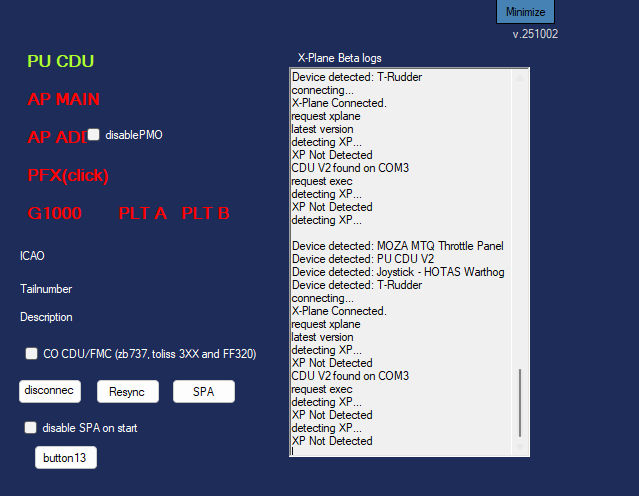
PU Connect XP, along with WebFMC Pro, is required for X-Plane. However, relying on WebFMC Pro is not ideal, as it is a paid software costing $29.99 in the X-Plane.org store. The fonts also don’t show up correctly when using WebFMC Pro. If you can look past that, I would say that the X-Plane software is slightly better overall. While the user interface isn't particularly attractive, it is easy to use. Additionally, I have not experienced any issues while using it.
Using the CDU
Once everything was set up, I had a fantastic experience. I didn’t find it annoying to pop out the displays. While I would prefer if PU Air Korea used a USB connection instead, I have come to appreciate the accurate fonts in MSFS and the option in X-Plane to have a dirty display. Overall, in use, the CDU provided me with an almost perfect experience.
Problems
Faceplates
I have praised the faceplates on several occasions, but they were also a major source of frustration.

When I received my Airbus CDU, it did not fit correctly. The button typically used for “Insert” on the Airbus faceplate was nonfunctional. This rendered the faceplate completely useless.
I quickly reached out to PU Air Korea about my issue, and they were very apologetic and prompt in their response. I received a replacement faceplate in a short amount of time. The support team was very helpful throughout the entire process. However, it’s worth noting that PU Air Korea was aware that I was a reviewer.
It's important to note that the replacement unit is made of plastic; however, this plastic piece can be easily replaced with the metal one I already have. Therefore, I have no issues with them sending me a plastic faceplate.
Issues like these are easy to forgive. The margins are, after all, small, and support was quick and understanding. The big problem arose once I received the replacement unit, as it had the same issue.
I am concerned that this has happened to me twice. There are two possible explanations: either I was extremely unlucky, or PU Air Korea has a deeper issue with their production, leading to faceplates that do not fit correctly. I have made PU Air Korea aware of the issue.
Ultimately, what worked for me was sanding and filing and sanding down the area around the brightness knob to enlarge it slightl. My original unit had significant defects around the top of the display, which made it difficult to fit, even after sanding. I attempted to attach my original metal piece to the new faceplate, and that worked perfectly. However, I decided to remove it for the photos in this review so I could show what the faceplate looks like without the extra metal piece covering the cosmetic damage caused during the filing process.

Pricing
Looking at the largest competitor, WinWing, each CDU is priced at $133.85. With the PU Air Korea CDU V2, you effectively get two aircraft configurations for $165 each. If you purchase one additional panel, the price per aircraft would decrease to $136. Given that the PU Air Korea CDU V2 is a somewhat more premium product than the WinWing, this represents an excellent value proposition.
Conclusion
The PU Air Korea CDU V2 is fantastic to use, but it falls short in some other aspects. The concept of interchangeable faceplates is brilliant and contributes to its competitive pricing. While I genuinely enjoy using the PU Air Korea CDU V2 and would recommend it to others, it is not that simple. Its numerous drawbacks prevent it from being classified as a fantastic product; it is merely a good product.
When Samsung launched its first folding phone, it faced several issues initially, but the underlying concept was brilliant. The same can be said for the PU Air Korea CDU V2. It is an excellent idea with good execution. While not perfect, it is certainly a solid effort; however, it is unlikely to threaten WinWing's position in the market at this stage.
If you frequently fly various aircraft, I highly recommend the PU Air Korea CDU V2. However, if you primarily fly one specific aircraft, PU Air Korea may not be my top choice.
Verdict: A versatile CDU that comes close to the best of the best, but a few quality hiccups hold it back.
The PU Air Korea CDU V2 is available for $329.99 on PU Air Korea’s website.
If you enjoy our content and want to support Threshold, consider joining us on Patreon!
Share this page



COMMENT ADVISORY:
Threshold encourages informed discussion and debate - though this can only happen if all commenters remain civil when voicing their opinions.