Threshold Review: Winwing PAP-3 and PDC-3 Boeing Panels
September 1, 2025
In this review
- PAP-3N MAG Autopilot Panel - 205.90 USD
- PDC-3N Panel (Captain side) - 87.50 USD
- PDC-3M Panel (First Officer side) - 87.50 USD
- Bundle purchase - 175.00 ( = 2 x 87.50 - no bundle discount )
Introduction
This review is a collaboration between two of our writers, each focusing on different parts of Winwing’s expanding Boeing flight deck ecosystem. Roger purchased his PAP-3N MAG autopilot panel and shares his impressions based on extended use, while Magnus received review copies of the accompanying PDC-3N and PDC-3M side panels that attach to either side of the main unit.
Together, these three modules represent Winwing’s most ambitious step yet toward a complete Boeing-style glareshield for home simulation. They share the same design language, build quality, and software integration, offering a unified system that blends authenticity with usability.
The PAP 3N MAG
A review by Roger Curtis
Winwing has done it again. I previously reviewed their MCDU and CDU and was impressed with their design, craftsmanship, and functionality. Therefore, I was eager to try out the recently introduced PAP-3N Panel of Auto Pilot. There was a seven-week wait from order date to delivery, and I opened the package with great anticipation.
IMPRESSIONS
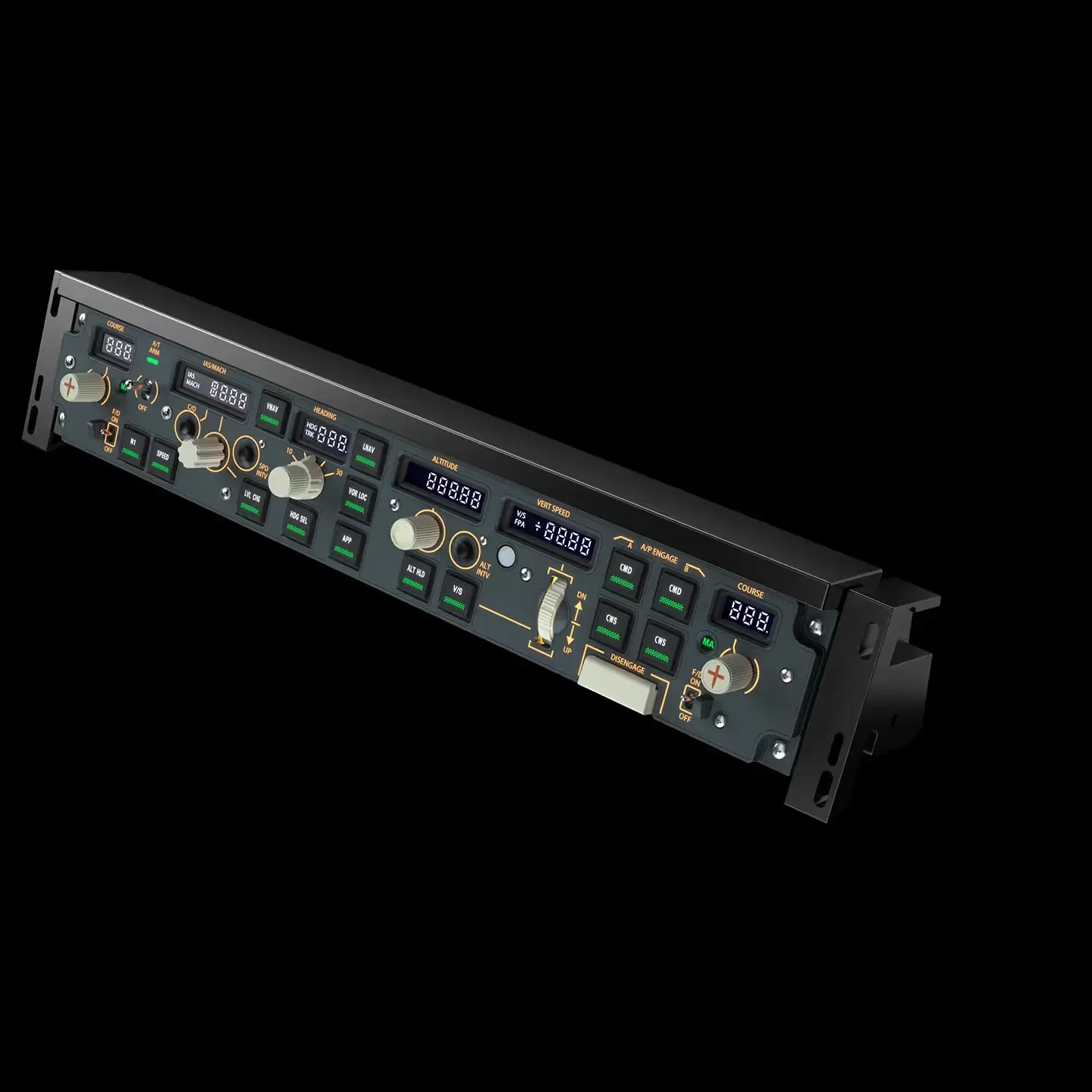
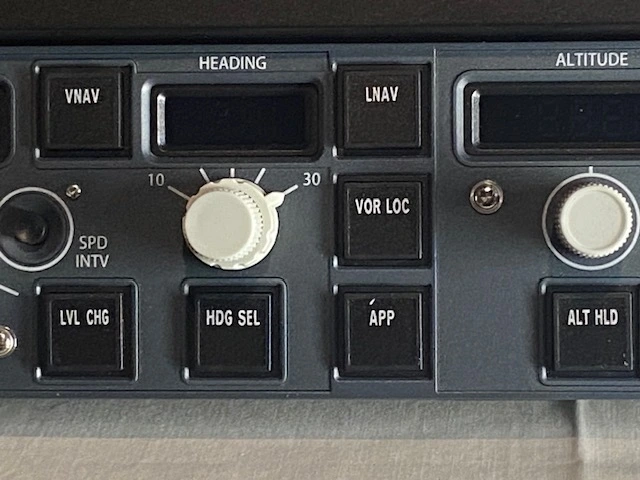
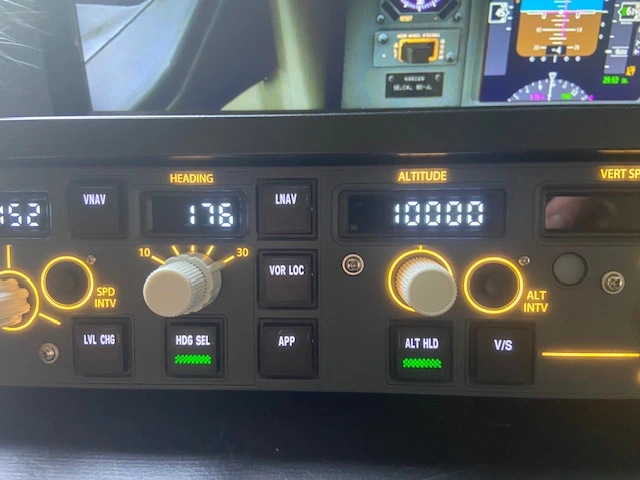
Frankly, I was blown away. Winwing has sucessfully replicated the glareshield of the Boeing 737NG and Boeing 737 MAX series aircraft, and it is a remarkable sight. This is a beautiful piece of hardware, meticulously packed, and, I believe, virtually indistinguishable from the panel Boeing installs in its aircrafts.
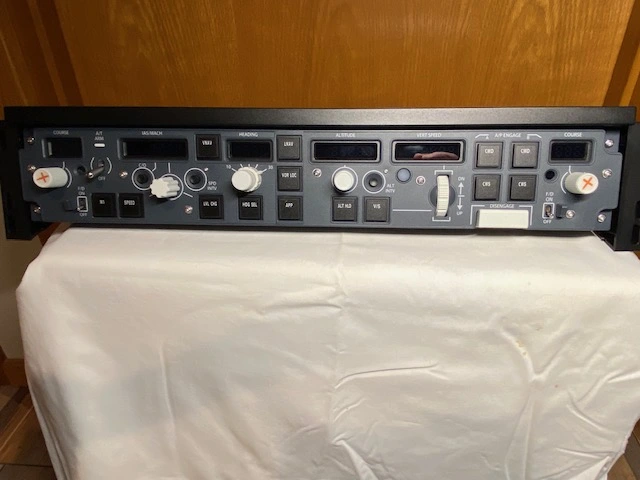
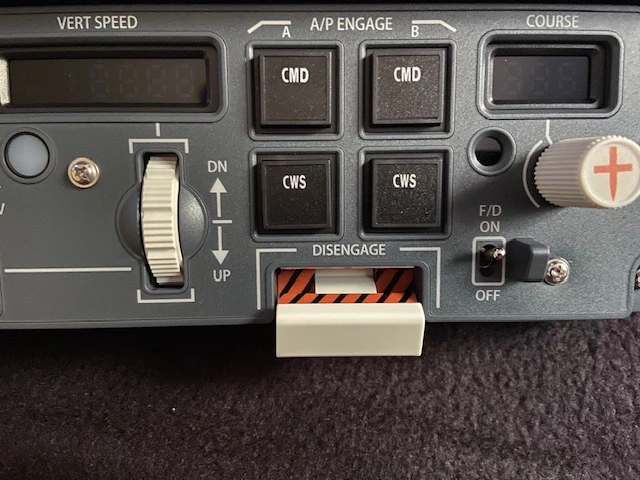
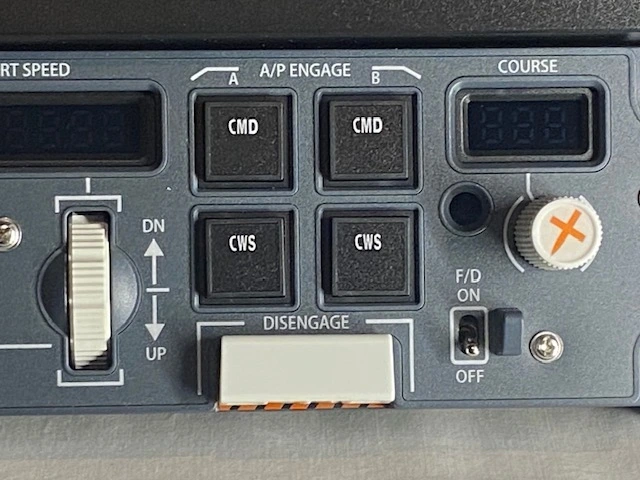
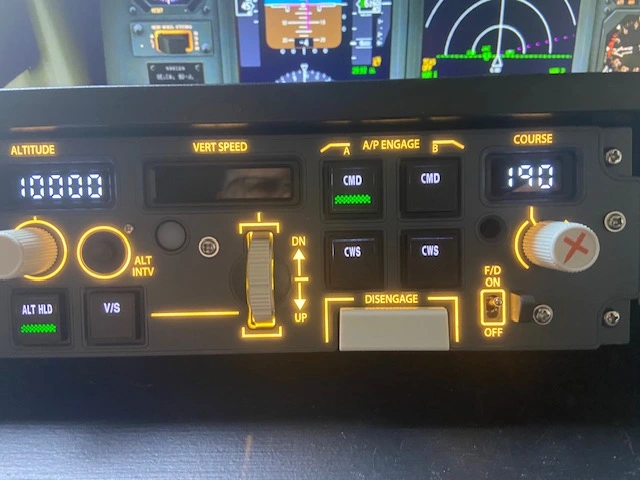
The panel shares the same height and width dimensions as the real life counterpart, and the attention to detail extends all the way to the small guards next to the two flight director switches. The same goes for the autopilot disengage bar. When it is pushed down to disengage the autopilot, a black and yellow striped background is displayed, to emphasize that the autopilot is no longer active.
Knobs, Lights, and Switches
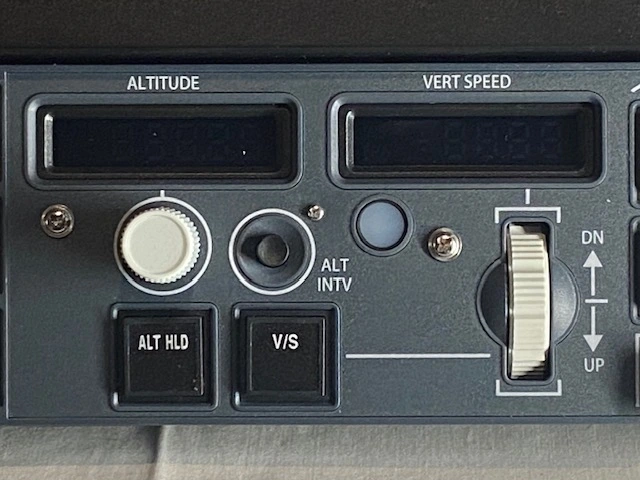
The panel features the following controls:
- Dual Course Knobs and Display Windows
- Dual Flight Director Switches with Main Active Indicators
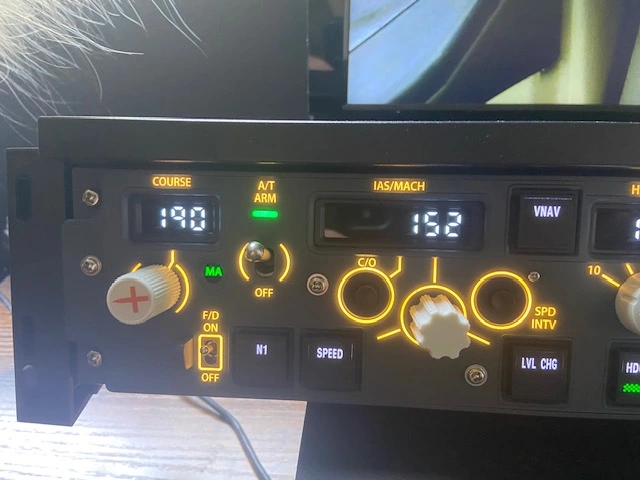
- Autothrottle Toggle Switch
- Display Windows for IAS/MACH, Heading, Altitude, and Vertical Speed
- Rotary Knobs for Airspeed, Heading, and Altitude (the heading knob also has an outer vertical knob to vary the degree of commanded bank angle between 10 and 30 degrees)
- N1, Speed, VNAV, Level Change, Heading Select, LNAV, VOR LOC, APP, Altitude Hold, and Speed Push Buttons with LEDs
- Thumbwheel for Vertical Speed
- Autopilot Disengage Bar
- Dual Autopilot Command and Control Wheel Steering Buttons

Operation
Initial setup is quite straightforward. One needs to download the SimAppPro interface, available at no cost from the Winwing website. Further, you have to choose a mounting method for the supplied supports, and attach the supplied USB cable. Once done, this is truly a plug-and-play piece of hardware. Start SimAppPro, verify that it is sensing the hardware, and then start the flight simulator program. The unit comes to life, verified by the six numerical display windows lighting up.
Being able to actually flip switches, push buttons, and turn knobs, instead of using a mouse pointer to perform these functions, is a delight. In my flight sim monitor screen, to achieve a proper pilot position, a section of the autopilot panel is displayed off-screen, requiring manipulation to make all the controls accessible. The PAP panel eliminates that restriction for much more realistic and comprehensive operation.
Movement of the switches and knobs is precise. The five knobs complete a full 360-degree turn for full rotation. There is a subtle detent at each point of the twenty clicks needed for a full revolution of the five knobs, and fifteen steps for the rotary vertical speed wheel. These can be easily overcome for fast turning, but provide positive motion for accurate tuning.
The standard autothrottle toggle switch is the one item that does not quite accurately replicate the actual panel. The stock switch is flicked up to engage the autothrottle, but then defaults to the down position. Disengaging the autothrottle requires flipping the switch up again, and then down. To their credit, Winwing fully acknowledges this and offers a solution, which is a magnetic switch to replace the standard one. This switch solidly locks into the on position and remains there until turned off. The difference in operation is small; however, I must admit that it is quite satisfying.
My unit arrived with this switch included. I conducted one flight with the standard switch, and it is quite adequate if one does not mind the slightly awkward manipulation. I then installed the magnetic switch, a straightforward procedure that required only the removal of two screws and unplugging the standard switch from its socket. The magnetic switch fits in the same slot and plugs into a different socket.
The difference in operation is small; however, I have to admit it is more satisfying to operate. This switch has a very positive feel, and once flipped on, it remains in that position until it is commanded off. It is a $56.65 option that can be ordered from Winwing.
Compatability
As of early October 2025, Winwing stated that the PAP-3N is integrated to work with the following aircrafts and simulators:
MSFS 2020: PMDG 736/737/738/739/739ER/773ER/777F
MSFS 2024: Official 737 MAX - Awaiting PMDG updates for their models
XPlane 11: Awaiting developer updates for Zibo 738 and Game Official 737-800
XPlane 12: Zibo 738 - Game Official 737-800
Conclusion
This is a well-engineered piece of plug-and-play hardware that offers an immersive experience for Boeing 737 and Boeing 777 flight sim pilots. If you are serious about increasing the realism of your simulator, this autopilot panel is essential. It is as simple as that.
WINWING PDC-3N and PDC-3M Panels
A review by Magnus Lorvik
Following the PAP-3N, Winwing has expanded its lineup with the PDC-3N and PDC-3M panels, which perfectly complement the autopilot module. While the PAP-3N recreates the heart of the Boeing glareshield, these two additions complete the system’s lower center pedestal functionality, offering direct tactile access to radio, transponder, and control interfaces that bring the simulator environment even closer to a real flight deck.
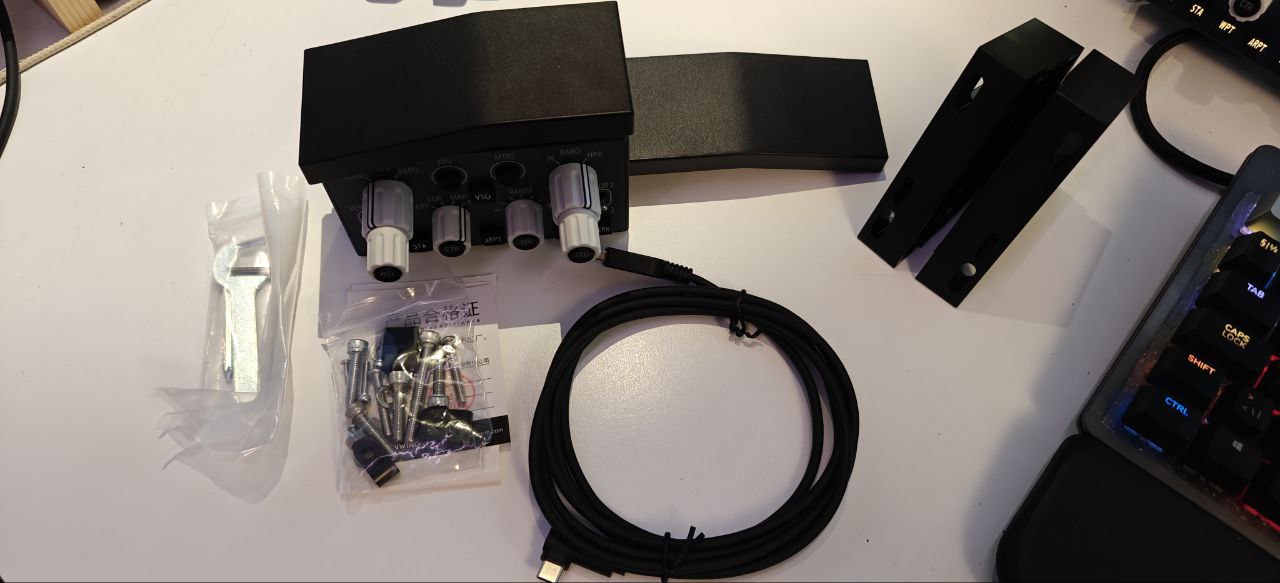
I had to slightly reconstruct my desk shelf to make room for the PDC-3N panel — a small effort that proved worthwhile once everything was in place. I will have to reconstruct it again for the PDC-3M panel though. I'll figure something out.

First Impressions
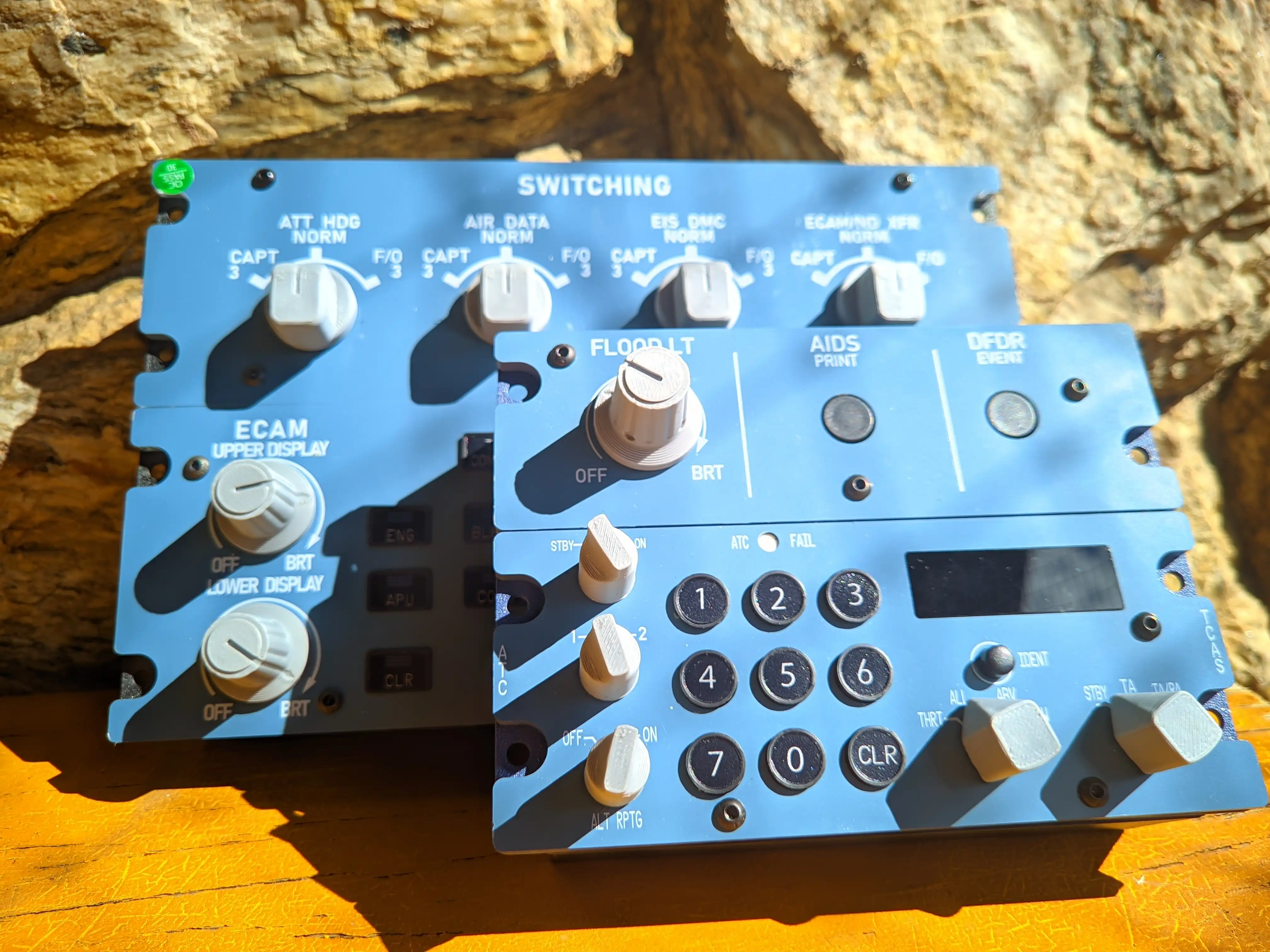
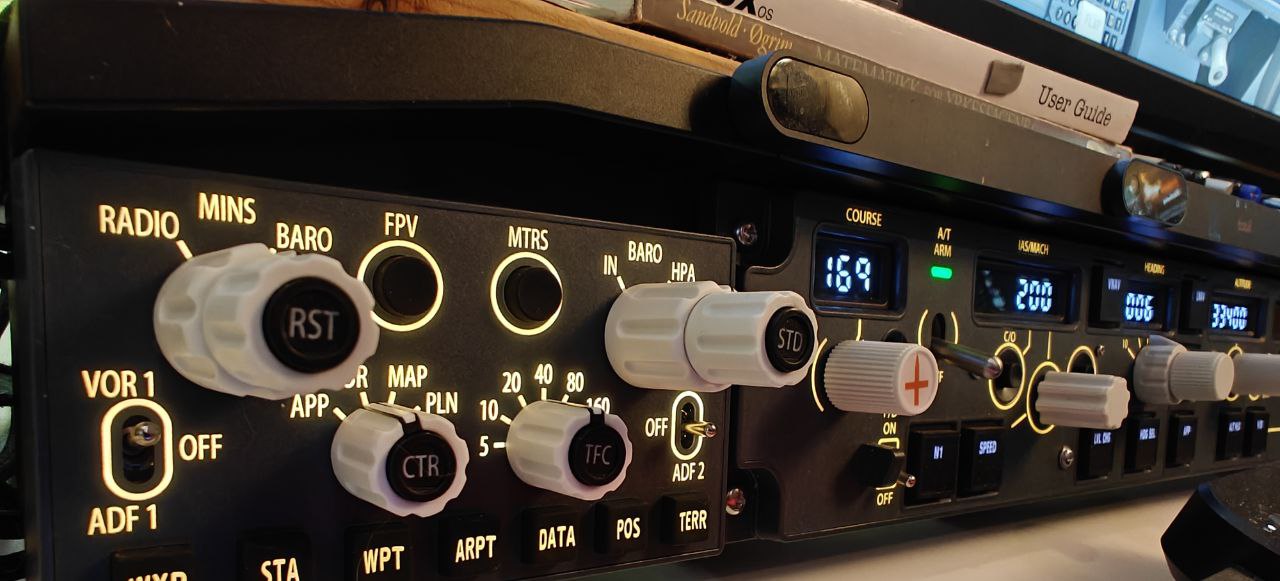
Both panels exhibit the same high build quality and attention to detail as the PAP-3 Panel. The color matching, backlit labeling, and solid switches align perfectly with the main unit to complete the glareshield interface. The rotary dials and push switches have a reassuring mechanical precision that invites use and adds a sense of authenticity.
Operation and Use
The PDC-3N focuses on navigation and communication controls, including dual COM and NAV frequency selectors with standby/active transfer switches, and a functional transponder section. The PDC-3M, meanwhile, expands into mode control and system management, depending on the aircraft profile used. When connected through SimAppPro, both panels are detected instantly, and setup is as straightforward as the PAP-3N — plug in, assign the device, and launch the simulator.
Both panels come with two “glareshield” options, so they both can be placed on either the captains or the Frst Officer side of the cockpit. This is a good addition to the panels.
Using the two panels alongside the PAP-3N transforms the experience from a single-component enhancement to a complete front-console simulation. The added realism is particularly noticeable in IFR operations where quick frequency management and transponder adjustments are key. Button travel and knob resistance are finely tuned, avoiding the overly light or “toy-like” feel that sometimes characterizes entry-level peripherals.
Compatibility and Integration
At the time of testing, both units worked seamlessly with MSFS 2020 and X-Plane 12, particularly when paired with the PMDG 737 and Zibo /LevelUP 738. Integration with the upcoming MSFS 2024 versions is already in progress through Winwing’s frequent firmware updates.
Buttons
- 3-Position Toggle Switch travel: 24°
- 2-Position Selector rotation angle: 60°
- 8-Position Selector rotation angle: 210°, with 30° intervals
- 4-Position Selector rotation angle: 90°, with 30° intervals
- *When the outer layer is at the PLN position, the Center Switch is non-pressable. Force press may result in product damage.
- 2-Position 2-Sided Auto-Reset Selector rotation angle: 120°
- *Rotate to 1st position (30°) or 2nd position (60°) and release, the selector will auto reset. A built-in demarcation tactile feedback is between 1st and 2nd position.
*NOTE: Rotation only for the selectors. Force push/pull may result in product damage.
Conclusion
The PAP-3 MAG is a well-engineered, plug-and-play piece of hardware that offers an immersive experience for Boeing 737 and 777 flight sim pilots. If you are serious about increasing the realism of your simulator, this autopilot panel is essential. It is as simple as that.
The PDC-3N and PDC-3M panels continue Winwing’s pattern of delivering high-quality cockpit components at an approachable entry price. They are robust, realistic, and designed with the same meticulous engineering that makes the PAP-3N stand out. For anyone looking to replicate the Boeing 737 flight deck, whether as part of a full setup or simply on a desktop, these panels are far more than accessories - they are key steps toward a complete, hands-on cockpit environment.
The only question that remains concerns the current pricing. At the time of writing, the PAP-3N MAG retails for 205.90 USD, while each of the PDC-3N and PDC-3M panels is listed at 87.50 USD. That brings the total to roughly 380.90 USD for the complete three-panel setup.
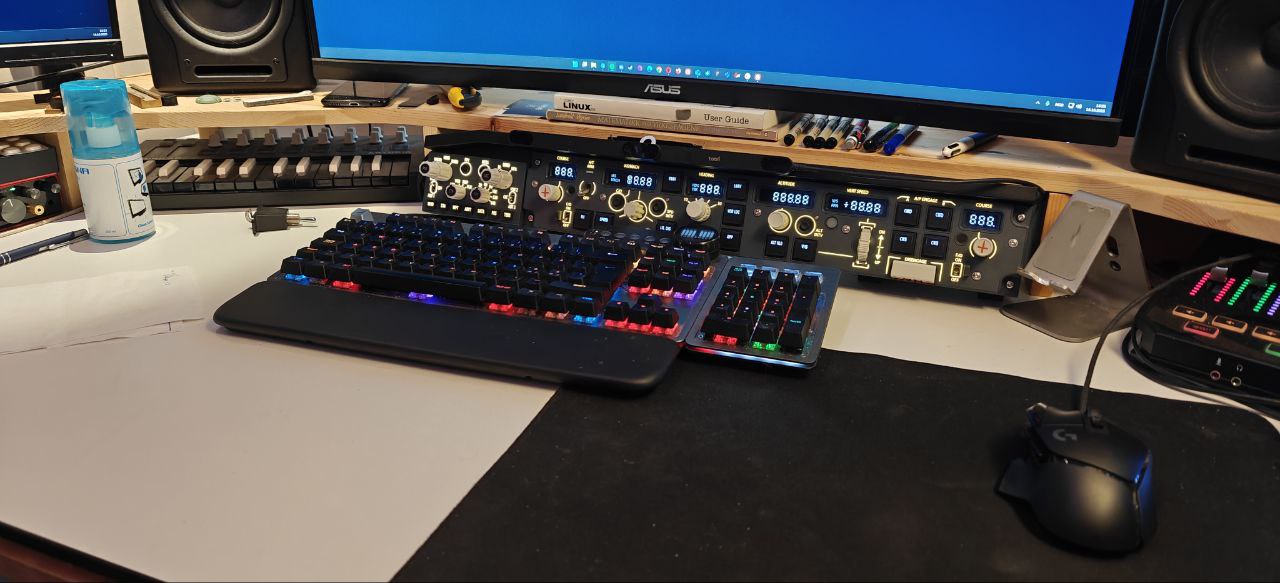
The PAP-3N central panel alone fully justifies its price. The engineering, tactile fidelity, and overall finish make it an easy recommendation for anyone flying the 737 or 777. However, once one or both side panels are added, the total cost begins to reach a level where some potential buyers may hesitate.
Since most sim pilots will naturally prefer the captain’s side configuration, it remains to be seen how many will find value in purchasing a second PDC panel for the first pofficer side separately. A bundle option combining both PDC units is currently available for 175 USD, which equals the combined individual price of the panels. Lowering the price for this bundle, or offering all three panels together at a modest discount, could create a stronger incentive and make the ecosystem feel more cohesive and accessible.
That aside, Winwing continues to demonstrate a rare commitment to replicating popular flight decks and delivering them at a price point that brings professional-grade realism closer to the wider simulation community than ever before.
Share this page

COMMENT ADVISORY:
Threshold encourages informed discussion and debate - though this can only happen if all commenters remain civil when voicing their opinions.