Threshold Review: MOZA AB6 Force Feedback Bundle
November 2, 2025
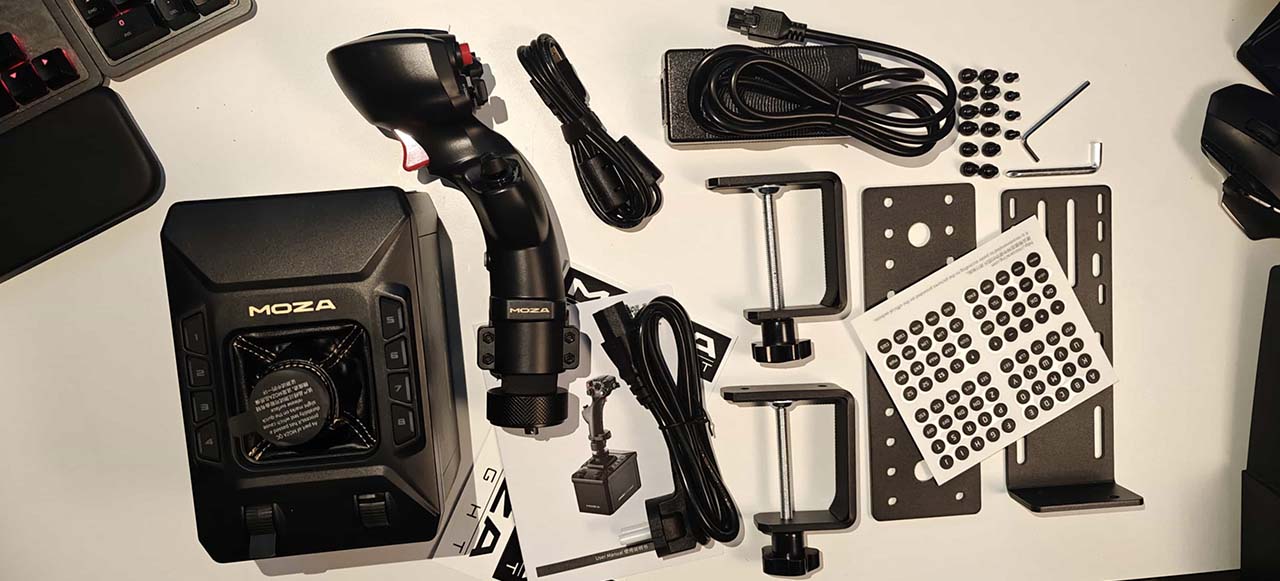
In the package you get:
- AB6 force feedback base
- MHG Flightstick
- Bracket
Total price: $399 USD
Introduction
The AB6 marks MOZA’s effort to make force feedback more accessible. Unlike their earlier offerings, where the base and stick were sold separately, this package combines the AB6 force feedback base with the new MHG flight stick and a mounting bracket in one bundle. Priced at $399, it serves as a more affordable entry point into the force feedback sphere, a space that has, until now, been reserved mainly for high-end users.
For reference, MOZA’s higher-end setup includes the AB9 FFB Base ($549 USD ), the premium MH16 Flightstick ($169 USD), and the optional Flight Base Table Clamp ($59 USD). We reviewved that setup here: Threshold Review: MOZA Flight Stick and Base
Packaging
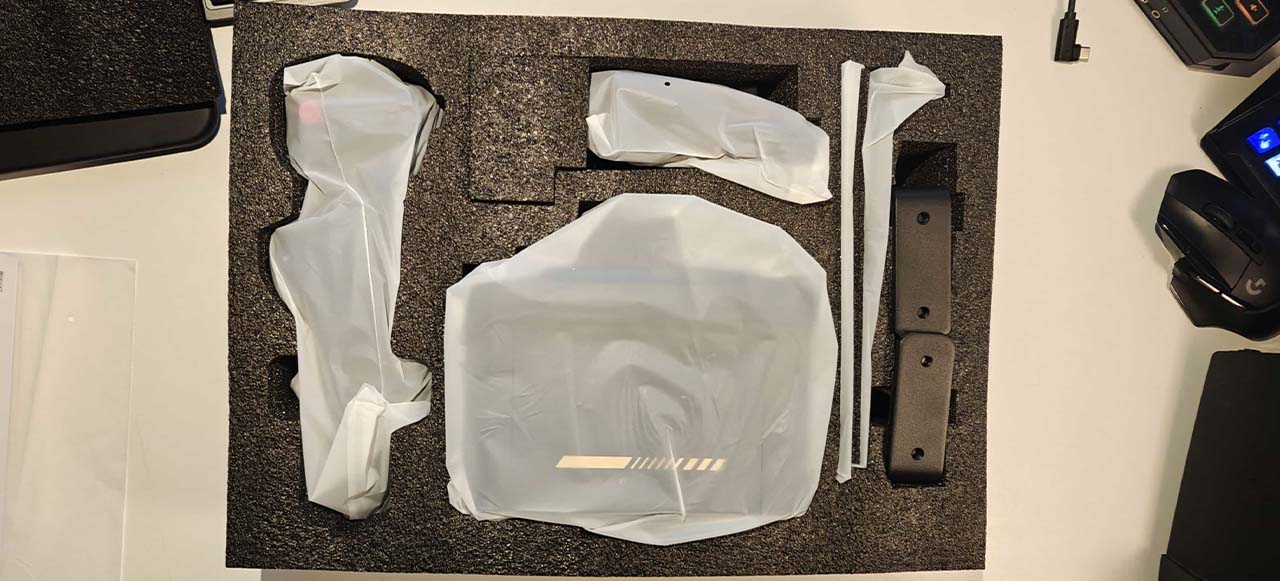
The foam used here effectively protects the components, but I will continue to mention this in every review until MOZA decides to adopt a more environmentally friendly solution. Their hardware always arrives well protected, but the same dense foam has been used across all recent products. It does the job, yet feels outdated. Other manufacturers have already switched to cardboard-based packaging, which provides both excellent protection and a smaller environmental footprint. This is something MOZA should strongly consider adopting in future revisions. That being said, though, is the weight of the product making the cardboard packaging lack strength? I’d love to hear MOZA’s thoughts on this.
Brackets & Assembly
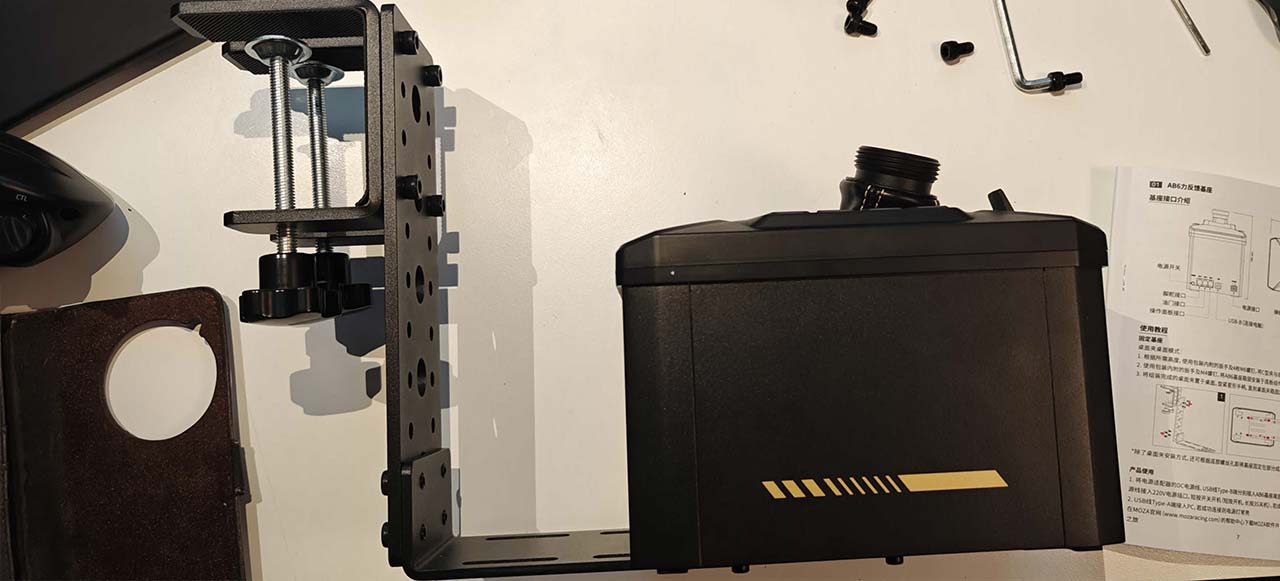
The included bracket matches the clean, solid finish of MOZA’s other metal components, which is always appreciated. I love that this is included. I have a couple of issues in my setup using this bracket system. The following problems are not typical, though, and I am mentioning them only to provide a complete picture of the brackets.
During assembly, one side of the bracket has wider mounting holes than the other, meaning you need to pay attention when fastening it down. Clear markings for front and back make the process far more intuitive.
Positioning the unit takes some trial and error. In the default configuration, the stick ends up sitting further back from the desk than feels natural, since I am already relatively far from my screen. When trying to get the unit closer to the table, the cable clearance between the housing and the bracket becomes an issue. Once everything is mounted, the solution is serviceable but not ideal in my setup.
The last issue I had was that the base has a noticeable amount of side-to-side play under light pressure. I have a table with a fairly slippery surface, which may or may not affect precision in flight with the spring set to a stiff setting, but it certainly doesn’t inspire complete confidence. A wider clamping mechanism or at least grippier padding under the feet would help improve stability.
During flight, none of this matters much as long as you’re able to position the base comfortably.
The MHG Flightstick
Before attaching the grip to the base, be sure to remove the small foam insert located between the base and the mounting collar. The cable length on the stick is just enough to make installation manageable, though the process can feel a little fiddly.
Because the MHG features a rotating Z-axis, it is critical to tighten the stick into the base. I think that the otherwise excellent metal finish becomes a double-edged sword here: while it looks and feels premium, it initially doesn’t offer much bite when the collar is tightened, and the grip can rotate under firm input. After making some adjustments, I managed to secure it well enough, so this is no longer a problem - just something to take note of. When fastened, however, rotational movement on the stick can loosen the stick from the base, which could result in problems when applying force while flying. A more defined groove in the mounting collar could perhaps help in fastening. This is something to consider for future products of this type.
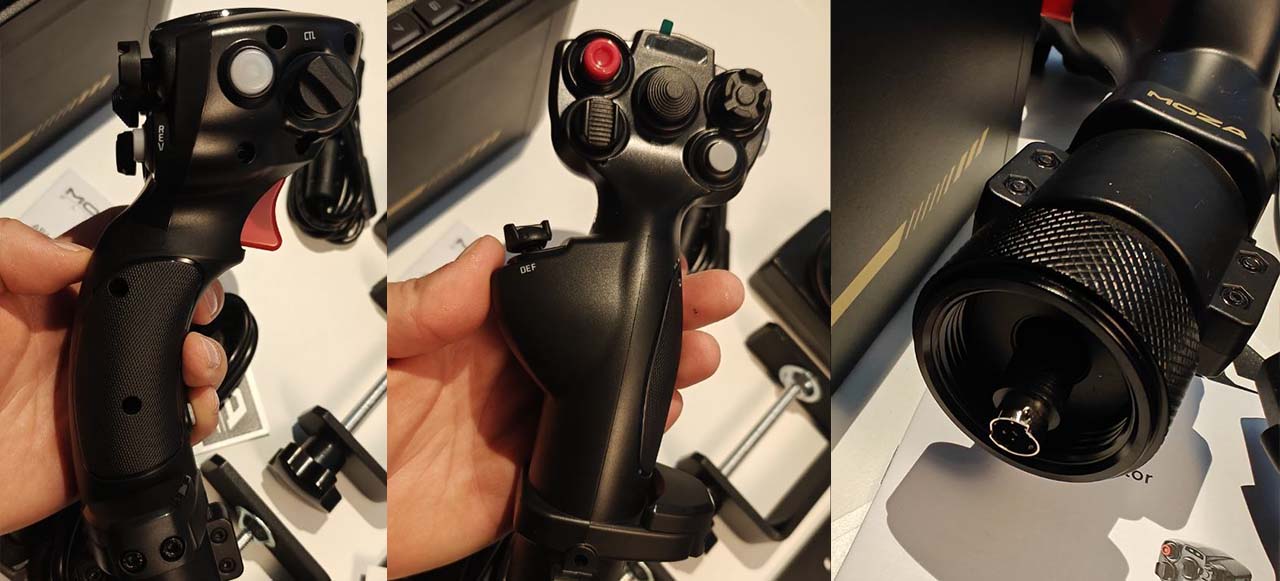
The rotating Z-axis is a welcome addition to the package, one that I did not expect. I acknowledge the challenges this must have presented during the design process.
Quality wise the MHG almost feels out of place in this package, but that impression mainly comes from my familiarity with the MH16. The MHG is made of a lighter, more affordable plastic. Not cheap in a negative way, but noticeably lower in quality feel than the MH16, which has superb build quality. If you've never used the MH16, you likely find the MHG perfectly fine. In the context of this package, it maintains a total price of $399 while still offering a comprehensive and capable setup. Adding the option to purchase the AB6 with the MH16 stick would be a great upgrade for those seeking a more premium configuration.
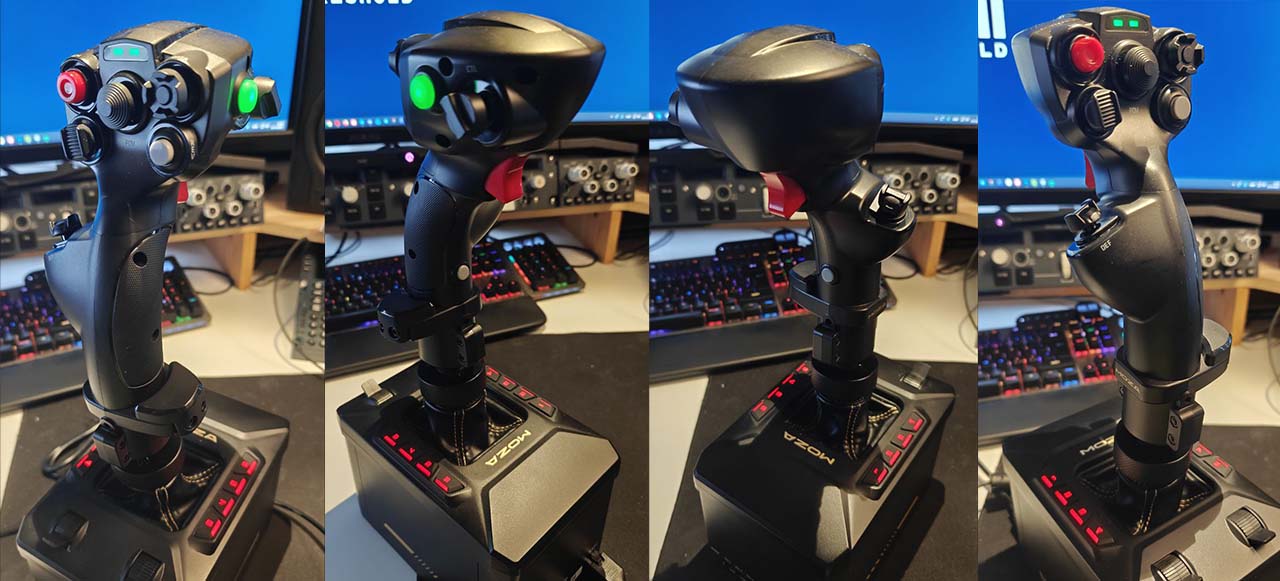
The MHG offers no adjustment options other than removing a bracket on the lower end of the shaft if you have very large hands. I would say my hands are slightly above average, and the stick feels great right out of the box. The user-facing side of the top has three different thumbsticks and two buttons, with a thumbstick offset toward the side where your thumb sits. In front, there is a two-stage fire trigger and a button placed low under your pinky finger. I’ve never liked buttons in this position, but the intrusion of the “pinky button” is minimal, and you forget it’s there after some time.
The yaw axis movement is very clear and firm, with a well-defined center point. While I appreciate this feature a lot, I wouldn’t replace it with rudder pedals any day. If you’re saving up for rudder pedals, be sure to do that. This feature is not bad by any means, but there are joysticks available that have a more refined axis, providing more control. However, the fact that this is a feature on a stick like this at all is a huge plus!
You can control the lights from the MOZA Cockpit software or assign a controller on the stick to adjust the light intensity. The base can use its two sliders, and the joystick can utilize the “ministick.” It would have been a great feature to control all these lights from a single source. For example, we could control all the lights, including the stick lights, from the slider on the base. I don’t see an option for this to be managed via in-sim telemetry.
The AB6 Base
The base features a set of buttons and sliders that immediately feel thoughtfully designed. The buttons are made of rubber that could easily seem mushy, but here, they’re pleasantly firm and produce a satisfying click on both press and release. The sliders, although plastic, are securely seated within the housing and don’t feel out of place. You could, in theory, use them as throttle controls if you don’t already have a throttle quadrant. I think having this feature at this price range makes sense. Like the AB9, I love the leather between the stick and the base. The top is made of high-density plastic, and the rest of the base is a metal casing that gives the unit a premium feel. The AB6 is heavy. Though not quite as hefty as its big brother, the AB9. With the internal motors and metal casing, don’t expect this unit to weigh as much as your typical joystick.

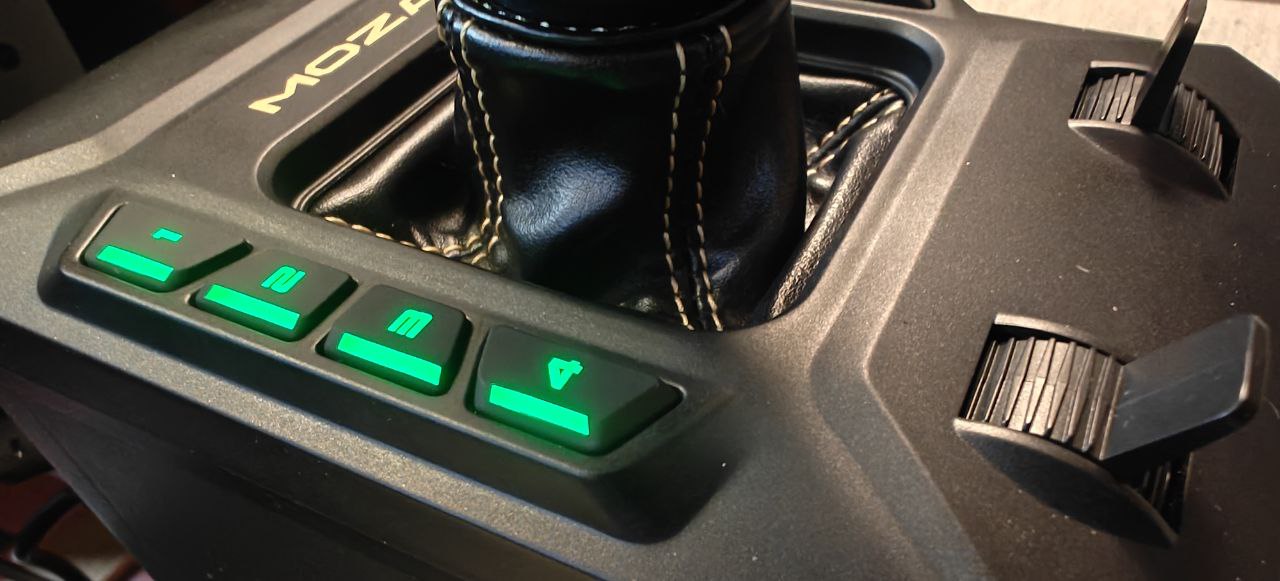
Since I am used to the AB9, the AB6 doesn’t feel large to me. However, if you come from a standard joystick setup, it’s something you will notice immediately. When placed on a table, it is nearly 40 cm tall. Therefore, using it on the table in front of you without the bracket system is not recommended.
The base has a few connections for adding peripherals, like the throttle quadrant. If MOZA had used USB-C here, they could have saved a few centimetres with a 90-degree cable, allowing the base to sit closer to the desk when mounted on the brackets. We do, however, see MOZA’s continued use of the USB-B cable. It is a sturdy choice, but one I would like to see replaced by USB-C in future revisions. The base also retains MOZA’s proprietary 6-pin DC power connector, which is not a Kycon or Molex type for which standard replacements are available. It is a custom-moulded connector explicitly designed for MOZA’s power delivery system across their bases.
To bring the Joystick closer to the table, these would have to be changed to something different as well. Or the placement of the ports would need to be changed. Which gives other challenges entirely. Since the connector is not a standard type, replacement cables are not easily obtainable, leaving users dependent on MOZA for replacements. The connection itself feels robust and reliable, but from a sustainability and logistical standpoint, it is not an ideal solution. It is not a dealbreaker by any means, but it is worth mentioning.

In use
You turn on the unit by pressing a small button on the front and turn it off by holding the button for a couple of seconds. Before using the unit, ensure that everything is set up and then go through all calibrations in the MOZA Cockpit software. Both on the stick and the base unit. The “grinding” or “Cogging Torque Effect”, as MOZA calls it, has a calibration option in the joystick options of the software. Be sure to do this calibration, as it smoothens out the grinding feel of the joystick movements. It is and will probably never be as smooth as the AB9 since they use different motors, but it is not something you will notice in use.
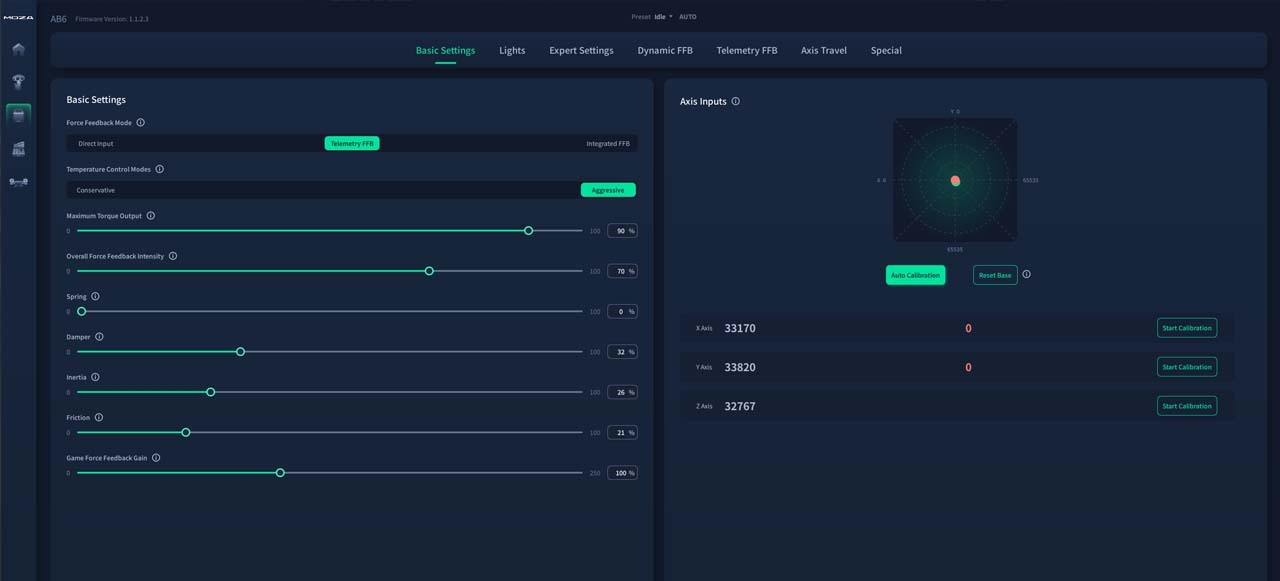
There is something unusual happening with the movements. I am unsure whether this is due to an early version of the firmware or a hardware-related quirk. I say quirk, because it isn't an "issue" per say. The joystick movements go to an “end point” at the extremes, with a notch; you can go past that, but the software does not register anything beyond this point. This is for both the x and y axes. When loosening the spring effect entirely, the joystick rests on an “invisible” but soft wall, and can be moved further, but it does not affect input. It also bounces off this “wall” if you throw the stick to one side when the spring and dampening filter is turned completely off. I wonder if this is a safety mechanism for the force feedback motors. It is worth noting that this does not interfere with flying at all.
In fact, I can only praise the joystick in use. Just as its larger brother, the AB9, the experience of flying with force feedback is such a huge "sim changer" that once you gotten used to it, you will never want to go back. And if you are flying a helicopter setup, the non-spring setup will change everything. You don’t have to trim the aircraft to compensate for a stick that always centers. You’ll place the stick in the position it needs to be to fly in the direction you want. Flying becomes so much more natural.
I am not going in to detail about the software in this review. But it is an intuitive and easy to use software that I recommend playing around with. Most of the items you can adjust are well explained and you can change the feel and strenagth of both the force feedback effects and how the joystick feels.
The optional shifter addon
It is worth mentioning, as this is a valuable addition to the base. If you are a simracer and would like to combine this for your sim racing experience as well, you can do that with the additional shifter addon. This turns the AB6 Base into several shifter patterns. This is a massive bonus and a cross-over usage I would love to see more of in the industry. In fact, the shifter works better on this than on the AB9. Both in termas of its size and its assignable buttons.

Conclusion
The AB6 is a joy to use. After flying with force feedback for much of this year, any other joystick setup now feels dull and lifeless. Just as in sim racing, the ability to sense what the aircraft is doing through physical feedback makes a significant difference. You can feel wind shear, stalls, and the gradual stiffening of control surfaces as speed increases. Even the subtle vibrations of the engine and the moment the wheels leave the ground are felt with convincing clarity. MOZA has brought this level of immersion within reach of far more users, and I can wholeheartedly recommend it.
If I could choose from the top shelf for this package, I would opt for the MH16, accompanied by an additional rotating Z-axis. That would naturally raise the price, but it would create an exceptionally well-balanced setup. For now, the inclusion of the MHG makes perfect sense. It keeps the cost down and gives newcomers an affordable entry point into the world of force feedback. Once you have invested in a good set of rudder pedals and a throttle quadrant, upgrading to the MH16 would be a very sensible next step.
The bracket is a welcome inclusion, but could have been executed better to avoid edge cases of instability and awkward seating positions. I am affected by those issues, but they are minor. I am also missing a cloth dust protector. It not only looks good but keeps the unit safe when not in use. Something that really should be standard.
However, every negative point I have brought up here has been nitpicking. MOZA has genuinely delivered. Bringing the price of force feedback down to this level is an achievement that deserves recognition. AB6 represents the most affordable way to experience proper force feedback today. And with the MTQ Throttle base, we just lack a good rudder pedal set from MOZA to complete the setup. If we look at the icons in their software, could that be on its way soon?
Share this page

COMMENT ADVISORY:
Threshold encourages informed discussion and debate - though this can only happen if all commenters remain civil when voicing their opinions.